

The cost of a custom web application is not the cost of writing code
When companies ask what a custom web application should cost, they often start with the visible feature list.
Users need to log in. Administrators need a dashboard. Customers need to submit requests. The application needs reports, notifications and a few integrations.
It is tempting to estimate the project by counting screens and multiplying them by development hours.
That approach usually misses the expensive parts.
The budget for a serious business application is shaped by everything required to make those screens reliable: discovery, workflow design, architecture, data modeling, permissions, integrations, security, testing, deployment, monitoring and ongoing change.
Two applications can look almost identical in a demo and require very different levels of effort underneath.
A five-screen internal tool used by twenty employees is not the same engineering problem as a five-screen customer portal serving thousands of users, processing payments, integrating with an ERP and storing regulated data.
Actiknow’s custom web application development service describes an end-to-end process covering discovery and strategy, wireframing and prototyping, agile development, quality assurance, deployment and optimization. Those stages are useful for understanding why a realistic software budget extends well beyond coding.
This article does not provide invented market quotes or pretend that one price range fits every project. Instead, it explains the cost drivers executives should scope before asking a development team for a credible estimate.
1. Discovery and requirements
The first cost driver is how well the problem is understood.
A request such as “build a customer portal” is not yet a specification.
A delivery team needs to understand:
- Who are the users?
- What can each user do?
- What happens today?
- Which steps should change?
- Which business rules apply?
- What data is required?
- Which systems already hold that data?
- What approvals are needed?
- What exceptions occur?
- What does success look like?
Discovery may involve stakeholder interviews, workflow mapping, existing-system review, data analysis, API documentation review and prioritization.
This work costs money, but skipping it does not make the requirement disappear. It simply pushes discovery into development, where ambiguity is more expensive.
The more complex the business process, the more important discovery becomes.

2. Number of user roles
The number of screens is often less important than the number of roles.
Consider an application with:
- Customer
- Account Manager
- Operations User
- Finance User
- Administrator
- Super Administrator
Each role may see different data, perform different actions and follow different workflows.
That affects:
- permissions;
- navigation;
- validation;
- notifications;
- testing;
- audit history;
- support;
- documentation.
A single “Orders” screen may behave six different ways depending on who is logged in.
Role complexity should therefore be estimated explicitly.
3. Workflow complexity
A form that saves a record is inexpensive compared with a workflow that moves the record through multiple states.
For example:
- Draft
- Submitted
- Under Review
- Changes Requested
- Approved
- Scheduled
- Completed
- Cancelled
Now add rules.
- Only certain roles can approve.
- Changes after approval require re-approval.
- Some statuses trigger notifications.
- Some actions require attachments.
- Cancellation behaves differently after scheduling.
- Completed records become read-only.
Every rule adds implementation and testing effort.
When estimating a custom application, count business states and transitions, not just pages.
4. UX and product design
Design is another area that is frequently reduced to “make the screens look nice.”
Good application design is more than visual styling.
It includes:
- information architecture;
- navigation;
- workflow design;
- wireframes;
- interaction patterns;
- responsive behavior;
- empty states;
- validation;
- error handling;
- accessibility;
- mobile behavior;
- design consistency.
A simple internal administration tool may need limited design work.
A customer-facing product competing for adoption may require much more.
The budget should reflect the importance of the user experience to the business outcome.
5. Responsive requirements
“Web application” does not automatically mean “works perfectly everywhere.”
Define the expected devices.
- Desktop only?
- Desktop and tablet?
- Fully responsive mobile web?
- Specific browser support?
- Touch-friendly workflows?
- Complex data tables that must work on small screens?
Responsive behavior can significantly increase design and QA effort, particularly for workflow-heavy applications.
6. Data model complexity
Behind the interface sits a data model.
Simple applications may have a handful of entities.
Complex platforms may contain:
- organizations;
- users;
- locations;
- customers;
- products;
- orders;
- contracts;
- projects;
- tasks;
- documents;
- payments;
- permissions;
- audit events;
- configuration;
- reference data.
The relationships matter.
- Can a user belong to multiple organizations?
- Can an account have multiple locations?
- Can an order contain several products?
- Can records be reassigned?
- Must historical ownership be preserved?
A weak data model may make the first release faster but future changes much more expensive.
Architecture effort is therefore part of the project budget even though users never see it.

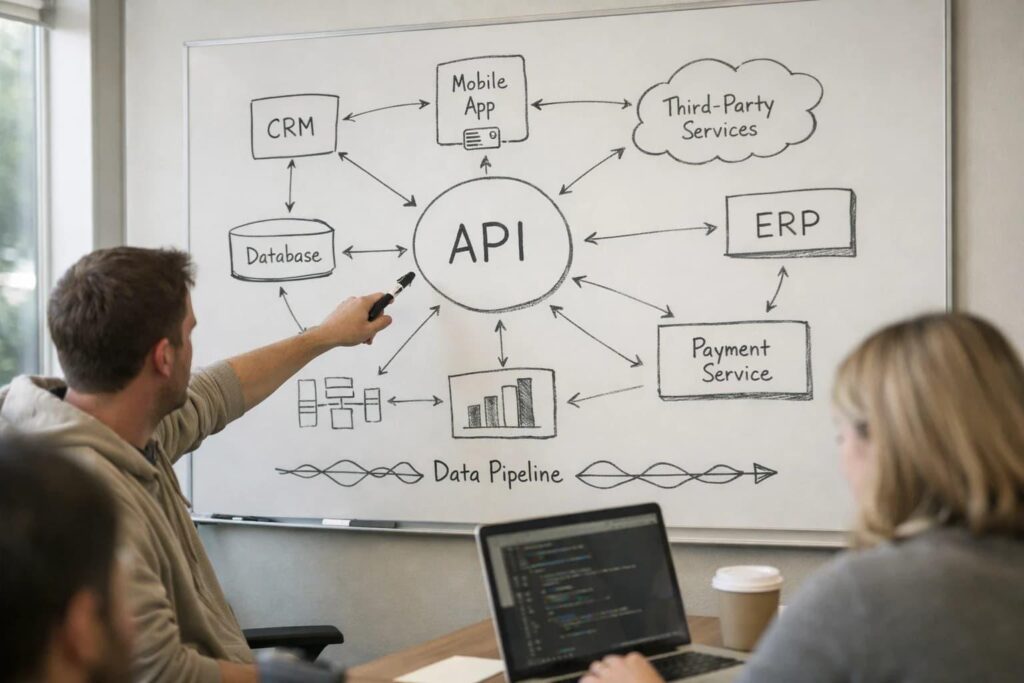
7. Integrations
Integrations are one of the largest sources of estimation uncertainty.
A requirement such as “integrate with Salesforce” sounds like one feature.
It may actually require decisions about:
- authentication;
- objects and fields;
- direction of synchronization;
- frequency;
- conflict handling;
- deletions;
- rate limits;
- pagination;
- webhooks;
- retries;
- error logging;
- mapping;
- historical loading;
- monitoring.
The same applies to ERP, accounting, payment, logistics, identity and marketing platforms.
Actiknow’s custom solutions practice explicitly includes system and API integrations alongside custom web and mobile applications. When integrations are part of the project, they should be scoped as independent workstreams rather than treated as small additions to a screen estimate.
8. API quality
Even when two projects integrate with the same number of systems, the effort may differ substantially.
A well-documented modern API with stable authentication and test environments is easier to work with than:
- an undocumented legacy API;
- a SOAP service;
- a vendor-specific file exchange;
- an API with strict rate limits;
- a system without a sandbox;
- a database that can only be queried directly;
- a manual CSV process.
Before finalizing an estimate, review the actual integration documentation where possible.
If access is unavailable, make the uncertainty explicit.
9. Data migration
New applications often need old data.
Migration can involve:
- extracting data;
- cleaning it;
- mapping fields;
- deduplicating records;
- transforming formats;
- validating relationships;
- loading files or databases;
- reconciling totals;
- handling rejected records;
- re-running the migration before launch.
A one-time migration can become a significant project in its own right.
The question is not only “How many rows?”
It is “How clean, consistent and structurally compatible is the source data?”
10. Authentication
Login can be simple or complex.
Basic email and password authentication is different from:
- Google or Microsoft sign-in;
- enterprise SSO;
- SAML;
- multi-factor authentication;
- password policies;
- session controls;
- customer identity;
- invitation workflows;
- multiple organizations;
- domain restrictions.
Identity decisions affect architecture and security throughout the application.
They should be resolved early.
11. Authorization and permissions
Authentication answers: Who are you?
Authorization answers: What are you allowed to do?
Permission models can become sophisticated.
For example:
- a manager can view only their region;
- a customer can view only their organization;
- a finance user can see amounts but not edit operations;
- an administrator can configure users;
- a global administrator can manage all tenants.
Permissions must be enforced on the backend, not only by hiding buttons in the interface.
The more granular the access model, the more development and testing it requires.
12. Multi-tenant architecture
A SaaS product serving multiple customers introduces additional concerns.
- How is tenant data isolated?
- Can users belong to more than one tenant?
- Are configurations tenant-specific?
- Can each customer have different branding?
- Can administrators impersonate users for support?
- Are usage limits different by plan?
- How are tenant-level reports generated?
- How are backups and exports handled?
Multi-tenancy is an architectural requirement, not a cosmetic feature.
It should be identified before development begins.
13. Security requirements
Security effort should match risk.
A basic internal utility and a healthcare, financial or enterprise customer platform do not have identical requirements.
Security considerations may include:
- secure authentication;
- role-based access;
- encryption;
- secrets management;
- audit logs;
- secure file handling;
- input validation;
- dependency management;
- vulnerability testing;
- data retention;
- backup;
- incident response;
- privacy requirements.
Actiknow’s web application service explicitly includes security as part of its development positioning. For budgeting purposes, the important lesson is that security requirements should be defined rather than assumed.
14. Auditability
Some applications need to answer:
- Who changed this value?
- What was it before?
- When was it changed?
- Who approved it?
- Which file was attached at the time?
- Was the notification sent?
Audit requirements affect database design, storage, interfaces and reporting.
If auditability matters, include it in the original scope.
Adding it after launch can require significant rework.
15. Notifications
“Send notifications” sounds simple until the rules are defined.
- Email?
- SMS?
- Push notification?
- In-app notification?
- Which events trigger them?
- Who receives them?
- Can users configure preferences?
- Are templates editable?
- Do notifications require attachments?
- What happens if delivery fails?
- Do administrators need a delivery log?
Notification requirements should be decomposed just like other workflows.
16. Search
Basic database filtering is different from sophisticated search.
Requirements may include:
- full-text search;
- fuzzy matching;
- search across multiple entities;
- facets;
- saved filters;
- large datasets;
- permissions-aware results;
- document search;
- ranking.
Search technology and infrastructure should match the actual need.
17. Reporting and dashboards
Many business applications eventually need reporting.
Clarify whether reporting means:
- simple totals;
- downloadable tables;
- operational dashboards;
- interactive charts;
- scheduled reports;
- PDF exports;
- Excel exports;
- embedded BI;
- complex analytical models.
Reporting can range from a few database queries to an entire analytical workstream.
Do not leave “reports” as a single line item in the requirements.
18. File and document management
Applications that handle files need decisions about:
- allowed file types;
- maximum size;
- storage;
- virus scanning;
- permissions;
- versioning;
- preview;
- download;
- retention;
- deletion;
- metadata;
- search.
Document-heavy applications may need significantly more engineering than the visible upload control suggests.
19. Payments and financial transactions
Payments add complexity because failure paths matter.
A payment workflow may need:
- checkout;
- payment provider integration;
- webhooks;
- failed-payment handling;
- refunds;
- credits;
- tax;
- invoices;
- subscriptions;
- renewals;
- cancellations;
- reconciliation.
Financial workflows should be designed around provider events and accounting requirements rather than only the successful user journey.
20. External services
Applications increasingly depend on external services for:
- email;
- SMS;
- maps;
- payments;
- identity;
- document signing;
- storage;
- search;
- analytics;
- AI;
- OCR;
- video;
- notifications.
These services can reduce development effort but introduce:
- subscription costs;
- usage costs;
- vendor dependency;
- rate limits;
- privacy considerations;
- failure modes.
Total cost of ownership should include them.
21. Administration tools
Almost every application needs an administrative interface.
Someone must manage:
- users;
- roles;
- reference data;
- configuration;
- templates;
- content;
- failed jobs;
- integrations;
- feature settings.
Admin functionality is easy to overlook because it is not part of the customer journey.
But without it, routine operational changes become developer tickets.
22. Quality assurance
Testing is not the final week of a project.
It should occur throughout delivery.
A realistic QA scope may include:
- functional testing;
- browser testing;
- responsive testing;
- role and permission testing;
- integration testing;
- regression testing;
- performance testing;
- security testing;
- user acceptance support.
The number of combinations grows quickly.
Six roles multiplied by several workflows, devices and states can create hundreds of meaningful test scenarios.
QA effort should therefore scale with complexity, not screen count.
23. Automated testing
Automated tests require upfront effort but can reduce regression risk as the product evolves.
The right level depends on the application.
Critical business logic, APIs, permissions and repeatable workflows are often strong candidates.
A short-lived prototype may justify less automation than a platform expected to evolve for years.
The estimate should reflect the expected life of the product.

24. Performance and scale
“Fast” is not a measurable requirement.
Define expected scale.
- How many users?
- How many concurrent users?
- How much data?
- How many requests?
- How large are files?
- How quickly must key operations respond?
- Will traffic spike?
Scale requirements influence:
- database design;
- caching;
- background jobs;
- infrastructure;
- load testing;
- monitoring.
Overengineering for hypothetical scale wastes budget.
Ignoring known scale creates expensive rework.
25. Infrastructure and deployment
Code has to run somewhere.
Production readiness may require:
- cloud infrastructure;
- domains;
- SSL;
- databases;
- storage;
- environments;
- CI/CD;
- backups;
- monitoring;
- logging;
- alerts;
- secrets;
- disaster recovery.
A mature deployment process may include separate development, staging and production environments.
These activities are part of software delivery even though they do not appear in the feature list.
26. DevOps maturity
A one-time manual deployment may be sufficient for a prototype.
A long-lived business platform benefits from repeatable deployment.
Automation can cover:
- builds;
- tests;
- environment configuration;
- database migrations;
- deployments;
- rollbacks;
- monitoring.
The appropriate level depends on release frequency and business criticality.
27. Compliance
Some projects must meet specific contractual, regulatory or industry requirements.
That can affect:
- data location;
- retention;
- access;
- logging;
- encryption;
- vendor selection;
- documentation;
- testing;
- review processes.
Compliance should be identified during discovery, not after architecture has been chosen.
28. Documentation and training
A project may require:
- administrator guides;
- user guides;
- technical documentation;
- API documentation;
- deployment documentation;
- training sessions;
- handover.
These deliverables take time.
If the customer will operate the application independently, documentation and knowledge transfer are particularly important.
29. Project management and communication
Software does not coordinate itself.
Projects require:
- planning;
- backlog management;
- sprint coordination;
- status reporting;
- risk management;
- stakeholder meetings;
- decision tracking;
- release planning.
Good coordination reduces rework.
Project management is therefore not overhead that can simply be removed from a complex delivery.
30. Scope uncertainty
Uncertainty is itself a cost driver.
A well-defined integration with accessible documentation can be estimated more confidently than an integration described as “connect to our old ERP.”
A project with approved designs can be estimated more precisely than a project where workflows are still being debated.
A credible estimate should distinguish between:
- known scope;
- assumptions;
- open questions;
- dependencies;
- risks.
False precision does not make an estimate better.
31. Change during development
Business requirements change.
The relevant question is how change will be managed.
A disciplined process evaluates:
- what changed;
- why;
- which existing work is affected;
- how much additional effort is required;
- whether something else should be removed;
- what happens to timeline and budget.
Agile delivery supports learning, but it does not make additional scope free.
32. Team composition
Projects need different skills at different stages.
A typical custom application may involve:
- business analysis;
- UX/UI design;
- frontend development;
- backend development;
- database design;
- QA;
- DevOps;
- technical leadership;
- project management.
One person may cover several roles on a small project.
Larger or more specialized applications may require dedicated expertise.
Budget should reflect the capability needed, not merely the number of developers.
33. Delivery speed
There is often a trade-off between timeline and staffing.
Compressing a schedule may require parallel work, more coordination and earlier decisions.
Some work can be parallelized.
Some cannot.
Nine developers do not necessarily deliver in one month what one developer would deliver in nine.
Architecture, dependencies and communication constrain acceleration.
34. Prototype versus production system
A prototype proves an idea.
A production application operates a business process.
The prototype may intentionally omit:
- full security;
- edge cases;
- monitoring;
- automation;
- scalability;
- support tooling;
- complete testing.
This is acceptable if everyone understands the purpose.
Problems arise when a prototype budget is expected to deliver production reliability.
Define which one you are buying.
35. Post-launch maintenance
Launch is not the end of cost.
Applications need ongoing work because:
- browsers change;
- operating systems change;
- dependencies need updates;
- APIs evolve;
- security vulnerabilities appear;
- business requirements change;
- usage grows;
- users find edge cases.
Actiknow’s broader custom solutions process includes post-launch support as a distinct stage, reflecting the reality that software is an operating asset rather than a one-time deliverable.
36. Hosting and third-party operating costs
Separate development cost from operating cost.
Recurring expenses may include:
- cloud compute;
- databases;
- storage;
- CDN;
- email;
- SMS;
- monitoring;
- logging;
- authentication;
- search;
- payments;
- AI APIs;
- support tools;
- licenses.
Some costs are fixed.
Others scale with usage.
The estimate should identify which are included and which will be paid directly to vendors.
37. Technical debt and existing systems
Modernizing an existing application can be harder to estimate than building a new one.
The team may need to understand:
- legacy code;
- undocumented business rules;
- old databases;
- unsupported dependencies;
- production integrations;
- historical data;
- existing users.
Before promising a rewrite or migration budget, perform a technical assessment.
Unknown legacy behavior is a major source of risk.

How to request a useful custom web application estimate
Instead of asking, “How much does an app cost?”, give potential delivery partners enough information to estimate the actual system.
Provide:
- business problem;
- target users;
- roles;
- key workflows;
- required features;
- known integrations;
- data sources;
- migration requirements;
- security expectations;
- reporting needs;
- expected scale;
- design expectations;
- target timeline;
- existing technical assets;
- known constraints.
Then ask the estimator to show:
- scope;
- assumptions;
- exclusions;
- dependencies;
- delivery phases;
- team composition;
- testing approach;
- deployment approach;
- post-launch support;
- third-party costs.
This makes proposals easier to compare.
A lower estimate may simply exclude work another proposal has made explicit.
How to control cost without weakening the product
Cost control should come from scope discipline, not from pretending necessary work does not exist.
1. Prioritize business outcomes
Build what changes the outcome first.
2. Reduce the first release
Move low-value features to later phases.
3. Reuse proven services
Do not custom-build commodity capabilities when appropriate services already exist.
4. Simplify roles and workflows
Every exception creates development and testing effort.
5. Resolve requirements early
Late decisions create rework.
6. Prototype uncertain experiences
Validate expensive assumptions before building the full implementation.
7. Stage integrations
If every external system is not required for launch, phase them.
8. Define non-functional requirements realistically
Do not design for millions of users when the realistic first-year population is thousands.
9. Automate where it protects future change
Tests and deployment automation can reduce the cost of repeated releases.
10. Maintain a product backlog
Separate launch-critical scope from future ideas.
What should never be cut blindly
Some areas are tempting to reduce because they are less visible:
- discovery;
- architecture;
- security;
- QA;
- deployment;
- monitoring;
- documentation.
These can be scaled appropriately, but eliminating them without considering risk often moves cost into production.
The cheapest build is not necessarily the lowest-cost product.
A practical estimation structure
A serious estimate can be broken into workstreams:
- Discovery and requirements
- UX and product design
- Technical architecture
- Frontend development
- Backend development
- Data and database work
- Integrations
- Migration
- Security and permissions
- Reporting
- Quality assurance
- DevOps and deployment
- Project management
- Training and documentation
- Post-launch support
- Third-party services
Not every project needs a large allocation for every category.
But considering each category prevents important work from disappearing from the budget.
Frequently asked questions
How much does custom web application development cost?
There is no responsible universal price without understanding scope. Cost depends on users, workflows, integrations, data, security, design, scale, testing and operational requirements. A credible estimate should be based on a defined scope and explicit assumptions.
Why can two similar-looking web applications cost very different amounts?
The visible interface may be similar while the underlying requirements differ. One application may have simple local data, while another requires multi-tenant security, ERP integration, complex permissions, audit logs and high availability.
Is the number of screens a good way to estimate an application?
It can help, but it is insufficient. Workflow complexity, business rules, roles, integrations, data and non-functional requirements often have more impact than screen count.
How much should be budgeted for discovery?
The appropriate effort depends on uncertainty and complexity. Rather than applying an arbitrary percentage, scope the discovery activities required to define workflows, integrations, architecture, risks and acceptance criteria.
Can an MVP reduce development cost?
Yes, when MVP means a deliberately smaller first release focused on the most important outcome. It does not mean building the full product with less testing, security or engineering discipline.
Why are integrations expensive?
Integration work must handle authentication, mappings, synchronization, errors, retries, rate limits, monitoring and changes in external systems. The effort depends heavily on the quality and capabilities of each external API.
Should maintenance be included in the initial project budget?
At minimum, the project should define what post-launch support is included and what ongoing maintenance model applies afterward. Software normally requires updates, monitoring and enhancement after launch.
How can a company compare software development proposals?
Compare scope, assumptions, exclusions, team, QA, deployment, integrations, support and third-party costs, not only the total price. Confirm that each proposal is pricing the same outcome.
Is fixed-price or time-and-materials better?
Neither model is universally better. Fixed price works best when scope and acceptance criteria are stable. Time-and-materials can be more appropriate when requirements are expected to evolve. The commercial model should match uncertainty.
What is the biggest cause of budget surprises?
A common cause is unscoped complexity: integrations, migration, permissions, exceptions, security, reporting or operational requirements discovered after development begins.
The right budget starts with the right scope
A custom application estimate should not be a guess based on how many pages appear in a wireframe.
The budget is the cost of converting a business process into a secure, reliable and maintainable software product.
That means understanding not only what users see, but what must happen behind the interface.
When discovery, architecture, integrations, security, QA, deployment and maintenance are scoped explicitly, executives can make a much more useful decision: not “Is this quote cheap?” but “Does this budget cover the system we actually need?”
If you are planning a custom web application and want to turn an initial idea into a scope that can be estimated responsibly, review Actiknow’s custom web application development approach and contact Actiknow to discuss the requirements, integrations and delivery model for your project.