

The executive decision
Most analytics pipelines run because a clock says it is time. But a clock cannot tell whether the data needed for a transformation has arrived. A job scheduled every 15 minutes may process unchanged tables repeatedly, while a late upstream load can leave the next scheduled run producing incomplete results. BigQuery trigger-based pipelines offer a different control: start a workflow after specified BigQuery tables are updated, subject to configured conditions and timing limits.
That is useful, but it is not a promise of real-time analytics. Google currently documents trigger-based pipeline scheduling as Preview. The service checks monitored table status approximately every three minutes, and additional minimum-interval settings can delay execution. The right question is therefore not ‘Can we make everything event-driven?’ It is ‘Which business workflows benefit from starting after data becomes available, and what controls will keep those workflows correct?’
For an executive, the expected payoff is a better alignment between data readiness and transformation work. The decision still depends on freshness requirements, upstream arrival patterns, operational ownership, query cost, security, and recovery expectations. A trigger is only one component of a dependable data product.
What BigQuery trigger-based scheduling actually does
Google’s Schedule pipelines documentation describes a Preview capability that monitors selected BigQuery tables and launches an associated pipeline workflow when table-update conditions are met. The condition can be ‘ANY table updates’ or ‘ALL tables update.’ You can configure a minimum interval between activations and an optional maximum wait that forces a run even when no monitored table update has been detected.
This is table-update-driven workflow scheduling, not a stream of row-level business events. It does not by itself identify which orders changed, guarantee exactly-once business processing, or replace source-side change data capture. The trigger signals that a monitored table has been modified; your transformations still need to determine what data is new, changed, complete, and safe to publish.
Google’s official BigQuery pipeline scheduling guide explains the current trigger controls, polling behavior and setup steps. Treat the documentation as the source of truth for supported regions, permissions, limits and Preview availability rather than assuming a feature shown in one project is enabled in every environment.
Why fixed schedules fail in otherwise healthy data platforms
The empty-run problem
Consider a source that usually delivers a file once per hour but occasionally skips an hour. A transformation that runs every five minutes executes 12 times per hour whether or not a new file has landed. If the transformation is an expensive scan or invokes downstream orchestration, most of those runs contribute little business value. Incremental logic and caching may reduce the waste, but they do not solve the mismatch between scheduling and readiness.

The late-arrival problem
A finance feed expected at 06:00 sometimes finishes at 06:17. A 06:05 transformation can succeed technically while publishing yesterday’s balance. A downstream dashboard may then show a fresh refresh timestamp with stale business data. A table-update trigger can reduce this particular risk, provided the table modification represents a completed, validated load rather than an intermediate write.
The dependency problem
A margin report needs sales, returns and product-cost tables. Sales arrive first, returns second, costs last. Running the margin model when only sales changes creates a partial answer. A trigger configured for all three tables can better align execution with the dependency set, but ‘all updated’ is not equivalent to ‘all belong to the same reporting period.’ Period completeness and batch identity remain application responsibilities.
The failure-recovery problem
A missed update, a disabled schedule or a permission change can stall a purely trigger-driven chain. A resilient design includes explicit watermarks, periodic reconciliation, manual replay and alerts when expected data has not arrived. Event-driven orchestration without a recovery path merely moves the failure from the scheduler to the trigger.
Choose among four orchestration patterns
- Fixed schedule. Use when a report must be published at a predictable business time, regardless of whether inputs changed. Daily regulatory extracts and a board pack due at 08:00 may need a deadline-driven schedule with freshness checks and escalation.
- Table-update trigger. Use when the important event is that a BigQuery table has changed and a few minutes of detection delay is acceptable. Typical candidates include post-load standardization, curated table updates and dependent reporting marts.
- Upstream completion event. Use when you control ingestion and need a stronger completion signal than a table modification. An ingestion service can publish a durable ‘batch validated’ event to an orchestrator after data quality and reconciliation checks pass.
- Streaming or continuous processing. Use when sub-minute or continuous processing is genuinely required and justified by the business case. A roughly three-minute table-status polling interval is not appropriate for operational alerts that must respond in seconds.
A hybrid is often preferable: event-driven starts for arrival-sensitive transformations, a scheduled reconciliation run for safety, and a fixed-time publication gate for reports with contractual deadlines.
How to decide if a trigger is worth introducing
Start with three measurements for each candidate pipeline: how often its source tables actually change, how long it currently waits after those changes, and how much work is spent on runs that find nothing new. Then record the latest acceptable time at which the downstream data must be usable. If a table updates four times per day but its transformation runs 96 times, a trigger deserves evaluation. If a transformation already runs once nightly and consistently meets its service level, the operational complexity of a new trigger may not be worthwhile.
Evaluate the cost of a late answer separately from the cost of an extra query. A sales operations dashboard that drives same-day inventory allocation may justify shorter delays. A monthly compliance report may prioritize deterministic cutoffs, review and evidence retention over speed. The business consequence determines the architecture, not the novelty of the scheduler.
Actiknow’s business intelligence consulting and integration services cover data-source integration, modeling, dashboards and refresh mechanisms. Those are the disciplines needed to assess whether a trigger improves the complete reporting chain rather than merely making one SQL job start sooner.
A practical architecture for an arrival-driven pipeline
An illustrative architecture has six stages: a source system produces a batch; an ingestion job writes a source-aligned BigQuery table; the ingestion process records batch metadata and validates counts; a table-update trigger starts a pipeline; transformation tasks update curated models; and a publication gate checks freshness and quality before dashboards are considered current.
The trigger should not be treated as the only proof of readiness. Keep a control table with batch_id, source_name, source_period, ingestion_started_at, ingestion_completed_at, validation_status, row_count, checksum or reconciliation totals where appropriate, and published_at. The pipeline reads this metadata to select only validated batches. If a source load consists of multiple writes, the metadata gate prevents the first write from being mistaken for completion.

Use deterministic merge keys and incremental predicates in transformations. If a pipeline is retried or a table is updated twice, rerunning the same logical batch should not duplicate records. Maintain a durable processed watermark or processed-batch ledger that advances only after successful downstream commit. Never infer completeness solely from the newest timestamp in the raw table.
For teams consolidating APIs, cloud tables and reporting destinations, Actiknow’s integration and automation offerings provide a relevant service context. The technical design still needs explicit ownership of ingestion, orchestration, data validation and BI publication.
ANY versus ALL: the decision most teams underestimate
ANY is a responsiveness rule
Select ‘ANY table updates’ when each input change is independently useful. A customer dimension update may justify refreshing a customer profile mart even if product data is unchanged. The tradeoff is more executions, especially when several inputs update close together. The transformation must tolerate intermediate states and repeated activation.
ALL is a dependency signal, not a transactional barrier
Select ‘ALL tables update’ when the workflow should wait for modifications across its monitored input set. However, two tables updated for Monday and a third updated for Tuesday may satisfy a modification-based condition without representing one coherent reporting period. Use batch identifiers, effective dates, cutoffs and completeness tests inside the pipeline.
An ALL condition can also wait indefinitely if one source rarely changes. Where appropriate, use a maximum wait as a fallback and make the workflow decide whether to publish, skip, or alert. A forced execution is not proof that missing source data has appeared.

A simple rule
Choose ANY for independently meaningful updates; choose ALL for a set of expected dependencies; choose a separate completion event when a business batch must be validated atomically. In every case, write down what ‘ready’ means in business terms.
Timing controls and what they mean for freshness
Google documents an approximate three-minute polling interval for monitored table status. The Min Execution Duration setting can prevent activations more frequently than the configured interval; its documented range is three minutes to 24 hours, with a three-minute default. Max Wait Duration can force activation within a configured interval even without detected updates; its documented range is one second to seven days. These are configuration bounds, not end-to-end latency guarantees.
For a freshness objective, budget detection delay, scheduling overhead, queueing, transformation duration, quality checks and BI cache or semantic-model refresh. An illustrative 15-minute target might allocate three minutes to detection, two to start and queue, five to transformation, two to validation, and three to publication. These are planning assumptions, not measured BigQuery service-level commitments. Test the actual distribution under normal and peak conditions.
Track both p50 and p95 data availability delay. A pipeline that is fast most of the day but late during a morning ingestion burst may fail the business use case. Also measure time from upstream batch completion, not just time from pipeline start.
Step-by-step configuration and deployment
First, create or select a BigQuery pipeline with the required SQL, SQLX, notebook or data-preparation tasks. Verify its region, task dependencies and deployment method. The pipeline should run successfully on demand before introducing any automatic trigger.
Second, open the pipeline in the BigQuery console, choose Trigger, provide a descriptive trigger name and choose the execution identity. Google documents execution using a selected service account or, in supported Preview contexts, user credentials. Prefer a managed service account with only the permissions the pipeline requires, and verify that it can read inputs and write intended outputs.
Third, select Trigger (event-based execution), add the BigQuery tables to monitor, and choose ANY or ALL. Set Min Execution Duration based on expected update bursts and processing capacity. Set Max Wait Duration only if a fallback execution has a clearly defined purpose. Optionally limit concurrent actions to protect shared capacity.
Fourth, create the trigger and deploy the current pipeline version. Confirm which version is deployed, because a code edit alone does not necessarily change the version used by a schedule. Record the trigger configuration, monitored tables, identity, owner and rollback procedure in version-controlled operational documentation.
Fifth, perform controlled tests: modify one monitored table, modify all required tables, make no changes, run an intentionally long transformation, and revoke a nonessential permission in a nonproduction environment. Observe what actually starts, when it starts and which alerts fire. Do not make production claims from a successful one-off demonstration.
Finally, establish a manual-run procedure and a safe backfill path. Operators should be able to process a missed logical batch without altering business data by hand or weakening validation rules.
An illustrative SQL pattern for safe processing
The trigger is configured through the console, not by embedding a special ‘CREATE TRIGGER’ SQL statement in a BigQuery script. Inside the pipeline, SQL can still implement the durable batch-processing contract. The following is conceptual SQL, not a drop-in production migration:
MERGE mart.orders AS target
USING (
SELECT order_id, updated_at, status, total_amount
FROM staging.orders_validated
WHERE batch_id = @batch_id
QUALIFY ROW_NUMBER() OVER (PARTITION BY order_id ORDER BY updated_at DESC) = 1
) AS source
ON target.order_id = source.order_id
WHEN MATCHED AND source.updated_at >= target.updated_at THEN
UPDATE SET status = source.status, total_amount = source.total_amount, updated_at = source.updated_at
WHEN NOT MATCHED THEN
INSERT (order_id, updated_at, status, total_amount)
VALUES (source.order_id, source.updated_at, source.status, source.total_amount);
Here @batch_id is supplied by the workflow after checking a validated control record. In a real design, handle source deletes explicitly, use deterministic tie-breakers when timestamps collide, confirm null and schema semantics, and update the processed-batch ledger only after the target change succeeds. The exact SQL and transaction boundary depend on the warehouse schema and ingestion contract.
Five failure modes to design out
1. A partial load activates the pipeline
A source writes several partitions over ten minutes. The first write changes the monitored table and triggers work before all partitions arrive. Mitigation: stage raw loads separately, publish a validated table only after completion, or gate downstream transformations on a batch-completion record.
2. Bursty updates create repeated work
A connector commits many small batches. Even with a minimum interval, a series of updates can cause unnecessary executions or growing backlogs. Mitigation: consolidate commits where appropriate, choose a reasonable minimum interval, cap concurrency and make downstream jobs idempotent.
3. ALL waits for a source that did not change
A rarely updated dimension blocks a fact-model refresh. Mitigation: distinguish mandatory period-specific inputs from optional reference data, or use an upstream readiness contract. Do not monitor every table merely because a query happens to join it.
4. A run succeeds with the wrong business period
Every table was modified, but the records cover different dates. Mitigation: validate source-period alignment, expected counts and reconciliation totals before publication. A green scheduler status cannot replace a business data-quality test.
5. The trigger or credentials silently stop working
A service account loses permission, the schedule is disabled, or the platform rejects an action. Mitigation: monitor last detected update, last attempted run, last successful run and last successful publication separately. Alert on overdue outputs even when no new execution was recorded.
Cost and capacity: measure the complete chain
The value of triggering is not automatically lower cloud spend. The scheduler polls table metadata, each monitored table causes API calls during polling, and triggered workflows still consume query and supporting service resources. Google explicitly warns that monitoring many tables can contribute to BigQuery API quota consumption. Review current pricing and quotas for your region and execution mode.
A useful cost comparison is: scheduled model cost = scheduled runs × average work per run + operational overhead; triggered model cost = actual triggered runs × average work per run + monitoring and operational overhead. Add costs for retry, backfill, storage, external services and dashboard refresh. A reduction in empty runs may be offset if update bursts create more executions or if each run scans too much historical data.
Do not optimize only for the cheapest query. Include the value of improved freshness and the cost of incidents. If a two-minute reduction in data delay has no decision impact, it should not dominate engineering priorities.
Governance, security and operational ownership
Use service accounts rather than personal credentials where feasible, grant least privilege, and separate development from production. Document who can modify monitored tables, edit triggers, deploy pipelines, run backfills and approve changes to critical reporting definitions. A table modification by an authorized but unexpected process may still launch a costly workflow.
Keep infrastructure configuration and transformation logic reviewable. Capture deployment revision, schedule changes, execution identity and run history. Avoid storing sensitive data in logs. If the workflow publishes regulated or financially material figures, require an independent validation and approval step before exposing a refreshed result to consumers.
Because the trigger capability is in Preview, validate availability, support expectations and operational restrictions with Google Cloud before relying on it for a contractual reporting SLA. A production architecture should include a fallback path that does not depend on a Preview feature working perfectly.
What to monitor after launch
A reliable dashboard should show five separate timestamps: last source batch completed, last monitored table update, last trigger activation, last successful transformation, and last approved data publication. The differences reveal whether the bottleneck is ingestion, detection, execution, validation or BI delivery.
Track expected-versus-actual batch count, failed and skipped runs, execution duration, trigger-to-start latency, freshness SLA breaches, backlog age, reconciliation exceptions, query cost and permissions errors. Segment metrics by pipeline, environment and business data product. Alerts should fire on missed business deadlines even when no job has failed.
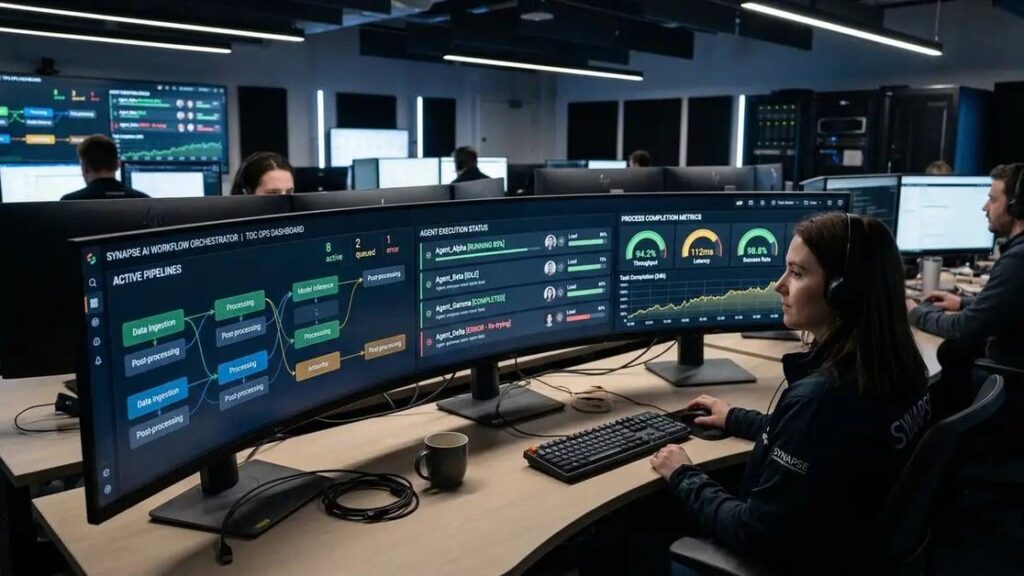
For example, an executive dashboard may require verified data by 08:00. Alert at 07:40 if the latest validated source batch has not arrived, at 07:50 if transformation has not completed, and at 08:00 if publication is not confirmed. Those times are illustrative operating choices; the team should set them from its actual critical path.
A four-week pilot that produces a decision
Week 1: baseline the existing workload
Choose one pipeline with intermittent upstream arrivals, visible business value and a manageable dependency graph. Measure 30 days of arrival times, scheduled executions, empty runs, processing duration, failure rate, cost and dashboard freshness. Define success criteria before changing orchestration.
Week 2: implement the trigger and guardrails
Create a nonproduction trigger, configure ANY or ALL based on the dependency contract, set a minimum interval and optional fallback, and implement a validated-batch control table. Add idempotent merges, audit metadata and a manual replay path. Test the service account and deployment process.
Week 3: test adverse conditions
Simulate a late load, multi-part writes, duplicate updates, an unchanged source, schema drift, a disabled trigger, permission loss and an overlapping run. Check whether the system delays publication, retries safely, alerts correctly and recovers without duplicated records.
Week 4: compare and decide
Run the new approach alongside the established schedule without double-publishing. Compare end-to-end freshness, empty executions, cloud cost, operator effort and correctness. Promote only if the business benefit is material and recovery is demonstrably reliable. Otherwise retain fixed scheduling or choose a hybrid.

Executive acceptance checklist
Before approval, ask the engineering owner to demonstrate that the workflow runs only against validated batches, meets the agreed freshness target at p95, remains correct under repeated triggers, records which batch was published, supports manual replay, and has a tested fallback when triggers do not fire. Ask finance or platform operations for a measured cost comparison, not a forecast built only on fewer scheduled jobs.
Require a named owner for each upstream source and downstream report. The pilot is successful only when a business user can trust the output and an operator can explain or recover an exception.
Frequently asked questions
1. Are BigQuery trigger-based pipelines generally available?
Google’s current Schedule pipelines documentation labels trigger-based scheduling Preview. Confirm availability, regional support and terms for your environment before making production commitments.
2. Do table updates start a pipeline instantly?
No. Google documents status checks approximately every three minutes. Additional scheduling, execution and transformation delays apply.
3. Can I trigger when any one of several tables changes?
Yes. The documented ANY condition activates when a monitored table updates, subject to the trigger’s timing rules.
4. Can I wait until every monitored table changes?
Yes. The ALL condition waits for updates across the specified set, but you must still verify that the data belongs to the same logical batch or reporting period.
5. What is the difference between a trigger and CDC?
A table-update trigger decides when to run a workflow. Change data capture identifies row-level inserts, updates or deletes from a source. They solve different problems and can be combined.
6. Can a trigger replace scheduled queries everywhere?
No. Fixed-time reports, compliance cutoffs, continuous processing and workflows requiring an explicit validated completion event may need other orchestration methods.
7. What if a monitored table never changes?
Without a configured fallback, a change-driven workflow may not run. Max Wait Duration can force an execution, but the workflow must still decide whether the input is ready.
8. How should we avoid duplicate processing?
Use stable batch identifiers, deterministic merge keys, idempotent writes and a processed-batch ledger. A trigger event is not an exactly-once business transaction.
9. Can monitoring many tables affect quotas?
Yes. Google’s documentation says each monitored table results in API calls during polling and warns about quota consumption when monitoring large numbers of tables.
10. Who should own the execution identity?
A designated platform or data engineering owner should manage a least-privilege service account, deployment permissions, rotation and audit procedures rather than relying on an employee’s personal access.
11. What metric best shows whether triggers improved the system?
Measure source-completion-to-validated-publication latency at p95, alongside correctness, incident rate and total operating cost. Trigger count alone is not a business outcome.
12. What is the safest way to adopt this Preview feature?
Start with a noncritical pilot, validate the documented limits in your region, test failure and replay, maintain a fallback, and promote only after observing representative workload behavior.
Where Actiknow fits
For organizations deciding between fixed schedules, table-update triggers and broader orchestration, Actiknow’s business intelligence services cover the connected work of data integration, modeling, dashboard implementation and refresh design. A useful engagement begins by mapping source arrival patterns, downstream business deadlines and failure recovery requirements, then testing one representative pipeline rather than redesigning everything at once.
If your team is reviewing BigQuery orchestration or unreliable dashboard freshness, contact Actiknow to discuss a focused pipeline architecture and monitoring assessment. The goal should be a verifiable improvement in data readiness and trust, not simply a new scheduling mechanism.
Sources and verification notes
Google Cloud: Schedule pipelines (trigger-based scheduling, Preview status, ANY/ALL, polling interval and timing controls).
Google Cloud: Introduction to BigQuery pipelines (dependencies, execution and deployment behavior).
Google Cloud: Schedule workloads (event-driven versus time-driven orchestration).
Actiknow: Business Intelligence, Solution Accelerators, Custom Solutions, Contact Us and published Success Stories pages reviewed for relevance. No client case-study performance claims are made in this article.