

“How much does it cost to build a custom application?”
It is usually one of the first questions a business asks.
It is also one of the hardest questions to answer responsibly without understanding what is being built.
Two applications may both be described as “customer portals.”
One allows customers to log in, view invoices, and download documents.
The other supports multiple customer organizations, complex permissions, real-time inventory, payments, document generation, ERP integration, mobile access, audit trails, notifications, analytics, and AI-assisted workflows.
They are both customer portals.
They are not remotely the same software project.
That is why custom application development cost is driven less by the number of screens and more by the complexity underneath them.
The useful question is not simply:
“How much will the application cost?”
It is:
“What is creating the cost, which parts are genuinely necessary, and what can we change without
compromising the business outcome?”
Understanding those drivers makes estimating easier and, more importantly, gives businesses much morecontrol over what they eventually spend.
There Is No Meaningful Standard Price for a Custom Application
Businesses naturally look for benchmarks.
Is a custom application $25,000?
$100,000?
$500,000?
All of those numbers can be realistic.
So can numbers considerably below or above them.
The problem with generic software-development price ranges is that they usually ignore the variables thatactually determine effort.
Consider these two requirements.
Application A
An internal application for 20 employees that:
- requires login,
- captures information through five forms,
- stores it in a database,
- provides basic search,
- supports two user roles,
- and generates a few reports.

Application B
A platform that:
- serves 50,000 external users,
- supports web and mobile,
- has multiple organizations and permission levels,
- integrates with Salesforce and an ERP,
- processes payments,
- sends real-time notifications,
- supports offline mobile usage,
- stores sensitive information,
- provides an audit trail,
- processes large data volumes,
- and must remain available around the clock.
Calling both projects “custom application development” tells us very little about their cost.
The estimate has to come from the requirements.
1. Scope Is the Biggest Cost Driver
The simplest explanation is also the most important:
More functionality requires more work.
But functionality is not simply the number of screens.
Suppose a requirement says:
“Users should be able to approve an order.”
That sounds small.
Then the details emerge.
There are four approval levels.
Approval depends on transaction value.
Different departments have different limits.
Some customers require an additional approval.
Approvers can delegate authority while on leave.
Rejected transactions return to the previous stage.
Users need notifications.
Every action must be recorded for audit.
Administrators need to modify approval limits.
Now “approve an order” is a workflow.
This is why feature lists alone are poor estimates of software complexity.
The cost comes from the business rules behind the feature.
Before estimating, understand:
- user journeys,
- business rules,
- exceptions,
- permissions,
- integrations,
- data,
- and what happens when the normal process fails.

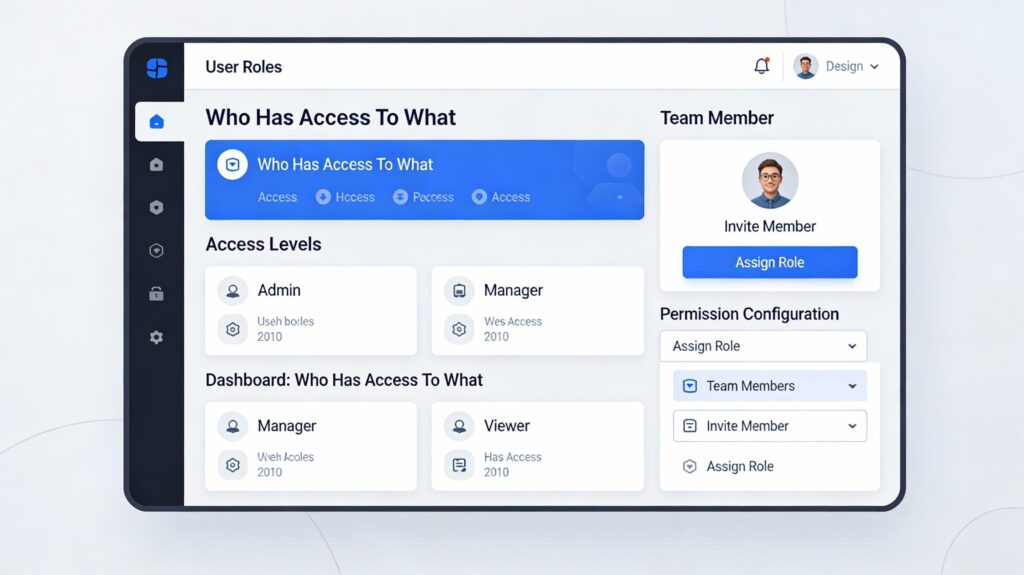
2. User Roles and Permissions Add More Complexity Than They Appear To
A simple application might have:
Admin
User
A more complex business application might have:
- global administrator,
- regional administrator,
- location manager,
- employee,
- customer administrator,
- customer user
- external partner,
- auditor,
- and read-only user.
Then permissions become more specific.
A regional manager can see all locations in their region but not other regions.
A customer administrator can see all users belonging to their company.
An employee can edit records they created but only until approval.
Finance can view payment information but operations cannot.
Some information must be masked for certain roles.
This affects:
- database design,
- backend logic,
- API security,
- user interface,
- testing,
- reporting,
- and auditability.
Permissions are not simply a checkbox added to the login screen.
For applications handling sensitive or commercially important information, authorization architecture canbecome a substantial part of the project.
3. Integrations Can Change the Cost Significantly
A standalone application is generally simpler than one that must participate in a larger technology environment.
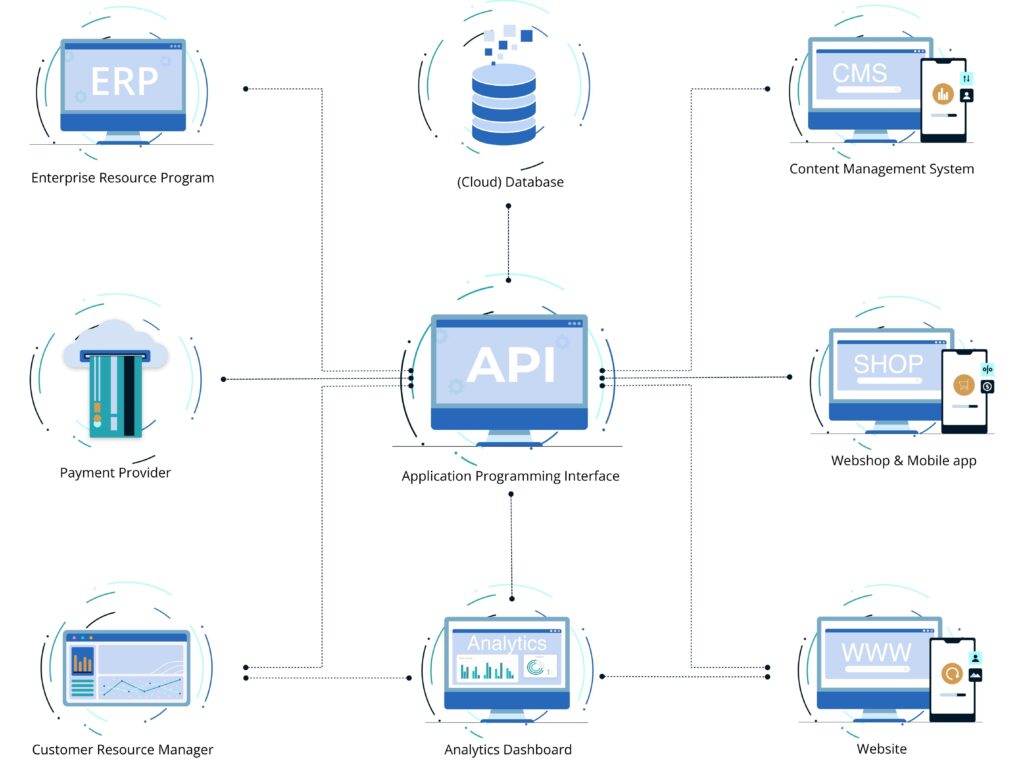
A custom application might need to integrate with:
- Salesforce,
- HubSpot,
- SAP,
- NetSuite,
- Microsoft Dynamics,
- QuickBooks,
- Xero,
- Stripe,
- Shopify,
- warehouse systems,
- identity providers,
- data warehouses,
- marketing platforms,
- or industry-specific software.
Each integration raises questions.
Does the external platform provide an API?
Does it expose the data we need?
Can information be written back?
Is synchronization real-time or scheduled?
What are the API limits?
How is authentication handled?
What happens when the external service is unavailable?
How are duplicates prevented?
How are historical records migrated?
A seemingly simple requirement such as:
“Connect it to our ERP”
can represent anything from a few API calls to a substantial integration project.
This is why integration discovery should happen before a fixed development budget is committed, not after development has started.
4. Data Migration Is Often Underestimated
Suppose a new application is ready.
Now the business says:
“We need the last seven years of customer and transaction history moved into it.”
That can be a significant project by itself.
Historical data may contain:
- duplicates,
- missing values,
- inconsistent identifiers,
- obsolete fields,
- invalid dates,
- different naming conventions,
- records from retired systems,
- and relationships that no longer match the new data model.
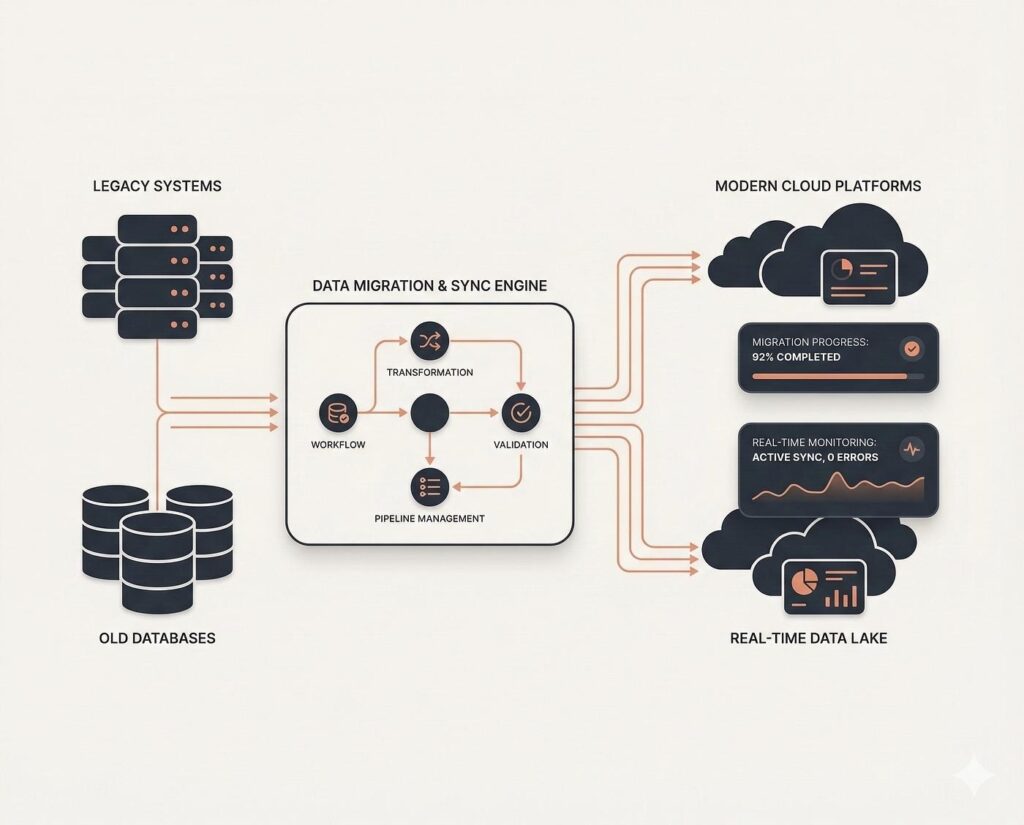
Migration normally involves more than copying rows from one database to another.
It may require:
Extract → Profile → Clean → Map → Transform → Validate → Load → Reconcile
And usually this process needs to be tested several times before the final migration.
A company with clean, well-structured source data will generally spend less on migration than one with ten years of spreadsheets and legacy databases.
The difference may not be visible from the application designs.
But it can be very visible in the budget.
5. A Mobile Application Can Be a Separate Product, Not Just Another Screen Size
Businesses sometimes describe the requirement as:
“And we’ll need it on mobile.”
That can mean two very different things.
Responsive Web Application
The same web application works well on a phone.
For many business applications, this is enough.
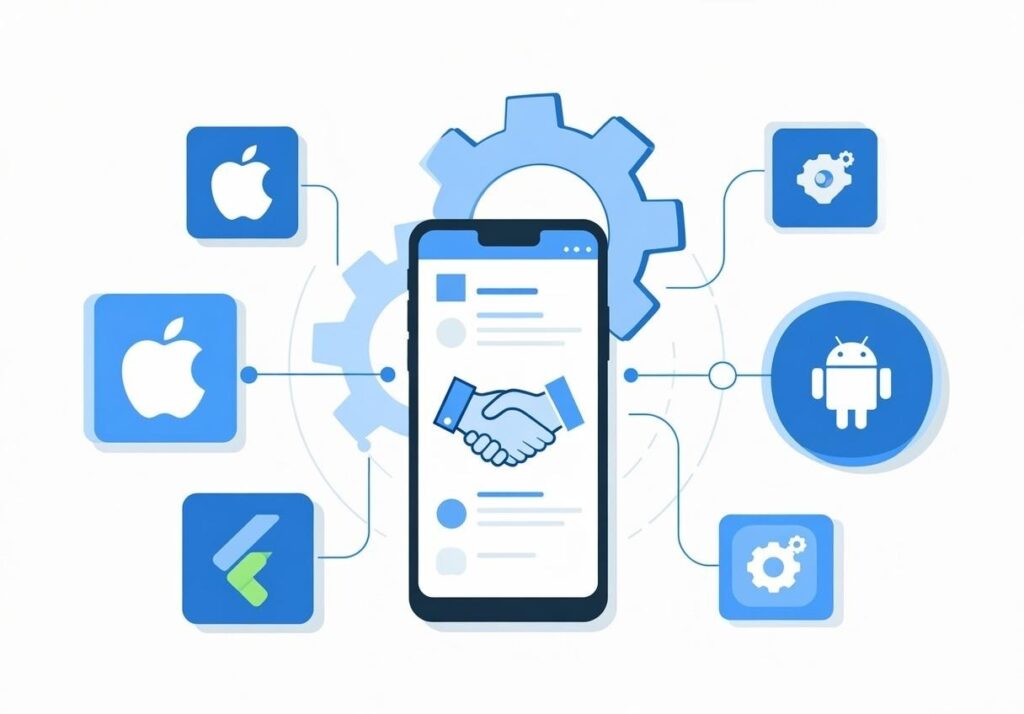
Native or Cross-Platform Mobile Application
The business needs functionality such as:
- camera access,
- barcode or QR scanning,
- GPS,
- push notifications,
- offline operation,
- background synchronization,
- device storage,
- biometric authentication,
- or app-store distribution.
Now mobile becomes a significant part of the architecture.
Offline functionality in particular can add substantial complexity.
If a field technician edits a customer record without internet access while somebody in the office edits the same record, what happens when the technician reconnects?
That requires synchronization and conflict-resolution rules.
The requirement is no longer simply:
“Make it work on a phone.”
6. UX and UI Requirements Affect the Budget
There is a difference between a functional internal tool and a polished customer-facing digital product.
An internal application used by 15 trained employees may need excellent usability but relativelystraightforward visual design.
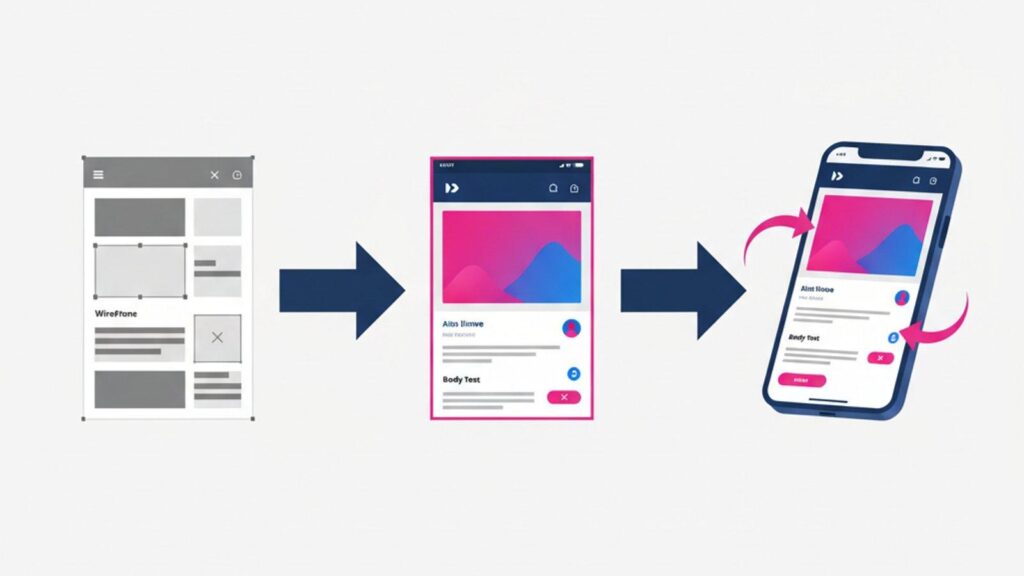
A customer-facing product competing in the market may require:
- user research,
- detailed wireframes,
- prototypes,
- design systems,
- accessibility work,
- responsive behavior,
- usability testing,
- animations,
- multiple iterations,
- and extensive device testing.
Neither approach is inherently better.
The appropriate investment depends on the users.
A warehouse application does not need to win a design award.
It needs to let an employee complete the correct task quickly, perhaps while wearing gloves and standing beside a pallet.
A consumer application has different expectations.
Good UX investment should reflect the context in which the software will actually be used.
7. Security and Compliance Can Materially Change the Architecture
Every application needs security.
But the required level of security varies considerably.
An internal lunch-ordering application and a healthcare application storing sensitive patient information should not have identical security architectures.
Requirements may include:
- single sign-on,
- multi-factor authentication,
- role-based access,
- encryption,
- detailed audit logging,
- data retention policies,
- penetration testing,
- network restrictions,
- secrets management,
- backup and recovery,
- security monitoring,
- regulatory controls,
- and formal documentation.
Applications subject to requirements such as GDPR, HIPAA, PCI DSS, or industry-specific regulation may require additional architecture, testing, operational controls, and legal or compliance review.
Security is therefore not simply a feature called “make application secure.”
It affects the way the system is designed and operated.

8. Scale Matters, But Not in the Way Businesses Sometimes Think
A common statement is:
“We need the application to scale.”
Scale to what?
1,000 users?
100,000?
10 million?
Ten transactions per minute?
Ten thousand?
A few gigabytes of data?
Several petabytes?
Architecture should reflect plausible demand.
Building infrastructure for 10 million concurrent users when the application is expected to have 2,000 employees is unnecessary.
But ignoring foreseeable growth can create expensive rework later.
The important inputs include:
- expected users,
- concurrent users,
- transaction volume,
- data volume,
- file sizes,
- reporting workload,
- geographic distribution,
- availability requirements,
- and expected growth.
The FinOps Foundation specifically emphasizes that architectural decisions around databases and cloud deployment can have a lasting impact on development, operations, support, performance, and total application lifecycle cost.
Scalability should therefore be designed around realistic economics, not theoretical maximums.
9. Cloud Infrastructure Is Usually Not the Biggest Initial Cost, But It Can Become Important
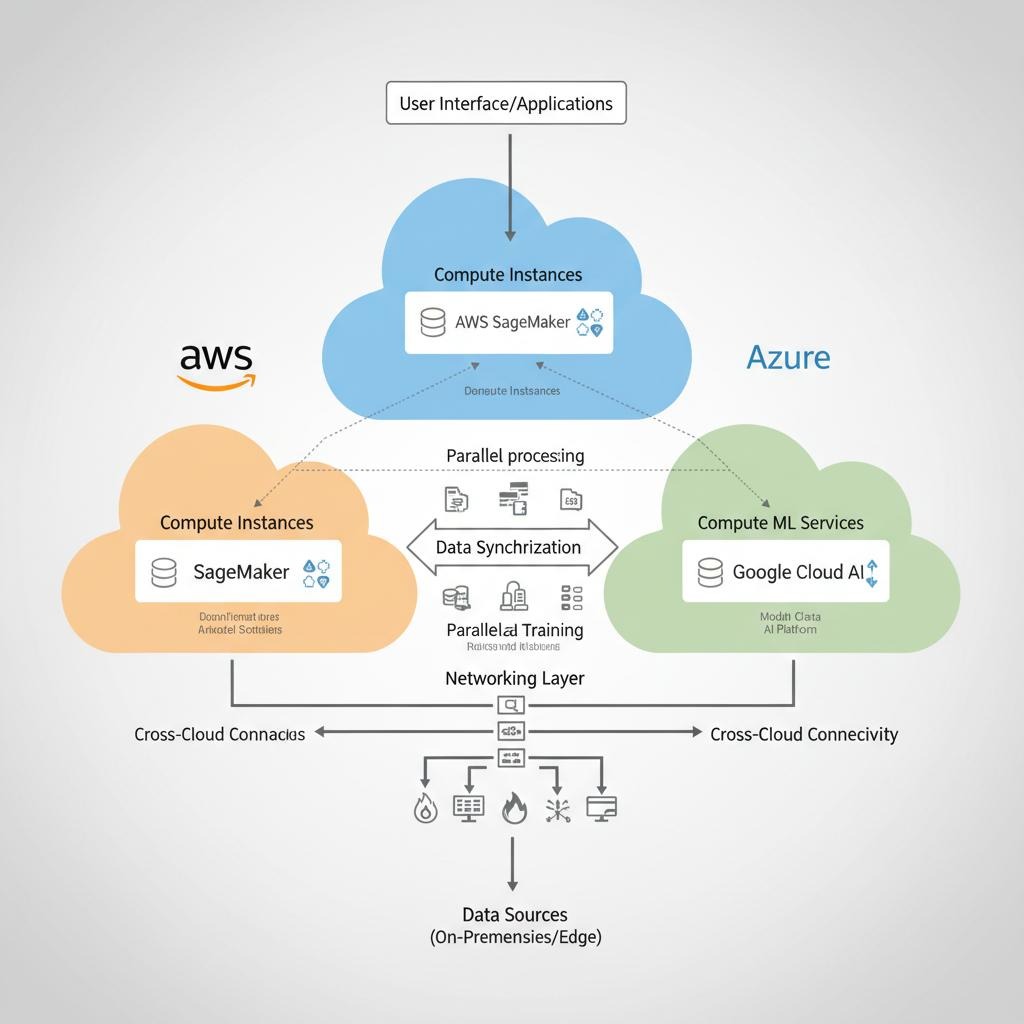
Modern applications commonly run on AWS, Microsoft Azure, Google Cloud, or similar infrastructure.
For a modest business application, initial cloud infrastructure costs may be relatively small compared with development.
As usage grows, that can change.
Costs may include:
- compute,
- databases,
- storage,
- network traffic,
- backups,
- logging,
- monitoring,
- search,
- analytics,
- AI services,
- and third-party platforms.
The 2025 State of FinOps report surveyed 861 respondents representing approximately $69 billion in public-cloud spend. Workload optimization and waste reduction remained the community’s top current priority.
That does not mean every custom application will develop a cloud-cost problem.
It means cloud cost should be designed and monitored rather than treated as an unlimited utility bill.
A useful metric is often not simply:
“What is our AWS bill?”
It is:
“What does infrastructure cost per customer, transaction, order, or other meaningful business unit?”
The FinOps Foundation describes this approach as cloud unit economics, linking marginal technology cost with the business value generated by the workload.
That becomes particularly important for SaaS products and high-volume applications.
10. AI Can Introduce a Completely Different Cost Model
Adding AI functionality can affect application costs in several ways.
There is the initial development effort.
But unlike many conventional application features, AI may also introduce a significant usage-based operating cost.
Depending on the use case, costs can include:
- model inference,
- tokens,
- embeddings,
- vector databases,
- document processing,
- image or speech processing,
- model hosting,
- data pipelines,
- monitoring,
- evaluation,
- and human review.
A feature that costs very little with 100 users may behave differently with one million interactions.
The 2025 State of FinOps report found that 63% of respondents were already managing AI spending, up from 31% the previous year.
That rapid increase is one reason AI functionality should be designed with unit economics in mind.
For example:
AI cost per document processed
AI cost per customer conversation
AI cost per transaction
The correct question is not simply:
“Can AI do this?”
It is:
“Does using AI here create enough value to justify its development and ongoing operating cost?”
11. Testing Is Part of Development Cost
Testing is sometimes treated as the final line item that can be compressed if the project exceeds budget.
That is risky.
A custom business application may need:
- functional testing,
- integration testing,
- regression testing,
- security testing,
- performance testing,
- browser testing,
- mobile-device testing,
- user acceptance testing,
- and data validation.
Testing complexity increases with combinations.
Suppose an application has:
- six user roles,
- four workflow states,
- three customer types,
- and multiple integrations.
A change that works for one user path may break another.
Automation can reduce long-term testing effort, but automated tests themselves need to be designed, developed, and maintained.
Quality is therefore not free.
The question is how much failure the business can tolerate.
A small internal administrative application and a payment platform should not have identical testing budgets.
12. Project Management and Business Analysis Are Real Work
Development is not just coding.
Someone needs to:
- understand requirements,
- challenge assumptions,
- document workflows,
- prioritize features,
- coordinate stakeholders,
- manage changes,
- review deliverables,
- plan releases,
- conduct demonstrations,
- track dependencies,
- and resolve unanswered business questions.
Weak business analysis often creates expensive development.
If requirements remain ambiguous, developers make assumptions.
Those assumptions are reviewed later.
Features are changed.
Testing is repeated.
Timelines move.
This is why trying to save money by removing discovery and project management can sometimes
increasethe total project cost.
The cheapest requirement to change is the one that has not been developed yet.
13. The Technology Stack Matters Less Than People Often Assume
Businesses sometimes begin cost discussions with questions such as:
Is React cheaper than Angular?
Should we use Node.js or .NET?
Would Python reduce the budget?
Technology selection can affect cost.
But for most business applications, it is rarely the biggest determinant.
A poorly scoped React application will still be expensive.
A well-defined .NET application can still be efficient.
More important factors include:
- availability of skilled developers,
- suitability for the requirement,
- existing organizational expertise,
- maintainability,
- ecosystem maturity,
- integrations,
- deployment environment,
- and long-term support.
Choosing an obscure technology because the initial developer happens to prefer it may save little today and create hiring or maintenance problems later.
The best technology stack is usually not the newest one.
It is the one that meets the requirement reliably and can be supported over the expected life of the application.
14. Development Location Affects Cost, But Hourly Rate Is a Poor Comparison by Itself
A development team in India, Eastern Europe, Latin America, the United States, or Western Europe mayhave substantially different billing rates.
That obviously affects the budget.
But comparing development partners purely on hourly rates can be misleading.
Consider:
Team A: $150/hour × 1,000 hours = $150,000
Team B: $60/hour × 2,500 hours = $150,000
The cheaper hourly rate did not produce the cheaper project.
Now add the cost of:
- rework,
- missed requirements,
- project delays,
- poor architecture,
- production defects,
- and future maintenance.
The economics change again.
A useful vendor comparison therefore considers:
- team capability,
- relevant experience,
- communication,
- business analysis,
- architecture,
- development velocity,
- quality,
- documentation,
- project management,
- and long-term maintainability.
Hourly rate matters.
Cost per useful outcome matters more.
15. Technical Debt Is a Cost, Even When It Does Not Appear in the Proposal
Every project involves trade-offs.
Sometimes the fastest approach is appropriate.
A startup validating a concept should not necessarily build the same architecture as a regulated enterprise.
Problems arise when temporary shortcuts become permanent architecture without anybody acknowledging the cost.
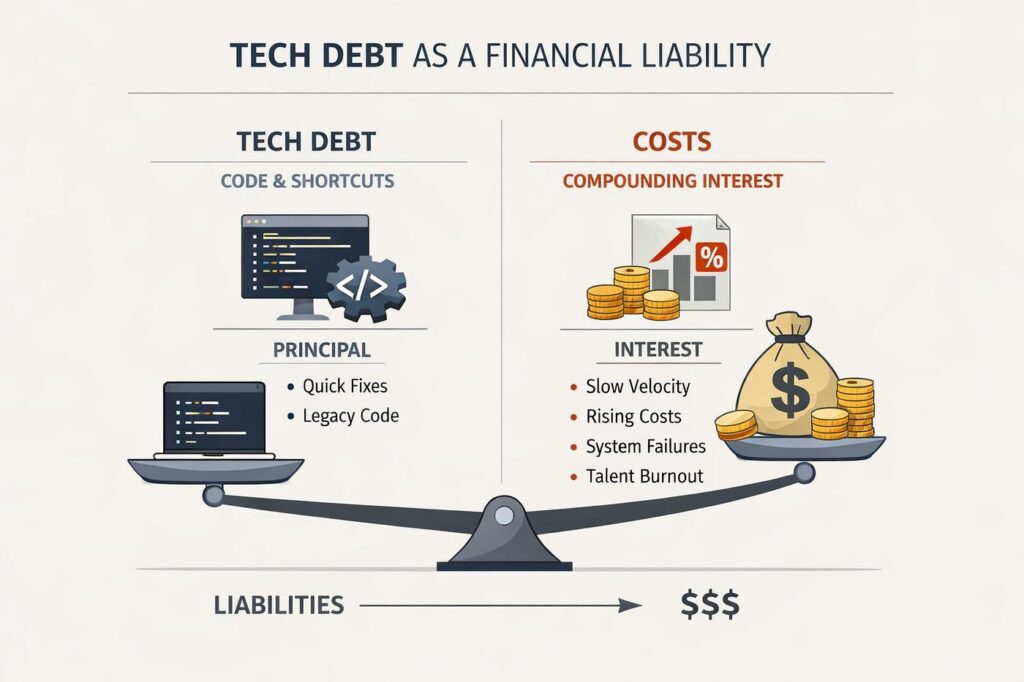
McKinsey describes technical debt as having both a principal, the work eventually required to modernize or correct technology, and an “interest” component, the additional complexity every future project pays because of those earlier decisions.
Its research suggests technical-debt principal can represent up to 40% of IT balance sheets, while companies may pay more than 10% additional project cost through the resulting complexity.
Another McKinsey analysis found situations where technical debt represented 15% to 60% of every dollar spent on IT once previously unaccounted-for costs were examined.
These are enterprise findings, not a forecast for every custom application.
The principle is what matters:
A cheaper implementation can become the more expensive system if every future change becomes harder because of decisions made today.
At the same time, zero technical debt is not a sensible objective either.
McKinsey explicitly notes that eliminating all technical debt would consume resources that could otherwise be spent creating business value.
The objective is controlled, deliberate trade-offs.
How Should a Custom Application Be Estimated?
For most serious projects, estimation should happen in stages.
Stage 1: Understand the Business Problem
Define:
- users,
- workflows,
- current process,
- pain points,
- business rules,
- systems involved,
- expected outcomes,
- and major constraints.
Stage 2: Define the First Release
Separate
Must have
from:
Useful later
This is one of the most effective ways to control initial development cost.
Stage 3: Investigate High-Risk Requirements
Before providing a confident estimate, investigate areas such as:
- difficult integrations,
- data migration,
- AI feasibility,
- legacy systems,
- security requirements,
- unusual performance requirements,
- and third-party dependencies.
Stage 4: Break the Application Into Components
For example:
Authentication
Customer Management
Order Workflow
Approval Engine
ERP Integration
Payments
Reporting
Administration
Mobile
Estimate each component rather than treating the entire application as one feature.
Stage 5: Include Non-Development Work
The budget should account for:discovery,
- UX/UI,
- architecture,
- development,
- testing,
project management, - deployment,
- data migration,
- documentation,
- and launch support.
Stage 6: Separate Build Cost From Operating Cost
This distinction is essential.
Build cost gets the application into production.
Operating cost keeps it there.
Operating costs may include:
- cloud infrastructure,
- third-party services,
- AI usage,
- support,
- monitoring,
- maintenance,
- security,
- backups,
- and ongoing development.
Fixed Price vs. Time and Materials
Neither commercial model is automatically better.
Fixed Price Works Best When
The requirements are well understood.
Scope is stable.
Acceptance criteria are clear.
Integrations have been investigated.
There is limited uncertainty.
In that situation, a development company can reasonably price the defined risk.
Time and Materials Works Better When
The product will evolve during development.
Requirements need discovery.
Users will provide feedback throughout the project.
Integrations contain uncertainty.
The business wants flexibility to reprioritize.
Trying to force an uncertain product into a fixed-price contract does not remove the uncertainty.
It usually moves it somewhere else, into contingency, change requests, reduced flexibility, or arguments about whether something was “in scope.”
The commercial model should reflect how much is genuinely known.
How to Reduce Custom Application Development Cost Without Damaging the Product
Cost control does not mean finding the cheapest developer.
The largest savings often come from building less.
1. Reduce the First Release
Ask:
What must exist for this application to create value?
Build that first.
2. Do Not Rebuild Commodity Technology
Use established products for:
- payments,
- authentication,
- email delivery,
- mapping,
- accounting,
- and other standardized functions
when they meet the requirement.
3. Integrate Instead of Replace
If Salesforce already handles CRM effectively, do not rebuild CRM simply because you need a custom operations application.
4. Validate Expensive Assumptions Early
If the entire application depends on a difficult ERP integration, test that integration before building 50 screens around it.
5. Design for Realistic Scale
Do not build Netflix infrastructure for an application with 300 employees.
Do not build a spreadsheet architecture for a platform expected to process millions of transactions.
6. Keep Business Rules Clear
Ambiguous rules generate development iterations.
Clear rules reduce them.
7. Avoid Feature Creep
Every:
“While we’re building it, could we also…”
has a cost.
Evaluate the business value before adding it.
What Should Be Included in a Custom Application Development Quote?
A useful proposal should make it possible to understand what you are buying.
Depending on the engagement, look for clarity around:
- scope,
- assumptions,
- exclusions,
- deliverables,
- development phases,
- team composition,
- integrations,
- UX/UI,
- testing,
- infrastructure,
- deployment,
- project management,
- documentation,
- warranty or defect support,
- ongoing maintenance,
- and third-party costs.
Pay particular attention to assumptions.
For example:
“Salesforce integration included.”
That tells you very little.
A stronger scope would identify which Salesforce objects and workflows are being integrated, whether datamoves in one or both directions, synchronization frequency, and any known limitations.
Specificity makes estimates more comparable.
Frequently Asked Questions About Custom Application Development Cost
How much does a custom application cost?
There is no reliable universal price because the cost depends on scope, workflows, integrations, user roles, data migration, security, UX, mobile requirements, infrastructure, testing, and other factors.
A focused internal application and a complex enterprise platform can differ in cost by an order of magnitude or more.
A meaningful estimate should follow requirements discovery.
What is the biggest factor affecting custom software cost?
Usually scope and complexity.
The number of screens matters less than the business rules, integrations, permissions, data, exceptions, and technical requirements behind those screens.
Why do estimates from software companies vary so much?
Different companies may be assuming different scopes, team structures, quality standards, architecture, testing effort, project management, and risk.
One quote may include discovery, design, QA, deployment, and project management while another primarily estimates coding.
Compare assumptions and deliverables, not only the final number.
Is fixed-price development cheaper?
Not inherently.
Fixed price can work very well for clearly defined requirements.
When requirements are uncertain, the vendor must either price that uncertainty into the quote or manage it through scope restrictions and change requests.
Does using offshore developers reduce development cost?
It can substantially reduce labor cost, but geography is only one variable.
Productivity, experience, communication, architecture, quality, and rework all affect the final cost.
Compare the total cost of achieving the required outcome rather than hourly rates alone.
Is cloud hosting expensive for custom applications?
For many smaller business applications, cloud infrastructure is modest compared with development cost.
Costs can become significant with large-scale workloads, substantial data processing, AI, high availability, large databases, or inefficient architecture.
Cloud costs should be monitored as the application grows.
How much should we budget for maintenance?
There is no universal percentage that applies to every application.
Maintenance depends on the application’s complexity, integrations, security requirements, usage, infrastructure, dependencies, and rate of business change.
A system with many third-party integrations will generally require more ongoing attention than a simple standalone internal application.
Can AI reduce custom application development costs?
AI-assisted development tools can improve developer productivity in some tasks, but they do not eliminate requirements analysis, architecture, testing, security, integration work, or business decision making.
AI can reduce effort in parts of the development process.
It does not make software complexity disappear.
The Best Way to Control Software Cost Is to Control Complexity
Custom application development becomes expensive when complexity accumulates.
More workflows.
More exceptions.
More integrations.
More permissions.
More platforms.
More data.
More requirements.
More uncertainty.
The objective should not be to remove complexity that the business genuinely requires.
It should be to avoid paying for complexity that creates little business value.
A $150,000 application that eliminates a $500,000 annual operational problem may be an excellent investment.
A $25,000 application that saves $2,000 per year may be a poor one.
That is why the most useful conversation about software cost does not start with developer rates.
It starts with the business process.
At ActiKnow, we design and build custom web and mobile applications, integrations, data platforms, workflow automation, and AI-enabled solutions. Before estimating a custom application, we work to understand the workflows, integrations, data, users, and business rules that actually determine the effort.
The objective is not simply to produce a development number. It is to determine what is worth building, what can remain standard, where the real complexity sits, and how to structure the application so the investment makes business sense.
References
- FinOps Foundation: State of FinOps 2025
https://data.finops.org/2025-report/ - FinOps Foundation: Why Architecting Databases for Cost Efficiency Matters
https://www.finops.org/wg/why-architecting-databases-for-cost-efficiency-matters/ - FinOps Foundation: Cloud Unit Economics
https://www.finops.org/framework/previous-capabilities/measure-unit-costs/ - McKinsey & Company: Tech debt: Reclaiming tech equity
https://www.mckinsey.com/capabilities/tech-and-ai/our-insights/tech-debt-reclaiming-tech-equity - McKinsey & Company: A new standard to measure and tame technical debt https://www.mckinsey.com/capabilities/tech-and-ai/our-insights/demystifying-digital-dark-matter-a-new-standard-to-tame-technical-debt