
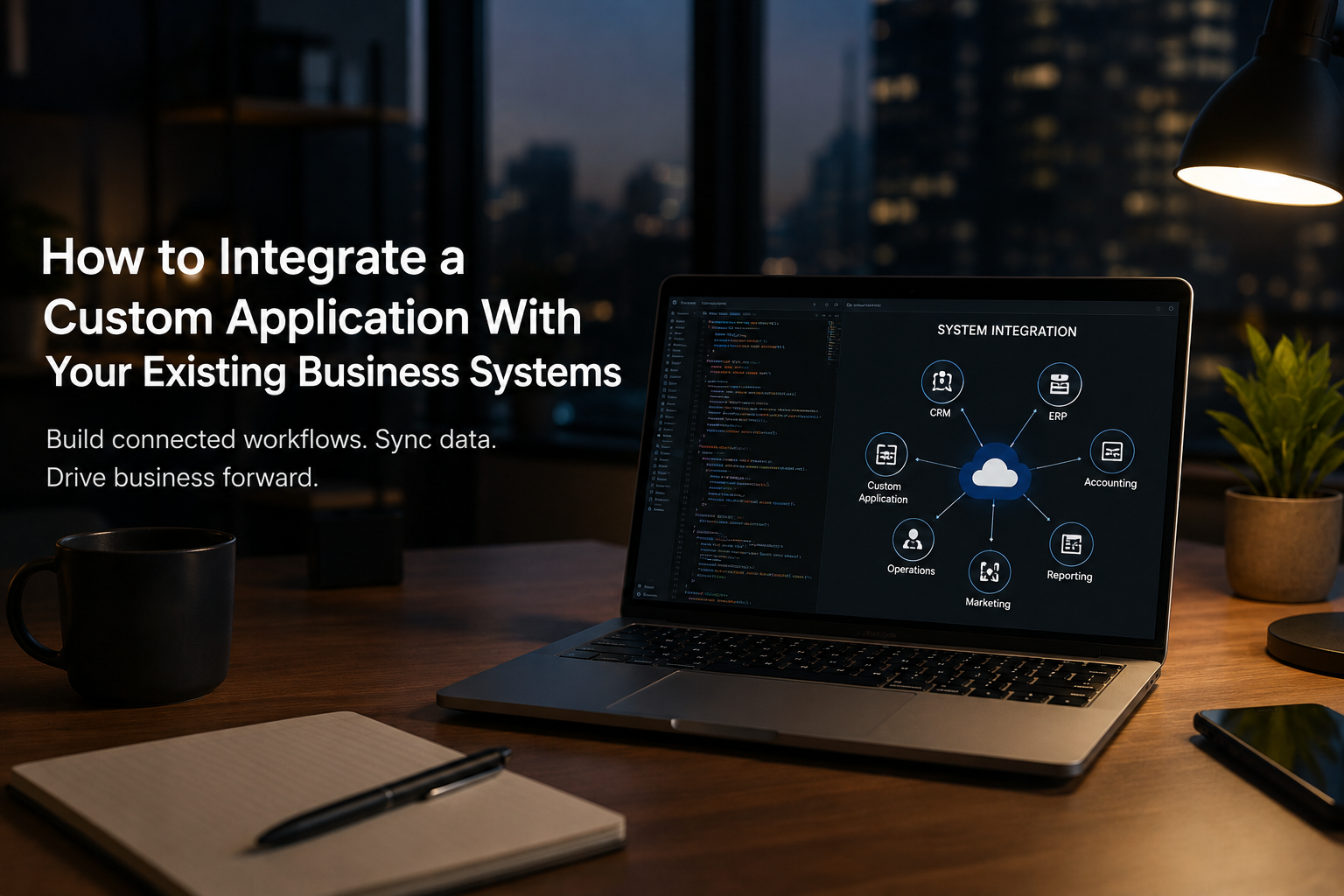
A new custom application rarely enters an empty technology environment.
The business probably already has a CRM. Finance uses an accounting or ERP platform. Marketing has its own systems. Operations may rely on another application. Reporting data sits somewhere else. There may also be spreadsheets, legacy databases, vendor portals, payment systems, and internal tools that have accumulated over the years.
The new application has to live alongside all of them.
That is why one of the most important questions in custom application development is not simply:
“What should the new application do?”
It is:
“How will the new application work with everything we already have?”
Integration is what turns a custom application from another isolated piece of software into part of the business.
And increasingly, it is where much of the complexity lies.
MuleSoft’s 2026 Connectivity Benchmark Report found that the average organization in its survey manages 957 applications, but only 27% are connected. It also found that IT teams spend an average of 36% of their time designing, building, and testing custom integrations.
Those are enterprise numbers, so they should not be applied directly to every smaller organization. But they illustrate a broader reality: modern businesses rarely suffer from a shortage of applications. They suffer from applications that do not work together well.
The objective of integration is therefore not to connect everything to everything.
It is to make the business process flow across systems reliably.
Start With the Business Process, Not the API
Integration discussions often begin too technically.
Does Salesforce have an API?
Can SAP expose this table?
Does the accounting platform support webhooks?
Can we create an OAuth connection?
Those questions matter, but they come later.
Start by mapping what actually happens.
Consider a company where a salesperson closes a deal in Salesforce.
That single event may need to trigger several activities:
Opportunity marked Closed Won in Salesforce → Create customer in ERP → Generate project in
operations system → Create billing information → Notify delivery team → Make revenue visible in
reporting
That is the business workflow.
Only after understanding it should the technical team determine which systems participate, what information moves between them, and how each connection should work.
Otherwise, it is possible to build technically correct integrations that do not actually solve the operational problem.
What Does Application Integration Actually Mean?
Application integration is the process of enabling different software systems to exchange information and participate in connected workflows.
That can be as simple as:
Website → CRM
A customer submits a form and a lead is created in Salesforce.
Or considerably more complex:
Customer Portal → Custom Application → ERP → Warehouse System → Shipping Provider → Accounting Platform → Data Warehouse

Different systems may own different parts of the process.
The custom application does not necessarily need to replace them.
In many cases, its role is to orchestrate what happens between them.
That distinction is important.
A good custom application often creates value precisely because it allows a business to keep mature systems for standardized functions while building custom functionality only where the business actually needs it.
Decide Which System Owns Each Piece of Data
This is one of the most important integration decisions.
Suppose the business has:
- Salesforce,
- a custom operations application,
- NetSuite,
- and a data warehouse.
All four systems contain customer information.
Which one is correct?
If a customer’s company name changes, where should it be updated?
If an employee edits the address inside the custom application, should that overwrite Salesforce?
What happens if NetSuite contains a different address?
Without clear ownership, integration can create multiple versions of the truth.
For each important business entity, define a system of record.
For example:
Customer and sales information: CRM
Financial transactions: ERP/accounting platform
Operational workflow: Custom application
Historical analytics: Data warehouse
The exact architecture will vary.
What matters is that ownership is deliberate.
The custom application may display customer information from Salesforce without becoming the authoritative source for customer data.
Similarly, a data warehouse may contain copies of transactions from every system without becoming theplace where operational transactions are edited.
Integration becomes much easier to reason about when every major data domain has a clear owner.
APIs Are Usually the Preferred Way to Connect Modern Systems
An API, or Application Programming Interface, provides a structured way for one software system tocommunicate with another.
For example, instead of an employee manually creating a customer in an accounting platform, a custom application may call the accounting platform’s API:
Create Customer
The application sends the required information.
The accounting system validates it, creates the customer, and returns an identifier.
The custom application stores that identifier so the two records remain connected.
Modern APIs can allow applications to:
- create records,
- retrieve information,
- update records,
- trigger actions,
- upload documents,
- process payments,
- retrieve statuses,
- and perform many other operations.
APIs have become strategically important well beyond basic system connectivity.
Postman’s 2025 State of the API Report surveyed more than 5,700 developers, architects, and executives. It found that 65% of organizations surveyed generate revenue from their APIs , while 46% planned to increase API investment over the following year.
The implication for a business building a custom application is straightforward:
Evaluate integration capabilities before committing to the surrounding technology stack.
A SaaS product may have excellent functionality but become difficult to work with if its API is limited, expensive, poorly documented, or unavailable for the subscription tier being considered.
But Having an API Does Not Mean Integration Will Be Easy
“Yes, they have an API” is not enough technical due diligence.
APIs differ enormously.
Before designing an integration, investigate questions such as:
- Which data and operations does the API actually expose?
- Can records be created as well as read?
- Are historical records accessible?
- What authentication method is required?
- Are there API rate limits?
- Is pagination required?
- Are bulk operations supported?
- Are webhooks available?
- How are deleted records represented?
- How are API versions managed?
- Is there a sandbox environment?
- What happens when requests fail?
- Does the vendor charge separately for API access?
An API may technically exist while exposing only a fraction of the functionality required by the business.
This is why integrations should be investigated during requirements and architecture, not after the application has already been built.
Real-Time Integration Is Not Always Better
Businesses frequently ask for everything to update “in real time.”
Sometimes that is necessary.
Often, it is not.
Consider three examples.
Payment Confirmation
A customer completes a payment.
The application needs to know immediately whether payment succeeded before confirming the transaction.
Near-real-time integration makes sense.
Daily Management Reporting
A management dashboard summarizes yesterday’s sales, marketing, and operational performance.
Updating every few seconds creates little additional business value.
A scheduled overnight pipeline may be simpler and more reliable.
Product Catalogue Synchronization
A company needs product information synchronized from an ERP into another system.
If products change occasionally, syncing every 15 minutes or every hour may be entirely sufficient.
Real-time systems usually introduce additional engineering considerations:
- event handling,
- message queues,
- retries,
- ordering,
- concurrency,
- duplicate events,
- monitoring,
- and failure recovery.
Use real-time integration where the business requirement is real-time, not simply because real-timesounds technically superior.

Webhooks Can Reduce Unnecessary Polling
Suppose a custom application needs to know when an opportunity changes in a CRM.
One option is to ask the CRM every minute:
“Has anything changed?”
That is polling.
Another option is for the CRM to send a message when the event occurs:
“Opportunity 123 has changed.”
That is the basic idea behind a webhook.
Webhooks can make event-driven integrations more efficient because the receiving application does notneed to repeatedly check for changes.
They are commonly useful for events such as:
- payments completed,
- orders created,
- records updated,
- documents signed,
- subscriptions changed,
- or shipments dispatched.
But webhook integrations still need engineering around them.
What happens if the receiving application is temporarily unavailable?
What happens if the same webhook arrives twice?
What happens if events arrive in the wrong order?
A webhook is a delivery mechanism.
It does not remove the need for reliable integration design.
Duplicate Prevention Is a Business Requirement, Not Just a Database Problem
Imagine an external system sends a transaction.
Your application processes it successfully.
Before it can send the acknowledgement, the network connection fails.
The external system assumes the transaction was not processed and sends it again.
What should happen?
Without appropriate safeguards, the business may now have:
- two orders,
- two invoices,
- two payments,
- or two inventory movements.
Good integrations are often designed to be idempotent.
In practical terms, that means processing the same request twice should not accidentally create the business transaction twice.
This may involve:
- unique external identifiers,
- transaction keys,
- duplicate checks,
- idempotency keys,
- or reconciliation logic.
These details are invisible when everything works.
They become extremely visible when something fails.
Every Integration Needs a Failure Strategy
APIs fail.
Networks fail.
Authentication tokens expire.
Vendors experience outages.
Data arrives in unexpected formats.
Rate limits are reached.
Records are deleted.
Permissions change.
A production-quality integration should therefore be designed around the assumption that failures will occasionally occur.
Consider:
Custom Application → ERP
The application attempts to create an order.
The ERP is unavailable.
What happens next?
A weak implementation may simply show:
Error 500
A better integration might:
- Store the transaction safely.
- Record the failed attempt.
- Retry according to an appropriate policy.
- Prevent duplicate creation.
- Escalate the issue if retries continue failing.
- Allow an administrator to inspect and reprocess the transaction.
- Maintain an audit trail.
The integration is not complete when the API call works.
It is complete when the business knows what happens when the API call does not work.
Monitoring Matters Because Integrations Can Fail Silently
Some of the most expensive integration failures are not dramatic.
Nothing crashes.
Nobody receives an error.
Data simply stops moving.
Imagine an overnight integration that sends orders from an e-commerce platform to an ERP.
The job fails at 2:00 a.m.
Nobody notices until customers begin asking why their orders have not shipped.
Production integrations should therefore provide visibility into:
- successful transactions,
- failures,
- retry queues,
- processing times,
- unusual volume changes,
- authentication problems,
- API errors,
- and data-quality exceptions.
For critical workflows, alerts should notify the appropriate team when thresholds are breached.
An integration that nobody can monitor is an operational risk.

Be Careful With Point-to-Point Integrations
For a small number of systems, direct connections can be perfectly sensible.
For example:
Custom Application → Salesforce
Custom Application → Xero
Custom Application → Stripe
There may be no need for an elaborate integration platform.
Problems begin when the architecture grows into something like:
CRM ↔ ERP ↔ Operations ↔ Accounting ↔ Warehouse ↔ E-commerce ↔ Customer Portal ↔ Reporting
with every system maintaining separate direct connections to several others.
Now changing one application can affect multiple integrations.
This is sometimes described as spaghetti integration.
MuleSoft’s integration guidance similarly warns that point-to-point connections become increasingly difficult to manage as the number of systems grows.
The answer is not automatically to buy an enterprise integration platform.
The appropriate architecture depends on scale.
Options can include:
- direct API integrations,
- a centralized integration service,
- middleware,
- an iPaaS platform,
- event-driven architecture,
- message queues,
- or reusable internal APIs.
The goal is not architectural sophistication.
It is manageable complexity.
When Should You Use an Integration Platform?
Platforms such as MuleSoft, Boomi, Workato, Azure Integration Services, and similar technologies can be valuable when an organization has substantial integration requirements.
They may provide:
- reusable connectors,
- centralized monitoring,
- workflow orchestration,
- API management,
- transformations,
- authentication management,
- retries,
- governance,
- and reusable integration components.
But they also introduce licensing, implementation, and operational costs.
A company connecting four systems may not need enterprise integration infrastructure.
A company operating hundreds of applications probably should not write an independent Python script for every connection.
Architecture should reflect the scale and complexity of the environment.
MuleSoft’s 2025 Connectivity Benchmark Report, based on 1,050 IT leaders, found that the average organization in its study used 897 applications, while only 2% had integrated more than half of their applications. It also reported that 39% of developer time was being spent creating custom integrations.
Again, these are large-enterprise findings, not a benchmark for every business.
But they demonstrate why integration architecture becomes increasingly important as technology estatesexpand.
Integration Is Also a Data Problem
Connecting two APIs does not guarantee that their data means the same thing.
Suppose Salesforce contains:
Customer: ABC Corporation
The ERP contains:
Customer: ABC Corp.
The accounting system contains:
Customer: ABC Corporation Ltd
Are these the same organization?
Technology cannot always determine that from the names alone.
Similar problems occur with:
- product identifiers,
- employee IDs,
- location codes,
- currency,
- dates,
- addresses,
- units of measurement,
- categories,
- and status values.
For example:
CRM:
Status = Won
ERP:
Order Status = Approved
Operations:
Project Status = Ready
Those statuses may participate in the same business process without meaning the same thing.
Integration projects therefore require data mapping as well as technical connectivity.
You need to define:
- which fields correspond,
- how values are transformed,
- which identifiers are shared,
- how missing values are handled,
- and which system owns corrections.
Many “integration problems” are actually data-definition problems.
File-Based Integration Is Not Automatically Bad
APIs are generally preferable for modern operational integrations, but not every business system provides one.
Businesses still exchange enormous amounts of information through:
- CSV,
- Excel,
- XML,
- JSON files,
- SFTP,
- email attachments,
- and scheduled exports.
Suppose 30 distributors send monthly sales files.
Some have APIs.
Most do not.
Waiting for every distributor to implement an API would not be a practical integration strategy.
The application may need to accept their files, validate them, map different structures into a standard format, identify duplicates, and route exceptions for human review.
The important question is not:
“Are we using an API?”
It is:
“Is information moving reliably, securely, and with appropriate controls?”
Sometimes a well-designed scheduled file exchange is better than a fragile pseudo-real-time integration.
Where Does AI Fit Into Integration?
AI is increasingly useful when integration involves unstructured or inconsistent information.
Suppose distributors send spreadsheets containing the same concept under different headings:
Item Number
Product Code
SKU
Material ID
Traditional software needs explicit mapping rules.
AI can potentially examine a new file, compare it with known formats, and suggest:
“Material ID appears to correspond to Product SKU.”
A human can approve the mapping before it becomes part of the automated process.
AI can also help with:
- document classification,
- field extraction,
- mapping suggestions,
- interpreting unstructured descriptions,
- identifying anomalies,
- and resolving uncertain matches.
But once a mapping is known and approved, deterministic software should usually perform the recurring transformation.
There is little value in asking an AI model to rediscover the same mapping every day.
This distinction is important:
Use AI to help resolve ambiguity. Use normal application logic for rules that are already known.
Integration is also becoming a prerequisite for AI itself.
MuleSoft’s 2026 research found that 82% of surveyed IT leaders considered data integration one of their biggest challenges when using AI, while 86% said AI agents can introduce more complexity than value without proper integration.
An AI assistant cannot reliably answer questions about customers, inventory, orders, contracts, or operations if those systems remain disconnected or the underlying data is inconsistent.
Integration Security Needs Its Own Design
Connecting systems creates additional pathways through which sensitive information can move.
Integration architecture should therefore address:
- authentication,
- authorization,
- encryption,
- secrets management,
- API keys,
- OAuth tokens,
- access scopes,
- audit logging,
- data minimization,
- and credential rotation.
Avoid storing API keys directly in source code.
Avoid giving integrations broader permissions than they require.
An integration that only reads customer information should not automatically receive permission to delete customers.
Similarly, not every field available from a source system needs to be copied into the custom application.
If the application does not need sensitive information, the safest architecture may be not to transfer it at all.
Integration Should Be Designed Before Development Gets Too Far
One expensive mistake is designing the entire custom application first and investigating integrations later.
Suppose the application assumes it can retrieve real-time inventory from an ERP.
Three months into development, the team discovers:
- the ERP API does not expose the required inventory field,
- the API is only available on a different subscription,
- requests are heavily rate-limited,
- or the customer’s ERP implementation does not support the expected endpoint.
That can materially change the architecture.
During discovery, identify every important external system and answer:
- What information do we need from it?
- What information must we send to it?
- Which system owns the data?
- How frequently must information move?
- What integration mechanisms are available?
- What authentication is required?
- Are there rate limits or commercial restrictions?
- What happens when the system is unavailable?
- How will duplicates be prevented?
- How will failures be monitored and corrected?
These answers should influence architecture before significant development begins.
A Practical Example: Connecting a Custom Operations Platform
Imagine a company building a custom operations application.
The company already uses:
- Salesforce for sales,
- NetSuite for finance and ERP,
- Stripe for payments,
- Microsoft 365 for employee identity,
- and Power BI for management reporting.
A sensible architecture might look like this:
Microsoft 365 → Authentication
Employees sign into the custom application using their existing organizational accounts.
Salesforce → Customer and Opportunity Data
When an opportunity reaches the appropriate stage, relevant customer and commercial information becomes available to the operations application.
Custom Application → Operational Workflow
The custom application handles the specialized process that existing systems cannot support.
Custom Application → NetSuite
Approved transactions, orders, or billing information are passed into the ERP.
Stripe → Payment Status
Payment events update the appropriate records.
Operational Systems → Data Warehouse → Power BI
Reporting data is consolidated separately so analytical workloads do not interfere with operational systems.
Notice what has not happened.
We have not rebuilt Salesforce.
We have not rebuilt NetSuite.
We have not built an identity platform.
We have not built a payment gateway.
We have not built a BI platform.
The custom application exists because the operational workflow between those systems is specific to the business.
That is often what good custom application architecture looks like.
Questions to Ask Before Integrating Your Business Systems
Before development begins, ask:
- Which systems does the application need to communicate with?
- Which system is the source of truth for each major type of data?
- Does each system provide a usable API or another reliable integration mechanism?
- Which integrations genuinely need to be real-time?
- What happens if an external system is unavailable?
- How will duplicate transactions be prevented?
- How will data be mapped between systems?
- How will failed integrations be monitored and reprocessed?
- What permissions and sensitive data does each integration actually require?
- Will the architecture remain manageable as additional systems are added?
If these questions cannot yet be answered, integration discovery should happen before the application architecture is finalized.
Frequently Asked Questions About Custom Application Integration
Can a custom application integrate with Salesforce?
Yes. Salesforce provides APIs and other integration capabilities that allow appropriately authorizedapplications to read and write supported data.
The exact approach depends on the Salesforce products, objects, permissions, data volumes, and workflow requirements involved.
Can custom software integrate with an ERP?
Often, yes.
Modern ERP platforms commonly provide APIs, integration frameworks, file exchanges, or other mechanisms.
Legacy ERP environments may require middleware, database-level integration, scheduled exports, or vendor-specific approaches.
The integration method should be determined before assuming that any particular ERP function can be automated.
Should integrations happen in real time?
Only when the business process requires it.
Payments, inventory reservations, and certain customer interactions may need immediate updates.
Management reporting, bulk synchronization, and many administrative processes can often run on scheduled intervals.
Real-time architecture should solve a real-time business requirement.
A well-designed integration should expect temporary failures.
Depending on the transaction, the application may queue the request, retry it, alert an administrator, preserve the transaction for later processing, or provide another recovery mechanism.
Critical transactions should not simply disappear because another system was temporarily unavailable.
What is the difference between an API and a webhook?
An API usually allows one application to request information or ask another system to perform an action.
A webhook allows a system to proactively notify another application that an event occurred.
Many integrations use both.
Can applications integrate without APIs?
Yes.
Alternatives include file transfers, SFTP, direct database access where appropriate, message queues, middleware, scheduled exports, and other mechanisms.
APIs are often preferable, but the best integration method depends on the systems involved.
Do we need an integration platform?
Not necessarily.
A small environment with several straightforward integrations may be better served by direct API connections or a lightweight integration service.
Integration platforms become more attractive as the number of systems, workflows, transformations, monitoring requirements, and governance needs increase.
Can AI help integrate systems?
Yes, particularly where incoming information is inconsistent or unstructured.
AI can assist with document extraction, classification, mapping suggestions, anomaly detection, and resolving uncertain matches.
Established transformations and business rules should generally remain deterministic.
The Best Custom Applications Do Not Try to Replace Everything
One of the biggest misconceptions about custom application development is that building something custom means replacing the technology the company already uses.
Often, the opposite is true.
The best architecture may keep:
Salesforce for CRM.
NetSuite for ERP.
Xero for accounting.
Stripe for payments.
Microsoft for identity.
Power BI for analytics.
And build only the layer that the business cannot buy off the shelf.
The value of that custom application comes not only from what happens inside it, but from how effectively it makes the surrounding systems participate in one business process.
At ActiKnow, we build custom web and mobile applications, data platforms, workflow automation, AI-enabled solutions, and integrations across existing business systems.
When we design a custom application, integration is not something we leave until the end. We identify the systems of record, data flows, APIs, failure scenarios, security requirements, and synchronization strategy early, because those decisions often determine whether the application will work reliably once it meets the real technology environment of the business.
References
- MuleSoft: 2026 Connectivity Benchmark Report
https://www.mulesoft.com/lp/reports/connectivity-benchmark - MuleSoft: 2026 Connectivity Benchmark Report Insights
https://blogs.mulesoft.com/agentic-perspectives/connectivity-benchmark-report/ - MuleSoft: The Role of AI, Legacy Modernization, Integration, Automation, and APIs in 2025
https://blogs.mulesoft.com/news/connectivity-benchmark-report-2025/ - Postman: 2025 State of the API Report
https://www.postman.com/state-of-api/2025/