

Not every business needs custom software.
That is worth saying upfront, particularly coming from a company that builds it.
If Salesforce handles your sales process well, use Salesforce. If Xero or QuickBooks meets your accounting requirements, there is little reason to build an accounting platform. If a low-code tool can automate an internal approval process reliably for a fraction of the effort, that may be the better solution.
Custom software becomes interesting when the way your business actually works no longer fits comfortably inside the software available to you.
The symptoms are usually easy to recognize.
Employees maintain spreadsheets alongside expensive enterprise systems. Information is copied from one application to another. Teams have developed workarounds that only two people understand. Customers are asked to email information because the portal cannot capture it. Reports take days to prepare because data lives in several places.
None of these automatically means “build custom software.”
But they are signs that it may be worth investigating.
This guide looks at eight of those signs, what they actually mean, and how to determine whether custom application development is commercially justified.
1. Your Team Is Doing Too Much Work Between Systems
One of the strongest signals is not what happens inside your software. It is what employees have to do between applications.
Consider a distributor that receives sales files from 40 partners.
Each partner sends a slightly different spreadsheet. Someone downloads the attachments, identifies the distributor, fixes column names, checks for duplicate transactions, maps product codes, applies rebate rules, updates a master file, and then prepares information for finance.
The company already has software.
It may have Salesforce. It may have an ERP. It certainly has Excel.
The problem is that the business process exists between those systems.
This is an important distinction because replacing every existing platform would probably be unnecessary.
A custom application could instead:
Receive file → identify format → validate data → standardize fields → detect duplicates → apply business rules → route exceptions for approval → update master data → push approved information to existing systems
The accounting system remains the accounting system. The CRM remains the CRM.
The custom application handles the workflow that is unique to the business.
When this is worth investigating
Look for processes where employees repeatedly:
- copy and paste information between applications,
- download and re-upload files,
- reconcile records manually,
- maintain “master” spreadsheets outside core systems,
- re-enter the same information,
- manually rename or reformat data,
- or email information simply because two systems cannot communicate.
A few minutes of manual work once a month is not a business case for custom development.
Twenty employees doing it every day may be.
The important number is not the time required for one transaction. It is:
Time per transaction × number of transactions × number of people × frequency
Small inefficiencies become expensive when repeated at scale.

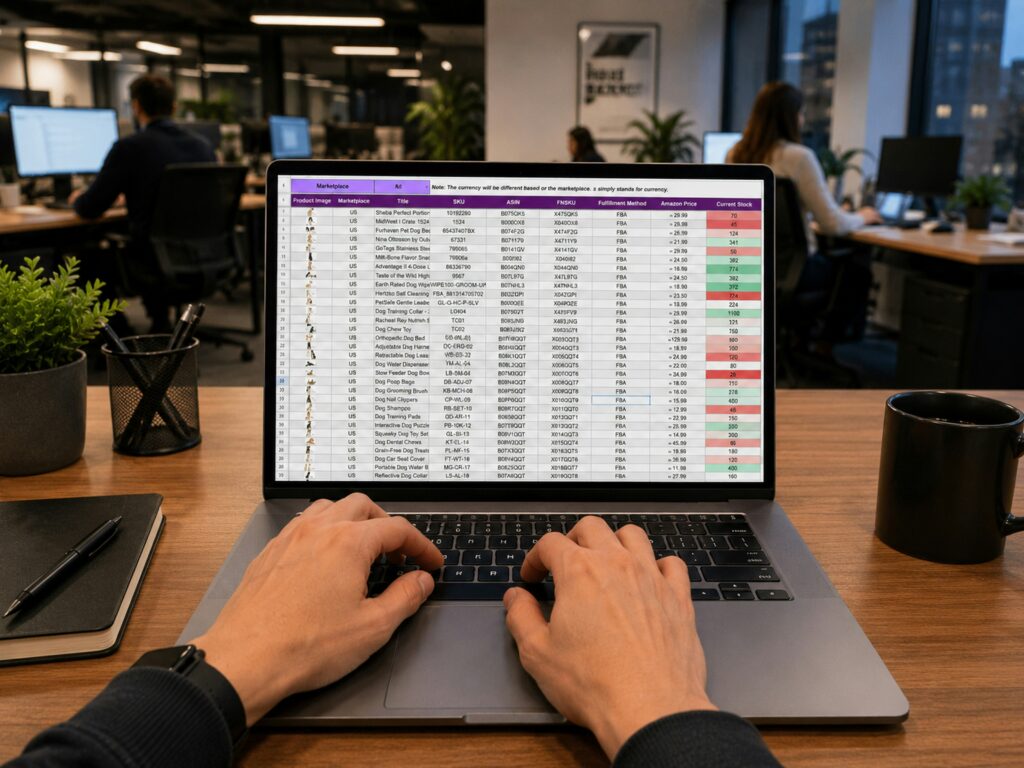
2. Your Business-Critical Spreadsheet Is Becoming an Application
Excel and Google Sheets are exceptionally useful business tools.
The problem starts when a spreadsheet quietly becomes something much bigger.
You may have reached that point when the workbook contains:
- complex formulas that only one employee understands,
- multiple linked tabs or files,
- manually maintained lookup tables,
- macros or scripts,
- business rules,
- approval statuses,
- customer or transaction history,
- several employees editing it,
- and reporting built on top of it.
At that point, the spreadsheet is effectively an application.
It just lacks many of the controls normally expected from one.
There may be no proper role-based access. Someone can accidentally overwrite a formula. Audit history may be limited. Business logic is mixed with data. Concurrent use becomes difficult. Integrating the workflow with other systems requires more scripts and workarounds.
This does not mean every sophisticated spreadsheet should be rebuilt.
A financial model used by three analysts may belong in Excel permanently.
But a spreadsheet being used by 50 employees to operate a recurring business process deserves a different conversation.
The question is:
Are we using a spreadsheet to analyze information, or are we using it to run a business process?
The second is much more likely to become a candidate for a custom application.
3. You Have Good Software, but It Cannot Handle a Critical Workflow
This is one of the most misunderstood reasons for building custom software.
Businesses often assume the choice is:
Buy software OR build software
In practice, the better answer is frequently:
Buy AND build.
Suppose a healthcare organization uses a mature scheduling and patient-management platform.
It handles appointments perfectly well.
But the organization has a specialized treatment-planning process involving multiple stages, insurance rules, approvals, payment calculations, and internal workflows that the standard platform cannot support.
Rebuilding the entire patient-management platform would make little sense.
Instead, the business could retain the existing system and build the specialized workflow around it.
This is where API access and integration capability become important.
Stack Overflow’s 2024 Developer Survey found that 75% of developers were more likely to endorse a technology purchase when the product provided API access.
That is not merely a developer preference.
From a business perspective, APIs determine whether software can participate in a larger technology ecosystem.
A product that works well today but makes it extremely difficult to exchange data can become tomorrow’s constraint.
Before replacing an existing platform, therefore, ask a different question:
Can we keep what works and build around what doesn’t?
Often, that produces a lower-risk architecture.
4. Your Process Is Genuinely Different From the Market Standard
Every business likes to think it is unique.
Most business processes are not.
Payroll is payroll. Accounting is accounting. Basic CRM functionality is largely standardized. Email does not need reinventing.
Buying established software for standardized requirements is usually the sensible choice.
But some processes genuinely are different.
A logistics company may calculate driver assignments using customer-specific rules, vehicle types, delivery windows, geography and regulatory constraints.
A manufacturer may inspect equipment using workflows that vary by asset type, customer and location.
A financial-services company may have proprietary decision logic.
A field-sales organization may have a selling process that standard CRM workflows cannot represent adequately.
A company may have spent years developing an operational methodology that genuinely differentiates it from competitors.
In these cases, forcing the process into generic software can mean either losing the differentiation or building increasingly complicated workarounds around the product.
This is where custom development has its strongest strategic argument.
Commodity processes are usually good candidates for commodity software. Differentiating processes deserve closer examination.
That does not automatically mean build.
But if the process itself is part of the company’s competitive advantage, owning the technology that enables it can become strategically important.
5. Reporting Requires a Small Archaeological Expedition Every Month
Another common symptom appears in reporting.
Imagine management asks:
“What was revenue by customer segment last month, and how does that compare with marketing spend and sales activity?”
The answer should be relatively straightforward.
Instead:
- Finance exports data from the accounting platform.
- Sales exports Salesforce.
- Marketing downloads campaign data.
- Operations sends another spreadsheet.
- An analyst combines everything.
- Product or customer names do not match.
- Someone manually fixes the mappings.
- Three days later, management receives the report.
The obvious request is often:
“Can you build us a dashboard?”
But the dashboard is not necessarily the problem.
The problem is the data architecture underneath it.
If information is fragmented across CRM, ERP, accounting, operational applications, marketing systems andspreadsheets, the solution may involve:
- APIs,
- ETL or ELT pipelines,
- a central database or data warehouse,
- standardized identifiers,
- data-quality rules,
- automated transformations,
- and then reporting.
A prettier dashboard on top of the same manual process solves very little.
This is a good example of why custom application development should begin with requirements discovery rather than a predetermined feature request.
The business asks for a dashboard.
The actual requirement may be data integration and automation.
6. Your Current Software Is Becoming a Collection of Workarounds
Software rarely becomes problematic overnight.
It happens gradually.
A temporary spreadsheet is created.
Then a script moves information into it.
Then another application needs the same data, so someone creates an export.
Then a field is repurposed because the original system does not contain the field the business needs.
Then another process depends on that workaround.
Five years later, changing one system affects six others.
This is technical debt.
McKinsey’s research found that CIOs estimated technical debt at 20% to 40% of the value of their entire technology estate before depreciation. It also found that 10% to 20% of technology budgets intended for new products can be diverted to resolving technical-debt issues.
Technical debt does not mean old technology is automatically bad.
Nor does it mean replacing everything with a custom application is the answer.
In fact, badly designed custom software can create significant technical debt of its own.
The warning sign is when every new requirement requires another workaround because the underlying architecture can no longer accommodate normal business change.
McKinsey’s analysis of 220 companies found that organizations in the bottom 20% of its Tech Debt Score were 40% more likely to have incomplete or cancelled IT modernization programs than companies in the top 20%.
At some point, continuing to patch the existing environment becomes more expensive than redesigning part of it properly.
The difficult question is determining where that point is.
7. Customers or Employees Need an Experience Your Existing Software Cannot Provide
Sometimes the business logic works, but the user experience does not.
Consider a field-service organization.
Its ERP may contain every asset, customer and work order.
But a technician visiting a customer site may need to:
- see today’s assigned jobs,
- scan a QR code,
- photograph an equipment plate,
- retrieve asset history,
- complete an inspection checklist,
- capture a customer signature,
- work without reliable internet,
- and synchronize everything when connectivity returns.
The ERP may technically contain the necessary information.
That does not make the ERP interface suitable for a technician standing beside a machine with a phone.
A custom mobile or web application can provide the appropriate user experience while using the ERP as the underlying system of record.
The same principle applies to customers.
A customer should not need access to an internal enterprise system simply because that is where their information lives.
A custom portal can expose exactly what they need while keeping the underlying systems protected.
This is an important architectural principle:
The system that stores the information does not necessarily need to be the system through which every user interacts with it.
8. The Business Has Outgrown the Way the Current System Was Designed
Growth creates technology problems that were irrelevant when the business was smaller.
A workflow designed for:
- 500 transactions per month,
- 10 employees,
- one location,
- one product line,
- and one country
may behave very differently at:
- 100,000 transactions,
- 300 employees,
- 40 locations,
- multiple product lines,
- and international operations.
The solution is not automatically custom development.
Sometimes the correct answer is moving from a small-business SaaS product to its enterprise equivalent.
But sometimes the business has accumulated enough unique processes that another packaged platform simply creates a new set of compromises.
The evaluation should include more than whether the current application can technically process additional records.
Consider:
- performance,
- user permissions,
- data volumes,
- integration requirements,
- automation,
- auditability,
- multi-location requirements,
- reporting,
- security,
- and how quickly the business can change the system when operations change.
Architecture decisions also compound over time.
McKinsey estimates that as much as 71% of the impact from business transformations depends on technology, while technical debt can add 10% to 20% on top of project costs.
Scalability therefore does not simply mean “will the server handle more users?”
It means can the technology continue supporting the business without every stage of growth requiring increasingly expensive workarounds?

The Business Case: When Is Custom Software Actually Worth It?
Recognizing a problem is not enough.
The next question is whether fixing it justifies the investment.
A useful starting point is to quantify four areas.
1. Employee Time
How many hours are being spent on manual processes that could realistically be removed?
Suppose 15 employees spend 45 minutes per working day reconciling information between systems.
At approximately 250 working days per year:
15 × 0.75 hours × 250 days = 2,812.5 hours per year
That is not an external benchmark. It is simply a way of translating an operational annoyance into something measurable.
Then apply the actual fully loaded cost of the employees involved.
2. Errors and Rework
Manual processes do not just consume time.
They create opportunities for:
- duplicate records,
- incorrect calculations,
- missed transactions,
- wrong mappings,
- inconsistent data,
- and incorrect customer communication.
Estimate how frequently these errors happen and what they cost to identify and correct.
3. Revenue and Customer Experience
Some technology limitations directly affect revenue.
Perhaps customers abandon an onboarding process because it requires too much manual interaction.
Perhaps quotations take two days because several teams need to prepare them.
Perhaps a service cannot be offered profitably because fulfillment requires too much administrative effort.
Those are different economics from simply saving employee time.
4. Cost of Continuing With the Existing Architecture
This is the least visible number.
How much are you spending maintaining scripts, integrations, manual processes, duplicate software licenses and temporary solutions?
Technical debt is not abstract if six people are spending part of every month keeping workarounds alive.
The relevant comparison becomes:
Cost of change vs. cost of doing nothing
Not:
Development quote vs. $99 SaaS subscription

But Could Low-Code Solve the Problem Instead?
Possibly.
And it should be considered.
Platforms such as Microsoft Power Platform can be extremely effective for internal workflows, approvals, forms, relatively straightforward applications and automation, particularly when the organization already operates inside the Microsoft ecosystem.
Microsoft’s guidance itself recommends evaluating low-code opportunities based on complexity, ROI and time to value, while cautioning that applications involving complex integrations may not be the best place to start.
A Microsoft-commissioned 2024 Forrester study of Power Platform reported a 216% three-year ROI for its composite organization, along with significant development and process-efficiency benefits. Because the research was commissioned by Microsoft and models a composite organization, those figures should not be treated as a universal expectation. They do demonstrate why low-code deserves serious consideration rather than being dismissed as a “less professional” alternative.
Low-code may be particularly attractive when:
- the application is primarily internal,
- workflows are relatively standard,
- speed is more important than extensive customization,
- the organization already licenses the platform,
- integrations are supported,
- and the application’s scale fits comfortably within the platform.
Traditional custom development becomes more compelling as requirements become more specialized, integrations become more complex, the user experience becomes more differentiated, or the business requires greater control over architecture and product direction.
There is no prize for using more code.
The best solution is the least complicated technology that can solve the requirement reliably without creating an obvious future constraint.
When Custom Software Is Probably NOT the Answer
Even if several signs in this article sound familiar, custom development may still be unnecessary.
Be cautious if:
- a mature SaaS product already solves almost all of the requirement,
- the workflow itself is still changing every few weeks,
- the problem is temporary,
- nobody inside the business owns the project,
- the organization cannot clearly describe the business problem,
- the expected benefit is minor,
- the requirement could be solved with configuration rather than development,
- or the business wants custom software primarily because it dislikes paying SaaS subscription fees.
That last reason deserves particular attention.
Building software creates its own costs:
- development,
- cloud infrastructure,
- monitoring,
- maintenance,
- security,
- testing,
- support,
- upgrades,
- and future enhancements.
Owning the code does not make operating the software free.
In some situations, paying a vendor to maintain a mature product is significantly cheaper than owning the equivalent application yourself.
A Simple Test Before You Decide
Before commissioning a custom application, answer these six questions:
- What specific process is failing or becoming expensive?
- Can an existing product solve it adequately?
- Can we solve the gap through configuration, integration, automation or low-code instead?
- What does the current problem cost us each year?
- What measurable improvement would a custom application create?
- Is this process important enough to the business that we want greater control over the technology behind it?
If the answers are vague, the business case probably needs more work.
If the answers are specific and measurable, you are in a much better position to evaluate custom development.

Frequently Asked Questions
How do I know if my business needs custom software?
A strong signal is when an important recurring process cannot be handled adequately by existing software and the resulting workarounds have a measurable cost.
That cost may appear as employee time, errors, delays, poor customer experience, inability to scale, fragmented data, or lost revenue.
Custom development should solve a business problem with enough value to justify owning and maintaining the software.
Should I replace my existing software with a custom application?
Usually not unless there is a strong reason.
A custom application can often integrate with existing CRM, ERP, accounting, warehouse or other platforms rather than replacing them.
Keeping mature systems for standardized functions and developing only the specialized layer can substantially reduce scope and risk.
Is custom software better than SaaS?
Neither is inherently better.
SaaS is usually preferable for standardized requirements because implementation is faster and the vendorhandles much of the infrastructure and maintenance.
Custom software becomes more attractive when requirements are specialized, integrations are critical, existing products create costly workarounds, or the process itself differentiates the business.
Is low-code an alternative to custom software development?
Yes, for appropriate applications.
Low-code platforms can work particularly well for internal tools, forms, approvals, workflow automation and applications with supported integrations.
More complex architectures, highly specialized user experiences, unusual integrations, demanding performance requirements or products intended for external customers may justify traditional custom development.
Can custom software integrate with Salesforce, SAP, NetSuite, Xero or other systems?
Often, yes.
The quality of the integration depends on the APIs and other integration capabilities provided by the external system.
Integration requirements should be investigated during discovery because API limitations, rate limits, authentication requirements and data structures can materially affect the architecture.
How should we calculate the ROI of custom software?
Start with measurable changes rather than an arbitrary ROI percentage.
Calculate the current cost of employee time, errors, rework, software licenses, manual reporting, operational delays and maintaining existing workarounds.
Then estimate what portion the proposed application can realistically remove and whether it can create additional revenue or capacity.
Compare those benefits against development, infrastructure, maintenance and ongoing enhancement costs over several years.
Does AI make custom software more valuable?
Only when AI solves a useful part of the workflow.
AI can be valuable for extracting information from documents, classifying inputs, searching large knowledge bases, mapping inconsistent data, summarizing information, identifying anomalies and assisting human reviewers.
It should not replace deterministic software logic simply because AI is available.
If a business rule must produce the same auditable answer every time, conventional application logic is usually the better tool.
Start With the Problem, Not the Application
The strongest case for custom software is rarely:
“We need an app.”
It is something much more specific:
“This process costs us 4,000 hours every year.”
“These three systems cannot work together.”
“Our customers cannot complete this process digitally.”
“Our existing platform cannot support a workflow that is fundamental to how we operate.”
“We have reached a scale where the workarounds no longer work.”
Those are business problems.
Once the problem is understood and quantified, the technology options can be evaluated objectively.
Sometimes the answer will be custom application development.
Sometimes it will be SaaS, an integration, low-code, automation, or simply redesigning the process.
At ActiKnow, we build custom web and mobile applications, integrations, data platforms, workflow automation and AI-enabled solutions. But the first step in a custom application project should be determining whether custom development is actually necessary.
If you are evaluating a process that has outgrown your existing systems, we can help map the workflow, identify where the real technology gaps are, and determine what should be built, integrated, automated or left exactly as it is.
References
- McKinsey & Company: Tech debt: Reclaiming tech equity
https://www.mckinsey.com/capabilities/mckinsey-digital/our-insights/tech-debt-reclaiming-tech-equity - McKinsey & Company: A new standard to measure and tame technical debt
https://www.mckinsey.com/capabilities/quantumblack/our-insights/a-new-standard-to-measure-and-tame-technical-debt - McKinsey & Company: Breaking technical debt’s vicious cycle to modernize your business
https://www.mckinsey.com/capabilities/tech-and-ai/our-insights/breaking-technical-debts-vicious-cycle-to-modernize-your-business - Stack Overflow: 2024 Developer Survey
https://survey.stackoverflow.co/2024/ - Microsoft: Modernize applications with Power Platform
https://learn.microsoft.com/power-platform/guidance/coe/modernize-applications - Microsoft / Forrester Consulting: The Total Economic Impact of Microsoft Power Platform
https://tei.forrester.com/go/microsoft/PowerPlatform2024/