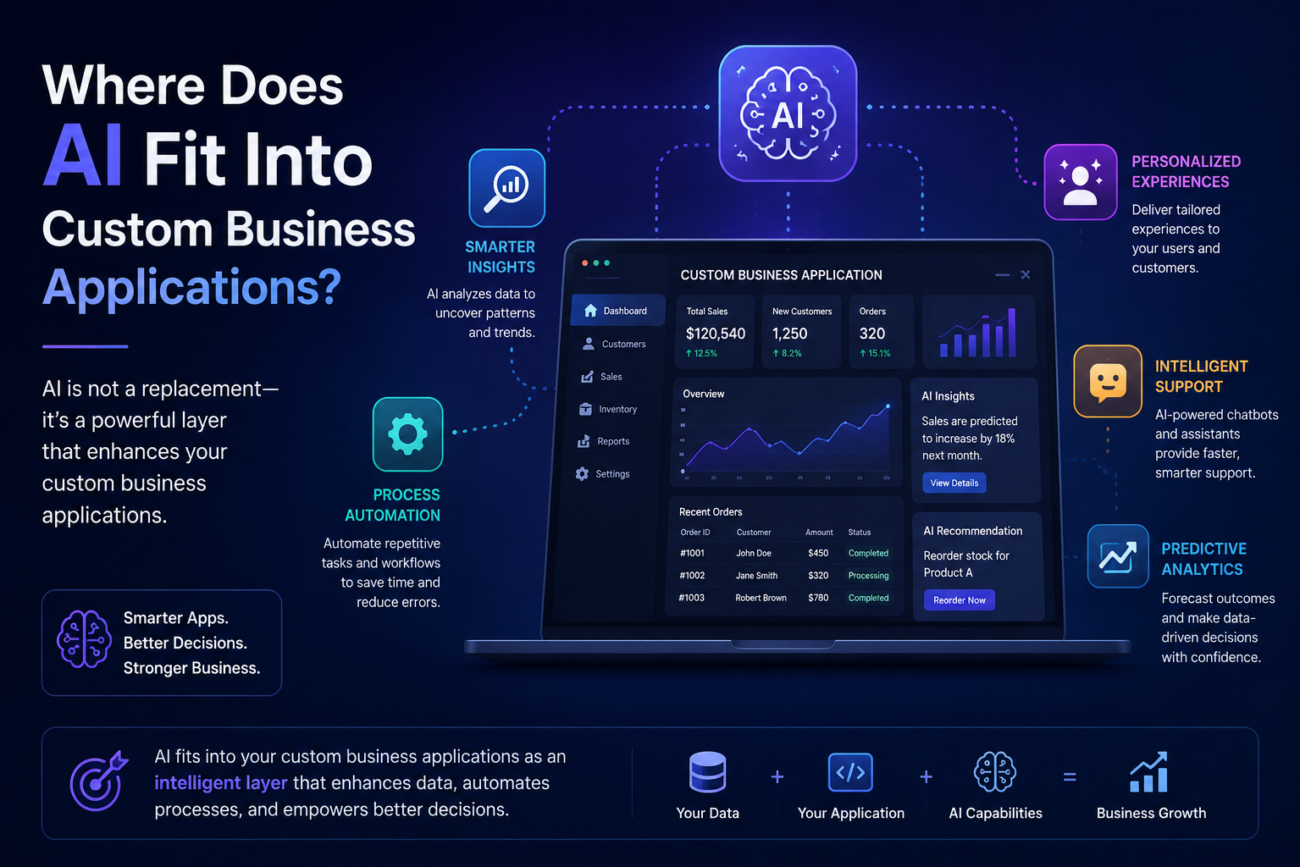
Almost every new software project now seems to include the same question:
“Where can we use AI?”
Sometimes that is exactly the right question.
AI can read documents, interpret unstructured information, classify requests, summarize large amounts of data, search knowledge bases, recognize images, assist users, identify anomalies, and automate parts of workflows that traditional software struggles to handle.
But AI can also be added where it provides very little value.
A rebate calculation that must always apply a contractual 5% rate does not need an AI model.
A workflow that moves an approved order from one status to another does not need an AI agent.
A customer record should not be matched using probabilistic AI if both systems already share a reliable customer ID.
The objective is therefore not to put AI into a custom application.
It is to identify the parts of the business process where AI is a better tool than conventional software.
That distinction is becoming increasingly important.
McKinsey’s 2025 State of AI research found that 88% of surveyed organizations were using AI in at least one business function, while 79% reported using generative AI. Yet only 7% said AI had been fully scaled across their organizations.
AI adoption is widespread.
Effective AI implementation is much less so.
For businesses building custom applications, the opportunity is not to follow the adoption statistic. It is to understand what separates a useful AI capability from an expensive demonstration.
Start With the Workflow, Not the AI Model
Imagine a manufacturer receives hundreds of supplier documents.
Employees currently:
- open each document,
- identify what type of document it is,
- find the supplier,
- extract part numbers and quantities,
- compare those numbers with purchase orders,
- flag discrepancies,
- and enter approved information into the ERP.
There are several different problems inside that workflow.
AI may be excellent at:
reading documents, identifying document types, extracting fields, and interpreting inconsistent descriptions.
Traditional application logic is better at:
matching exact purchase-order numbers, calculating totals, validating known business rules, and updating the ERP.
A sensible application may therefore look like this:
Document arrives → AI extracts and interprets → deterministic validation rules run → uncertain results go to human review → approved transaction updates ERP
The AI is one component.
It is not the architecture.
That is generally how businesses should think about AI-enabled custom applications.
The Most Useful Distinction: Deterministic vs. Probabilistic Work
Traditional software is very good when the required output can be precisely defined.
If:
Order value > $50,000
Then:
Require CFO approval.
The same input should always produce the same result.
That is deterministic logic.
AI becomes useful when the application has to deal with uncertainty.
For example:
Does this customer email appear to be a complaint, a refund request, or a technical-support issue?
Or:
Which fields in this unfamiliar spreadsheet correspond to SKU, quantity, and transaction date?
Or:
What does this 40-page contract say about cancellation terms?
These are interpretation problems.
AI does not necessarily produce the same answer every time, and its answer may occasionally be wrong.
That leads to a practical rule:
Use conventional software where rules are known. Use AI where interpretation is required.
Many of the strongest AI-enabled applications combine both.
1. Document Processing Is One of the Strongest AI Use Cases
Businesses still run enormous amounts of work through documents.
Invoices.
Purchase orders.
Contracts.
Inspection reports.
Applications.
Claims.
PDF statements.
Distributor spreadsheets.
Emails with attachments.
Images of equipment labels.
Traditionally, software could automate these processes only when incoming information followed a rigid structure.
AI changes that.
A custom application can potentially:
Receive document → classify it → extract information → validate fields → identify exceptions → request human approval → update business system
Consider an aviation maintenance organization.
A technician photographs an equipment data plate.
AI can help extract:
- manufacturer,
- model number,
- part number,
- serial number,
- manufacturing date,
- and other relevant text.
The application can then compare that information against technical documents or equipment records.
The AI solves the difficult part:
turning an image or unstructured document into structured information.
Normal application logic can handle the rest.
Keep humans where uncertainty matters
If the extracted serial number will determine which aircraft component is being serviced, the application should not blindly trust a model.
A better workflow might show:
AI detected serial number: AB123498
Confidence: 82%
Please confirm
The employee corrects it if necessary.
That correction can then become part of the audit trail.
This pattern is extremely useful:
AI proposes. Software validates. Human approves when required.
2. AI Can Help Normalize Inconsistent Incoming Data
Data does not always arrive neatly through APIs.
Consider a manufacturer receiving monthly sales reports from 40 distributors.
Distributor A sends:
Item Number | Qty | Contractor | Sale Date
Distributor B sends:
Product ID | Units Sold | Customer | Transaction Date
Distributor C sends:
SKU | Volume | Sold To | Invoice Date
Traditional automation requires somebody to configure each format.
AI can potentially inspect an unfamiliar file and suggest:
Product ID → SKU
Units Sold → Quantity
Sold To → Contractor
A person reviews the proposed mapping once.
Once approved, the system should generally save the mapping and use ordinary deterministic transformations for future files from the same distributor.
This is an important design principle.
Do not repeatedly use AI to solve a problem the application has already learned how to solve deterministically.
Use AI where ambiguity exists.
Then convert confirmed decisions into reliable business logic where possible.
3. AI Can Make Large Knowledge Bases Usable
Many organizations do not have an information shortage.
They have an information-access problem.
Information may be spread across:
- policies,
- contracts,
- manuals,
- product documentation,
- support articles,
- PDFs,
- internal procedures,
- meeting notes,
- CRM records,
- and shared drives.
Employees know the answer probably exists somewhere.
Finding it is the difficult part.
An AI-enabled application can allow users to ask questions conversationally.
For example:
“What is our cancellation policy for enterprise customers?”
or:
“Which maintenance procedure applies to model X?”
or:
“What does this customer’s contract say about renewal?”
A well-designed system can retrieve relevant source material and use a language model to produce an answer grounded in those documents.
This architecture is often referred to as retrieval-augmented generation, or RAG.
In simplified terms:
Question → Find relevant approved documents → Send relevant sections to AI → Generate answer → Show supporting sources
The retrieval step matters.
Without it, the model may answer based on general knowledge rather than the organization’s actual information.
For business applications, a plausible answer is not enough.
Users need the correct answer based on the correct source.
4. AI Can Assist Customer Service Without Replacing the Entire Support Function
Customer-service applications are a natural environment for AI because support teams deal with high volumes of language.
AI can help:
- classify incoming requests,
- identify urgency,
- detect sentiment,
- summarize long conversations,
- suggest responses,
- retrieve knowledge articles,
- extract information from attachments,
- route tickets,
- and answer straightforward questions.
The application does not necessarily need to allow AI to respond to every customer autonomously.
Consider:
Customer email arrives → AI summarizes → identifies category → retrieves relevant customer data → suggests response → agent reviews and sends
This may remove several repetitive steps while keeping the person responsible for the final communication.
For lower-risk, high-confidence questions, the business may later allow automated responses.
The correct level of autonomy should depend on:
- business risk,
- accuracy requirements,
- regulatory considerations,
- customer expectations,
- confidence,
- and the cost of an incorrect response.
The architecture should support different levels rather than assume everything must either be fully manual or fully autonomous.
5. AI Can Turn Natural Language Into an Interface
Traditional business software requires users to navigate screens.
Select filters.
Choose dates.
Create reports.
Learn where information lives.
AI creates another possibility:
ask for the result directly.
For example:
“Show me customers whose sales have fallen more than 20% over the last three months.”
“Which branches are below target this week?”
“Summarize the outstanding supply problems.”
“Which customers have invoices more than 60 days overdue?”
Behind the interface, the application still needs reliable data and controlled access.
The AI may help translate the user’s question into:
- a database query,
- an API request,
- a search,
- or a predefined analytical workflow.
This can make complex applications much easier to use.
But there is an important limitation.
Natural language does not repair bad data.
If the same customer appears under four different names in different systems, an AI interface cannot reliably fix the underlying data architecture simply by being conversational.
6. AI Can Help With Classification and Routing
A surprising amount of office work involves looking at something and deciding:
“What kind of thing is this, and where should it go?”
Examples include:
- identifying invoice types,
- categorizing support tickets,
- routing leads,
- sorting incoming documents,
- classifying expenses,
- identifying product categories,
- triaging claims,
- or determining which department should handle a request.
These tasks are attractive candidates for AI because they involve interpretation but usually have a constrained set of outcomes.
For example:
Incoming email → AI classifies
Possible outputs:
- New order
- Order change
- Complaint
- Payment query
- Technical support
- Other
If confidence is high, the application can route automatically.
If confidence is low:
Send to human review.
This type of workflow often creates more business value than a generic chatbot because it removes a specific operational bottleneck.
7. AI Can Help Identify Anomalies and Exceptions
Businesses frequently do not need AI to process every transaction.
They need help finding the transactions that deserve attention.
Suppose a company processes 100,000 transactions.
Most are normal.
A small number may contain:
- unusual discounts,
- unexpected quantities,
- suspicious combinations,
- inconsistent pricing,
- duplicate-looking transactions,
- abnormal patterns,
- or values far outside historical behavior.
AI and machine-learning approaches can help rank or flag these exceptions.
The application can then present:
97 transactions require review
instead of asking employees to manually examine 100,000.
This changes the human role from:
process everything
to:
investigate what appears unusual.
That is one of the most practical uses of intelligent automation.
8. AI Can Help Humans Make Decisions, Without Making the Decision
Many business decisions require judgment.
A sales manager evaluating an opportunity may consider:
- account history,
- previous purchases,
- outstanding support issues,
- open quotations,
- contract information,
- recent communications,
- and payment history.
Rather than replacing the manager, the application can assemble that context and produce:
Customer Summary
Key Risks
Recent Activity
Relevant Contract Terms
Suggested Next Actions
The manager still decides.
AI reduces the time required to assemble and interpret the information.
This is often safer and more useful than attempting to automate the decision itself.
9. AI Agents Add Another Layer: Taking Actions, Not Just Producing Answers
The next stage of AI-enabled applications involves agents.
A traditional chatbot might answer:
“Customer ABC has three overdue invoices.”
An agent might be allowed to:
- retrieve the invoices,
- draft a reminder,
- identify the correct contact,
- create a follow-up task,
- update the CRM,
- and potentially send the email.
The difference is significant.
The AI is no longer merely generating information.
It can use tools and take actions.
McKinsey’s 2025 State of AI research found that 62% of survey respondents said their organizations were at least experimenting with AI agents, although most organizations were still in relatively early stages of scaling AI overall.
Microsoft’s 2025 Work Trend Index similarly found substantial interest in agent-based work, with leaders expecting teams increasingly to train and manage agents.
This is promising.
It also changes the risk model.
A hallucinated chatbot answer is inconvenient.
A hallucinated action that creates an order, changes a customer record, issues a refund, or sends an emailcan have real consequences.
AI Agents Need Guardrails
Suppose an AI agent can issue customer refunds.
Should it be allowed to refund any amount?
Probably not.
A safer architecture might be:
Refund below $25 + clear policy match → agent can process
Refund $25 to $250 → agent recommends, employee approves
Refund above $250 → manager approval required
The important principle is:
AI autonomy should be proportional to the cost of being wrong.
Other controls can include:
- permission scopes,
- spending limits,
- allowed actions,
- confidence thresholds,
- approval stages,
- audit logs,
- restricted data access,
- transaction limits,
- and mandatory human review.
This is ordinary software-engineering discipline applied to AI.
AI Needs Good Data More Than It Needs a Fancy Interface
Many AI projects begin with the visible feature:
“We want an AI assistant.”
Then the team discovers that the information required by the assistant is spread across:
- Salesforce,
- ERP,
- SharePoint,
- spreadsheets,
- PDFs,
- email,
- and internal databases.
Customer identifiers do not match.
Documents are outdated.
Permissions differ.
Some systems do not expose usable APIs.
Now the AI problem is actually:
integration + data quality + identity + permissions + governance
Microsoft’s recent work on agent readiness makes essentially the same point: organizations moving further with agents map workflows, unify data, and establish governance before scaling automation.
This is why AI should not be treated as a layer that can simply be placed on top of any technology environment.
AI amplifies the quality of the systems and data underneath it.
Clean, accessible, governed data makes useful AI easier.
Fragmented, inconsistent data makes reliable AI harder.
AI Security Is Different From Normal Application Security
Traditional security asks:
Who can access this record?
AI introduces additional questions:
What information can the model see?
What information can it include in an answer?
Which actions can an agent perform?
Can a user manipulate instructions through an uploaded document?
Are prompts or outputs being stored by external providers?
Can confidential information accidentally become part of model context?
An AI assistant connected to company information should respect the same permissions as the systems underneath it.
If an employee does not have access to executive compensation data in the HR system, asking an AI assistant should not become a loophole.
The application therefore needs to combine:
- identity,
- authorization,
- retrieval permissions,
- model access,
- logging,
- and appropriate data handling.
AI governance cannot be separated from application architecture.
McKinsey’s research also found that CEO oversight of AI governance was among the factors most correlated with higher self-reported bottom-line impact from generative AI.
Governance is not merely about reducing risk.
Done properly, it can help organizations deploy AI more confidently.
AI Accuracy Should Be Designed, Not Assumed
Language models can produce incorrect answers.
This is not necessarily a reason not to use them.
It means the application must be designed around that characteristic.
Options include:
- grounding answers in approved sources,
- displaying citations,
- using structured outputs,
- validating outputs against business rules,
- limiting the model’s possible choices,
- requiring human approval,
- evaluating outputs systematically,
- and tracking errors in production.
Consider document extraction.
If the AI returns:
Invoice Total = $84,500
the application can check:
Do line items add up to $84,500?
If not, flag it.
That combines AI’s ability to interpret the document with conventional software’s ability to perform reliable calculations.
The strongest systems often do not ask:
AI or rules?
They use:
AI + rules + human judgment
where each is strongest.
AI Has an Operating Cost, Not Just a Development Cost
Traditional application functionality often has relatively predictable infrastructure costs.
AI can introduce usage-based costs.
Depending on the architecture, these may include:
- model tokens,
- image processing,
- speech processing,
- document extraction,
- embeddings,
- vector search,
- model hosting,
- data storage,
- evaluation infrastructure,
- and external AI services.
A feature that appears inexpensive during a 100-user pilot may behave very differently at millions of interactions.
AI economics should therefore be expressed in units the business understands.
For example:
AI cost per document processed
AI cost per customer conversation
AI cost per claim reviewed
AI cost per support ticket
Then compare that cost with the value generated.
If AI reduces a 10-minute manual process to a 30-second review, paying several cents per transaction may be extremely attractive.
If the AI call costs more than the task it replaces, it probably is not.
Do Not Automate a Bad Process With AI
This problem is not unique to AI, but AI makes it easier to hide.
Imagine employees receive badly structured requests because the company’s customer form is poorly designed.
One solution is:
Build AI to interpret every badly structured request.
Another is:
Fix the form.
The second may be dramatically simpler.
Before adding AI, ask:
- Why does this task exist?
- Could the underlying process be simplified?
- Could structured data replace unstructured data?
- Could an integration remove the task completely?
- Could a simple rule handle it?
- Is interpretation genuinely required?
AI is powerful.
It should not become an expensive workaround for avoidable process problems.
A Practical Framework: Should This Feature Use AI?
For each proposed AI capability, ask six questions.
1. Is Interpretation Required?
If yes, AI may be useful.
If the outcome is determined entirely by known rules, conventional software may be better.
2. What Happens When AI Is Wrong?
Minor inconvenience?
Financial loss?
Regulatory problem?
Customer harm?
The consequence determines the level of control required.
3. Can the Output Be Checked?
Can the application validate totals, identifiers, dates, categories, or other facts?
Validation makes AI safer.
4. Does a Human Need to Approve It?
Not every AI decision requires human review.
But higher-risk actions often should.
5. Is the Required Data Available?
If AI needs six disconnected systems to answer a question, integration may be the first project.
6. Is the Economics Positive?
Estimate:
Cost today → AI operating cost → remaining human effort → value created
If the economics do not work, the technology does not matter.
Good AI Use Cases vs. Bad AI Use Cases
Good Candidate
Read an unfamiliar invoice and extract relevant fields.
Why?
The input is unstructured and requires interpretation.
Poor Candidate
Calculate 18% tax on a known amount.
Why?
A formula will be cheaper, faster, predictable, and exact.
Good Candidate
Summarize a 50-page customer contract and retrieve the relevant cancellation clause.
Why?
The task involves language and information retrieval.
Poor Candidate
Decide whether an invoice is overdue when due date < today.
Why?
That is basic deterministic logic.
Good Candidate
Suggest which column in an unfamiliar spreadsheet corresponds to SKU.
Why?
Column names may vary and require contextual interpretation.
Poor Candidate
Use AI every month to map the same distributor file after the mapping has already been confirmed.
Why?
Once the rule is known, save it.
Good Candidate
Recommend the likely category of a customer complaint and show supporting evidence.
High-Risk Candidate
Automatically reject an insurance claim based entirely on a language model’s interpretation.
The second may still involve AI, but the governance, validation, explainability, and human oversight requirements are entirely different.
Frequently Asked Questions About AI in Custom Applications
Can AI be added to an existing business application?
Yes.
AI does not normally require rebuilding the entire application.
An existing system can potentially call external AI services or internal models through APIs, provided the application’s architecture, data, permissions, and security requirements support the use case.
What are the most useful AI features for business applications?
Common high-value areas include document processing, information extraction, enterprise search, summarization, classification, anomaly detection, mapping inconsistent data, customer-support assistance, and workflow support.
The best use case depends on where interpretation or information overload currently creates meaningful work.
Should every custom application include AI?
No.
Many excellent applications need no AI at all.
If the workflow consists primarily of structured information and deterministic business rules, conventional application logic may be more reliable and less expensive.
What is an AI agent?
An AI agent is a system that can do more than generate an answer. It can potentially plan steps, call tools or APIs, retrieve information, and take actions within defined permissions.
That makes agents more powerful than basic conversational interfaces, but it also increases the importance of security, permissions, validation, and auditability.
Is RAG the same as training an AI model on company data?
No.
Retrieval-augmented generation typically retrieves relevant company information at query time and provides it to the model as context.
Fine-tuning changes aspects of the model itself.
For many enterprise knowledge applications, retrieving the correct information with proper access controls is more important than fine-tuning a model.
Can AI hallucinate inside a business application?
Yes.
Generative models can produce incorrect or unsupported outputs.
Applications should be designed accordingly through grounding, validation, constrained outputs, citations, confidence handling, evaluation, and human review where appropriate.
Should we build our own AI model?
Usually not as the first assumption.
Most organizations can build substantial AI capabilities using models provided by established vendors or open-source models.
Training a foundation model from scratch requires considerable data, infrastructure, expertise, and ongoing investment.
The custom value generally comes from how the model is integrated into the business workflow and data, not from owning the foundation model.
How much does adding AI to an application cost?
It varies dramatically.
A simple summarization feature may be relatively straightforward.
A production-grade AI platform involving multiple data sources, document ingestion, RAG, agents, security, evaluation, monitoring, and human review can be a substantial project.
Operating costs also depend on model usage and the type of data being processed.
The Best AI Feature May Be the One Users Barely Notice
The most useful AI in a business application does not necessarily need a large “Ask AI” button.
It may quietly:
- read an incoming document,
- suggest three field mappings,
- summarize a customer history,
- flag an unusual transaction,
- classify an email,
- retrieve a relevant policy,
- or prepare information before a human makes a decision.
The user may simply experience:
less manual work.
That is usually a better objective than making the application look artificially intelligent.
AI is a powerful new component in custom application development.
But it remains a component.
The business still needs good workflows.
Reliable data.
APIs.
Security.
Permissions.
Validation.
Architecture.
And conventional software engineering.
At ActiKnow, we build custom applications, data platforms, workflow automation, integrations, and AI-enabled business solutions. Our approach to AI starts with identifying where interpretation, unstructured information, or complex knowledge work creates a genuine bottleneck.
Then we determine what AI should handle, what traditional software should handle, and where people should remain in control.
Because the objective is not to build an application that has AI.
It is to build an application that works better because AI is being used in the right places.
References
- McKinsey & Company: The State of AI in 2025: Agents, Innovation, and Transformation
- McKinsey & Company: AI at Work but Not at Scale
- McKinsey & Company: The State of AI: How Organizations Are Rewiring to Capture Value
- Microsoft: 2025 Annual Work Trend Index
- Microsoft WorkLab: Agents Are Here: Is Your Company Prepared?
