
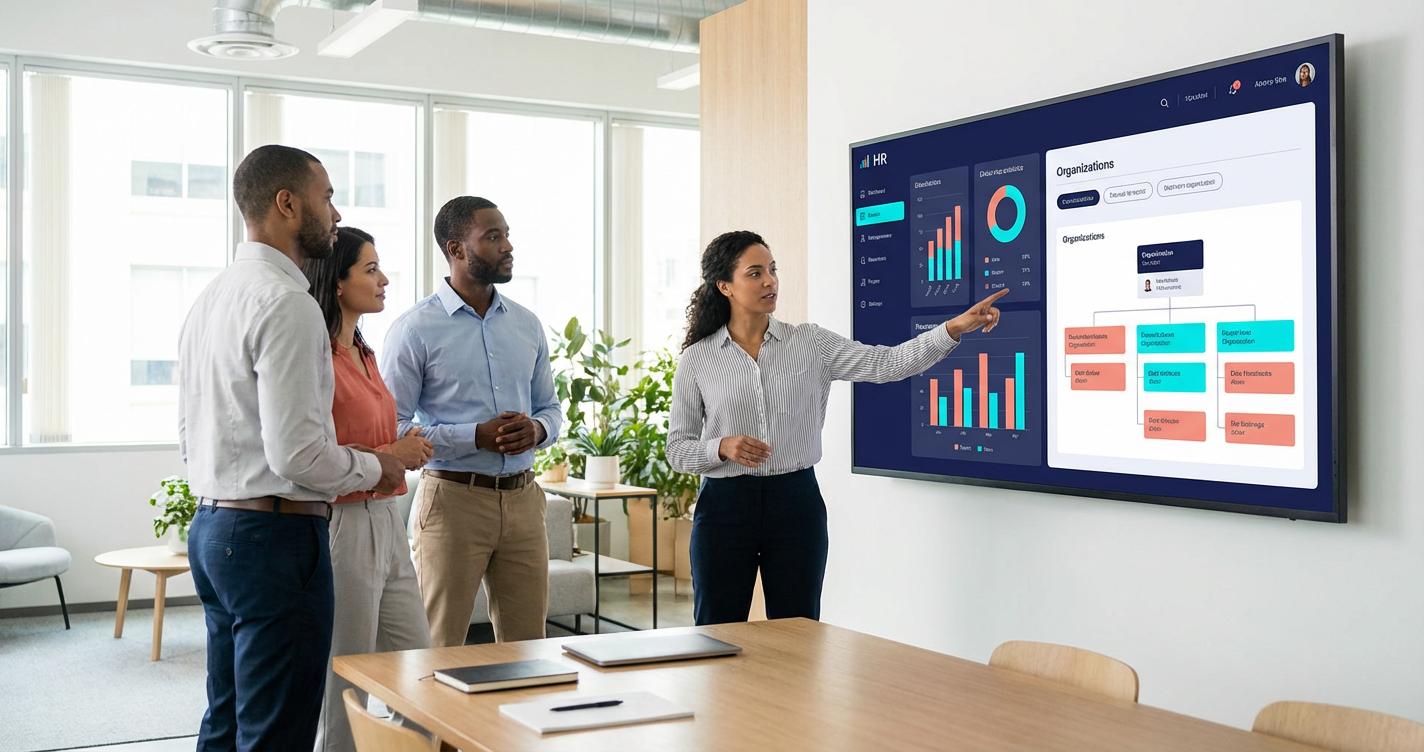
The decision is not simply whether to move data
HR leaders want workforce information alongside finance, sales, operations and planning data. Yet conventional integrations often require scheduled extracts, transformations, duplicated storage, reconciliation jobs and a second set of access controls. A federated connection promises a different starting point: query governed Workday data from an analytics environment without first building another full copy. That is useful, but it is not a universal replacement for data engineering.
The real architectural question is which workloads benefit from live, governed access and which require controlled, reusable historical datasets. A board-level workforce dashboard, an audit reconstruction, a machine-learning feature pipeline and an operational staffing alert have different freshness, repeatability and security requirements. One integration pattern rarely optimizes all four.
What changed in the Workday and Google Cloud relationship?
Workday announced Google BigQuery as a Workday Data Cloud partner on November 19, 2025, describing secure zero-copy access to HR and finance data. In May 2026, Workday and Google Cloud described deeper interoperability with Google Cloud Lakehouse. Google Cloud now documents a cross-cloud connection for Workday Data Lake, but explicitly labels that connection Preview and subject to pre-general-availability terms. Treat broad partnership announcements separately from feature availability in your own region, tenant and contract.
Google Cloud’s setup guide describes connecting Lakehouse to Workday Data Lake and querying Workday information alongside Google Cloud data. The documentation also calls out authentication through regional Secret Manager secrets, supported-catalog checks and coordination with Workday administrators. A production decision should begin with a proof of actual tenant access, not a slide showing a zero-copy arrow.
Federation versus ETL: the operating trade-off
Federated access
With federation, the query engine reaches a remote catalog or source at execution time. The organization avoids building and maintaining a complete replica solely to answer every question. This can reduce unnecessary duplication and let analysts work with more current governed source information, subject to source refresh and connection behavior. It also creates runtime dependencies: availability, network paths, remote throttling, query pushdown, credentials and the semantics exposed by the source.
Replicated data pipelines
With ETL or ELT, a defined extract lands in a controlled analytical store and is transformed into reusable tables. This creates storage, orchestration, monitoring and reconciliation responsibilities. In return, teams can freeze reporting periods, build durable history, optimize repeated joins, serve high-concurrency dashboards and keep downstream reporting running during a source outage. Replication is especially useful when a business question requires historical states that the remote source does not expose.
The distinction is not zero-copy equals zero cost. Federated queries still consume compute, may create remote workload, and may incur network or service charges depending on the architecture. Conversely, replication can be efficient when the same curated dataset serves hundreds of repeated queries. Compare the total cost of a workload, not only bytes stored.

Six tests for deciding where federation belongs
1. Freshness and acceptable latency
Ask whether a manager needs the current organizational assignment or yesterday’s approved snapshot. If decisions require near-current information, federation may help, but validate source-to-query lag and end-to-end latency. If a monthly finance pack must reproduce precisely the same numbers after a reorganization, a versioned snapshot is often more appropriate.
2. Historical reproducibility
Employee attributes change: manager, cost center, location, worker type and compensation eligibility. A query run today against current records may not reproduce what was true at a past close date. Test whether the accessible Workday objects expose effective-dated history and whether the chosen interface preserves it. If not, schedule governed snapshots or incremental change capture for the measures that demand point-in-time analysis.
3. Security and least privilege
Workforce information can include compensation, protected characteristics and other sensitive personal data. Validate permissions at both the Workday source and the Google Cloud consumption layer. Verify identity mapping, column and row visibility, audit logs, credential rotation, administrator access and revocation. Never assume that ‘zero-copy’ automatically prevents sensitive data from appearing in query results, exports, caches or BI extracts.

4. Query shape and concurrency
A selective query over a limited workforce population is different from a cross-company join that scans years of transactions and runs every minute for hundreds of users. Benchmark representative filters, joins, aggregation and dashboard concurrency. Test whether predicates are pushed down, how remote failures surface and whether limits change under peak load. If frequent broad scans are costly or slow, materialize only the necessary analytical layer.
5. Governance and metric definitions
‘Headcount’ can mean active employees at midnight, all paid workers, filled positions, or employees plus contingent workers. Federation does not decide the definition. Document the population, effective date, organizational hierarchy, exclusions, owner and approval process. Reconcile federated figures with official HR reports before calling a dashboard authoritative.
6. Downstream reuse and operational resilience
A one-off workforce planning analysis may be ideal for federation. A shared enterprise semantic layer feeding dozens of dashboards, financial allocations and forecasting models may benefit from curated tables. Consider source outages, recovery objectives, data contracts and change management. Hybrid architecture is often the practical answer: federate exploratory access, materialize approved aggregates and snapshot audit-critical history.
A practical reference architecture
Start with a source-access layer that authenticates to Workday Data Lake through the supported Google Cloud connection. Place a governed semantic layer above it with documented workforce definitions, authorized views and stable join keys. Route exploratory and low-frequency queries to federation; materialize curated marts for heavy repeated use, regulated reporting and point-in-time comparisons. Publish dashboards only after access and metric reconciliation tests.
For example, a workforce productivity dashboard might combine Workday organizational assignments with BigQuery sales outcomes. The analyst should first define the business grain: employee-month, team-month or region-quarter. Map worker identifiers to the operational system with an approved crosswalk, rather than assuming email addresses are stable keys. Allocate sales outcomes using explicit rules for transfers and shared teams. Exclude sensitive fields that are not needed for the business question.
A defensible employee-month model might store month_end_date, worker_key, effective_org_key, worker_status, FTE_fraction and approved cost_center_key. A separate revenue fact can be aggregated at the matching team-month grain. This prevents a common error: joining daily revenue to multiple effective-dated employee rows and multiplying totals. Reconcile both row counts and amounts after the join.

What to measure in a pilot
Select three actual workloads: an ad hoc HR analysis, a recurring management dashboard and a historical finance reconciliation. For each, record data freshness, p50/p95 query time, concurrent-user behavior, remote errors, query and infrastructure cost, reconciliation variance, access-control exceptions and analyst maintenance effort. Compare against an existing or minimal ETL baseline over the same data and period.
An illustrative decision rule is to favor federation for low-frequency, selective, freshness-sensitive analysis when the connection meets security and reliability requirements. Favor materialization for high-frequency, expensive joins and snapshots where repeatability matters. These are hypotheses to validate, not universal performance guarantees.

A four-week evaluation plan
Week 1: define business decisions and boundaries
Identify the executive questions, approved workforce populations, sensitive fields, data owners, retention requirements and desired refresh frequency. Confirm Workday and Google Cloud entitlements, preview restrictions, region support and the required administrative approvals. Establish an ETL baseline and a success scorecard before building anything.
Week 2: prove connectivity and controls
Configure the documented cross-cloud connection in a nonproduction environment. Test least-privilege access using different user roles, credential expiry, revocation and audit visibility. Verify that prohibited compensation or personal fields cannot leak through derived views or exports. Document the exact supported Workday objects rather than assuming every object is queryable.
Week 3: benchmark realistic queries
Run the three pilot workloads against representative volumes and time windows. Test complex joins, repeated dashboard refreshes, peak concurrency, source downtime and schema changes. Reconcile results to Workday’s approved reports. Capture costs and operational incidents, not just a successful demonstration query.
Week 4: decide the production pattern
Classify each workload as federated, materialized or hybrid. Define ownership of data definitions, credentials, incident response and source schema changes. Add data-quality tests, monitoring, documentation and a rollback path. Require business sign-off on metric definitions before executive rollout.

Common mistakes to avoid
Do not treat the term zero-copy as proof of no data movement anywhere in the analytics workflow. Do not assume preview features carry production service commitments. Do not publish individual-level HR data into broadly shared dashboards. Do not compare only query speed while ignoring source-system load and operational costs. Do not replace effective-dated history with current-state joins. And do not build a permanent integration around a feature until its supported objects, permissions and failure behavior have been tested.
Questions executives should ask before approving
- Can we reproduce last quarter’s approved headcount exactly?
- Who owns the definition of active employee?
- What happens to dashboards when Workday access is interrupted?
- Which sensitive fields can a manager see, and can that be independently verified?
- What is the expected monthly cost at realistic usage?
- Which use cases genuinely require current data, and which can run on a governed daily snapshot?
- What is our exit path if the preview interface changes?
Frequently asked questions
Does federation eliminate ETL?
No. It can eliminate unnecessary replication for some queries, but historical snapshots, data cleansing, cross-system identity resolution and high-volume reuse may still justify pipelines.
Is the Workday cross-cloud connection generally available?
The Google Cloud setup documentation reviewed for this article labels the Workday Data Lake connection Preview. Confirm current release status and entitlement before committing production workloads.
Does zero-copy mean data never leaves Workday?
It describes an architecture that avoids maintaining a full replicated dataset for access. Query results, BI exports and downstream materializations can still create copies. Review actual data flows and controls.
Can BigQuery combine Workday data with sales data?
That is a stated use case, subject to accessible objects and permissions. The hard part is often defining compatible identifiers, dates, organizational hierarchies and measures.
Will federation always be faster?
No. Performance depends on query shape, remote capabilities, data volumes, connectivity and concurrency. Benchmark representative workloads.
What about historical workforce reporting?
Validate effective-dated data availability and build governed snapshots where reporting must be reproducible. Current-state federation alone may be insufficient.
Who should own access?
HR data owners should approve workforce populations and sensitive fields, while platform and security teams implement and audit technical controls. Both source and consumption permissions matter.
Should we migrate every HR dashboard at once?
No. Start with a small set of clearly defined workloads and reconcile outcomes before expanding.
What is the strongest hybrid pattern?
Use federation for selective, freshness-sensitive exploration and materialize only high-use aggregates, cross-system semantic marts and audit-critical history.
What is the first question to ask the vendor?
Which Workday objects, regions, identity methods, quotas and service commitments are supported for our exact tenant and edition today?
Conclusion: choose the right access pattern for each decision
BigQuery and Workday Data Lake federation can simplify how teams explore governed HR and finance information, particularly when they already analyze operational data in Google Cloud. But architecture should follow the business decision. Current data, historical truth, cost, privacy and operational resilience must be assessed independently. The strongest design may be less replication, not no replication.
Actiknow’s business intelligence consulting and data integration services can help teams define reporting requirements, evaluate federated versus materialized models and design practical analytics workflows. Explore our business intelligence services or discuss the scope of a pilot through the consultation form on that page.
Source notes
Google Cloud: Set up cross-cloud connection for Workday Data Lake (Preview), https://docs.cloud.google.com/lakehouse/docs/set-up-cross-cloud-connection-workday
Workday: November 19, 2025 BigQuery partnership announcement, https://newsroom.workday.com/2025-11-19-Workday-Expands-Its-Open-Ecosystem-with-New-Global-Developer-Network-and-Google-BigQuery-Partnership
Workday: May 28, 2026 expanded Google Cloud partnership, https://newsroom.workday.com/2026-05-28-Workday-and-Google-Cloud-Expand-Strategic-Partnership-to-Bring-AI-Agents-for-HR-and-Finance-Into-Employees-Daily-Workflows