

A green pipeline can still deliver bad data.
The job ran.
No exception was thrown.
The warehouse table updated.
Yet yesterday’s orders are missing, a source column changed type, duplicates doubled revenue, or a downstream dashboard has not refreshed.
Traditional job monitoring answers one question:
Did the process execute?
Data pipeline observability answers a more important question:
Can the business trust what arrived?
What Data Pipeline Observability Means
Data pipeline observability is the ability to understand the health of data as it moves from source systems through ingestion, transformation and consumption.
A useful observability model covers:
- Execution.
- Freshness.
- Volume.
- Schema.
- Quality.
- Uniqueness.
- Lineage.
- Downstream impact.
- Business reconciliation.
- Cost and performance.
The objective is early detection and fast diagnosis.
Actiknow’s business intelligence and data engineering services include cloud data pipelines, warehouse modeling and BI monitoring. Observability should connect technical pipeline signals to the reports and decisions that depend on them.
Job Status Is Only Layer One
You still need normal operational monitoring.
Track:
- Job started.
- Job completed.
- Job failed.
- Duration.
- Retry count.
- Error message.
- Compute used.
- Rows processed.
But success only proves that the code reached a successful state.
It does not prove the output is complete or correct.
Monitor Freshness
Freshness asks:
How old is the newest usable data?
For every important dataset, define an SLA.
Examples:
- Orders: within 15 minutes.
- CRM pipeline: within one hour.
- Finance ledger: by 7:00 AM daily.
- Executive dashboard: refreshed by 8:00 AM.
Then measure actual freshness.
A pipeline that succeeds at 8:30 AM has still breached an 8:00 AM business commitment.
Measure Freshness at Multiple Layers
End-to-end freshness can fail in different places.
Track:
- Latest source event.
- Latest ingested event.
- Latest transformed record.
- Latest semantic-model refresh.
- Latest dashboard availability.
This helps locate the delay.
If ingestion is current but the dashboard is stale, restarting the connector is pointless.

Monitor Data Volume
Unexpected volume changes are powerful anomaly signals.
Track:
- Rows per load.
- Rows per hour/day.
- Distinct business keys.
- Bytes ingested.
- Records updated.
- Records deleted.
Compare with:
- Previous period.
- Same weekday.
- Expected range.
- Source control totals.
A pipeline that normally receives 100,000 orders but loads 8,000 should alert even if it completed successfully.
Do Not Use Static Thresholds for Everything
Business volumes change.
Seasonality matters.
A fixed threshold may create noise.
Use appropriate baselines:
- Day-of-week patterns.
- Month-end patterns.
- Campaign periods.
- Known seasonal peaks.
- Historical bands.
- Business calendars.
The monitoring logic should understand the workload.
Monitor Schema Drift
Sources change.
A SaaS vendor adds a field.
A database column changes type.
An API stops returning an attribute.
A nested JSON structure changes.
Track:
- Added columns.
- Removed columns.
- Type changes.
- Nullability changes.
- Renames.
- Enum changes.
- Nested-structure changes.
Not every schema change should stop the pipeline.
But every unexpected breaking change should be visible.
Classify Schema Changes
Useful categories include:
1. Backward-compatible
New nullable column.
2. Potentially breaking
Type widened or enum changed.
3. Breaking
Required column removed or renamed.
4. Security-sensitive
New PII field appears.
Each category can have a different response.
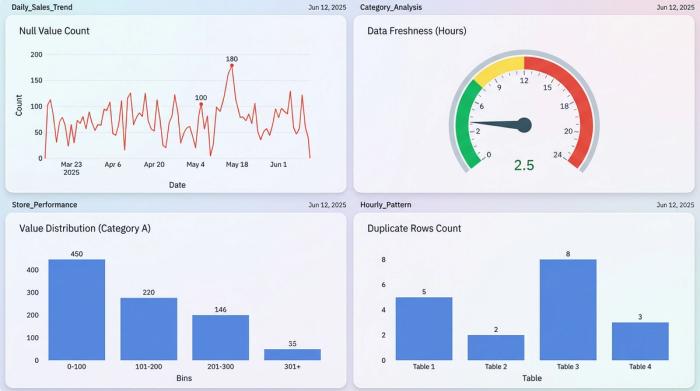
Monitor Null Rates
A field can still exist while becoming useless.
For critical columns, track null percentage.
Examples:
- customer_id.
- invoice_amount.
- country.
- campaign_source.
- membership_status.
A sudden jump from 1% null to 60% null may indicate an upstream issue.
The pipeline can remain technically green.
Monitor Duplicate Rates
Duplicates are especially dangerous because dashboards often still look plausible.
Track:
- Duplicate primary keys.
- Duplicate business keys.
- Duplicate event IDs.
- Repeated webhook IDs.
- Duplicate file records.
For financial or transactional datasets, uniqueness tests should be first-class production controls.
Monitor Referential Integrity
Facts should match expected dimensions.
Track orphan rates.
Examples:
- Order without customer.
- Invoice without account.
- Membership without chapter.
- Ad click without campaign.
An increase can indicate:
- Late dimension loading.
- Mapping defects.
- Source-system changes.
- Bad joins.
Monitor Distribution Changes
Sometimes the total row count is normal but the composition changes dramatically.
Track distributions for important fields:
- Status.
- Country.
- Product.
- Channel.
- Region.
- Customer type.
- Payment method.
If one category suddenly disappears, investigate.
Distribution monitoring catches issues that total volume misses.
Monitor Numeric Control Totals
For high-value datasets, compare business amounts.
Examples:
- Revenue.
- Payments.
- Refunds.
- Units.
- Inventory.
- Hours.
- Pipeline value.
Do this at useful grains:
- Day.
- Business unit.
- Currency.
- Source.
- Region.
Control totals connect technical monitoring to business impact.
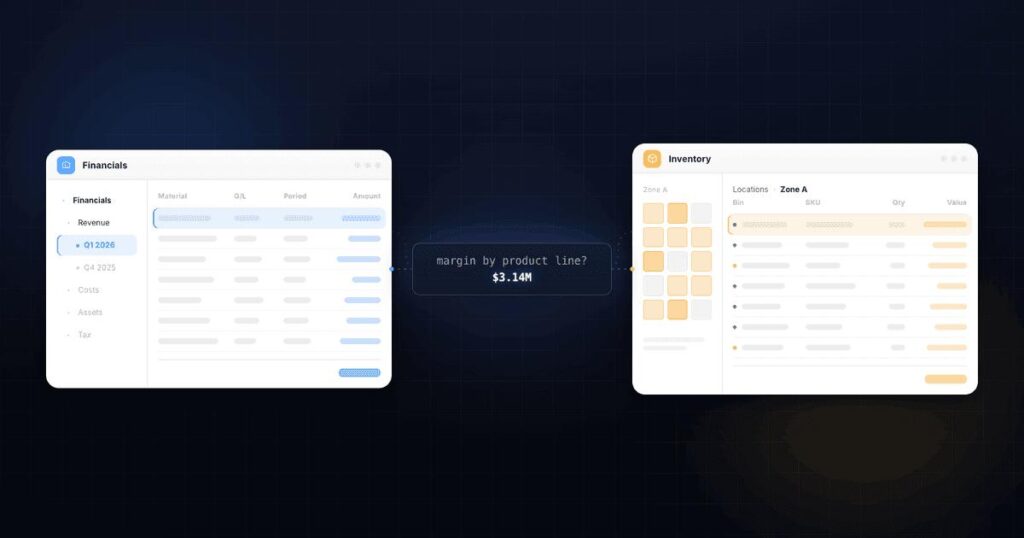
Reconcile Against the Source
Observability is strongest when selected warehouse metrics are compared with authoritative sources.
Examples:
- Source invoices vs warehouse invoices.
- CRM active opportunities vs warehouse active opportunities.
- Payment processor settlements vs finance mart.
- Analytics clicks vs downstream modeled clicks.
Not every source offers a clean control total.
Use it where the business risk justifies it.
Monitor Late-Arriving Data
A pipeline may load on time but receive old business records later.
Track:
- Event date vs ingestion date.
- Source update date vs warehouse arrival.
- Late-record count.
- Maximum lateness.
This matters when historical periods can change after publication.
Define how late data affects dashboards and snapshots.
Monitor Deletes
Deletes are easy to miss in incremental pipelines.
Track:
- Source deletes.
- Warehouse soft deletes.
- Hard deletes.
- Rows excluded after deletion.
If the source supports CDC delete events, monitor whether they are being consumed.
If not, design periodic reconciliation.
Monitor Transformation Tests
Transformation frameworks can test assumptions such as:
- Not null.
- Unique.
- Accepted values.
- Relationships.
- Custom business rules.
Monitor test failures by severity.
Do not make every minor test page the on-call engineer.
Classify:
- Critical.
- Warning.
- Informational.
The alert policy should reflect business impact.
Monitor Data Contracts
For important producer-consumer interfaces, define expected:
- Schema.
- Grain.
- Keys.
- Freshness.
- Allowed values.
- Ownership.
- Breaking-change process.
Observability should test these contracts.
This converts informal assumptions into operational controls.
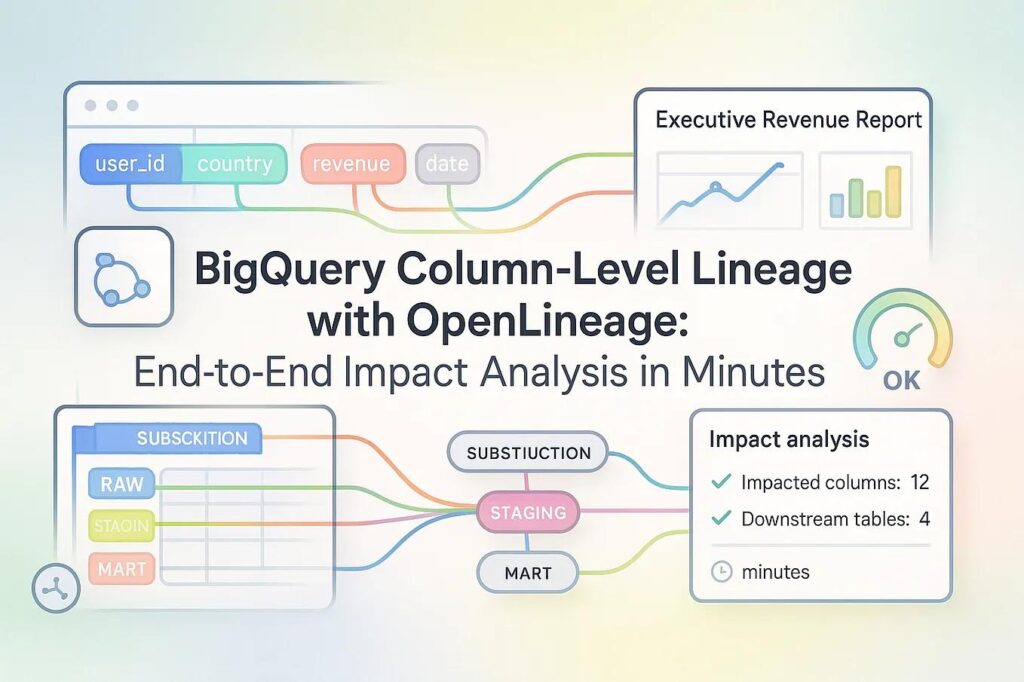
Lineage Is Essential for Diagnosis
When a dataset fails, teams need to know what depends on it.
Maintain lineage from:
- Source.
- Raw table.
- Transformation.
- Mart.
- Semantic model.
- Dashboard.
- Downstream export.
If customer_dim is stale, which executive reports are affected?
Without lineage, incident response becomes manual detective work.
Alert on Downstream Impact
A useful alert says:
Salesforce opportunity ingestion is 2.5 hours stale. Sales pipeline mart and Executive Revenue Dashboard are affected.
A weak alert says:
job_18473 failed.
Include business context.
That helps teams prioritize incidents.
Monitor BI Refresh Separately
The warehouse can be healthy while the BI layer fails.
Track:
- Semantic-model refresh.
- Extract refresh.
- Gateway.
- Credential failures.
- Dataset refresh duration.
- Dashboard cache.
- User query errors.
End-to-end observability extends to consumption.
Monitor Query Performance
Data availability is not enough if reports become unusably slow.
Track:
- Query duration.
- Queueing.
- Warehouse utilization.
- Spill.
- Bytes scanned.
- Concurrency.
- Dashboard render time.
Performance regressions can indicate:
- Data growth.
- Model changes.
- Poor SQL.
- Capacity problems.
- New user behavior.
Monitor Cost Anomalies
A pipeline can remain healthy while cost explodes.
Track:
- Compute per load.
- Bytes processed.
- Warehouse credits.
- BigQuery bytes/slots.
- Redshift RPU usage.
- Connector consumption.
- Storage growth.
A sudden cost increase can reveal a query regression or runaway retry loop.
Create Dataset-Level Health Scores Carefully
Some teams create a single health score.
This can help summarize many signals, but do not let it hide critical failures.
A dataset with:
Perfect schema.
Perfect volume.
But 12-hour stale data
should not appear “85% healthy.”
Critical SLA breaches should override aggregate scores.
Use Severity Levels
Example:
1. P1
Material business data wrong or unavailable.
2. P2
Critical dataset freshness or quality breached, limited current impact.
3. P3
Non-critical anomaly requiring investigation.
4. P4
Informational drift or trend.
Tie severity to response expectations.

Reduce Alert Noise
If every warning sends a message, people stop reading alerts.
Use:
- Deduplication.
- Incident grouping.
- Dependency awareness.
- Suppression during planned maintenance.
- Reasonable thresholds.
- Escalation only after persistence.
An alert should be actionable.
Create Runbooks
Every critical alert should answer:
- What does this mean?
- What is affected?
- Where should I look?
- Can it be retried?
- How do I validate recovery?
- Who owns the source?
- Who owns the downstream report?
- What is the escalation path?
Observability without recovery instructions creates visibility without resilience.
Define Ownership
Each production dataset should have:
- Technical owner.
- Business owner.
- Freshness SLA.
- Quality controls.
- Downstream consumers.
- Support channel.
- Criticality.
If nobody owns a dataset, monitoring will eventually become ignored.
Build an Observability Matrix
For each critical table or data product, record:
- Execution check.
- Freshness threshold.
- Volume check.
- Schema check.
- Uniqueness check.
- Null checks.
- Business control total.
- Downstream reports.
- Owner.
- Severity.
This creates consistent coverage.
Start With Critical Data
Do not try to monitor every column on day one.
Prioritize:
- Executive KPIs.
- Finance.
- Customer-facing analytics.
- Regulatory reporting.
- Operational workflows.
- High-value integrations.
Then expand based on incidents and risk.
A Practical Production Checklist
For every critical pipeline, confirm:
- Job status is monitored.
- End-to-end freshness is measured.
- Volume anomalies are detected.
- Schema drift is detected.
- Critical null rates are monitored.
- Business keys are checked for duplicates.
- Referential integrity is tested.
- Deletes are monitored.
- Late-arriving data is measured.
- Business control totals are reconciled.
- Lineage identifies downstream impact.
- BI refresh is monitored.
- Query performance is tracked.
- Cost anomalies are visible.
- Alerts have severity and ownership.
- Runbooks exist for critical incidents.
Frequently Asked Questions
What is data pipeline observability?
It is monitoring and understanding data health across execution, freshness, volume, schema, quality, lineage and downstream business impact.
How is observability different from pipeline monitoring?
Traditional monitoring often focuses on job execution. Observability adds data-level and dependency signals that help explain whether outputs are trustworthy and what is affected.
What are the most important data observability metrics?
Start with freshness, volume, schema changes, duplicates, critical nulls, source-to-target control totals and downstream impact.
Should every anomaly trigger an alert?
No. Alerts should be tied to meaningful thresholds, persistence and business criticality to avoid alert fatigue.
How do you monitor data freshness?
Compare the latest usable business timestamp or completed load against a defined SLA, ideally across source, ingestion, transformation and BI layers.
Do I need a dedicated data observability platform?
Not always. Many teams can begin with warehouse queries, orchestration metrics, transformation tests and alerting. Dedicated platforms become more useful as scale and dependency complexity increase.
Who should own data observability?
Technical teams own pipeline controls, while business owners should help define criticality, materiality and acceptable freshness for important data products.
Conclusion
A successful job is not the same as successful data.
Production observability should tell you whether the right data arrived, on time, in the expected shape, without duplicates, with valid business totals and with downstream reports functioning.
Start with the datasets that matter most.
Define freshness and quality expectations.
Monitor anomalies.
Connect failures to downstream business impact.
Then create ownership and runbooks so alerts lead to recovery.
If you are operating Snowflake, BigQuery or Redshift pipelines and need stronger production controls, Actiknow can help design observability across ingestion, transformation and BI. Discuss your data pipeline observability requirements with Actiknow.