
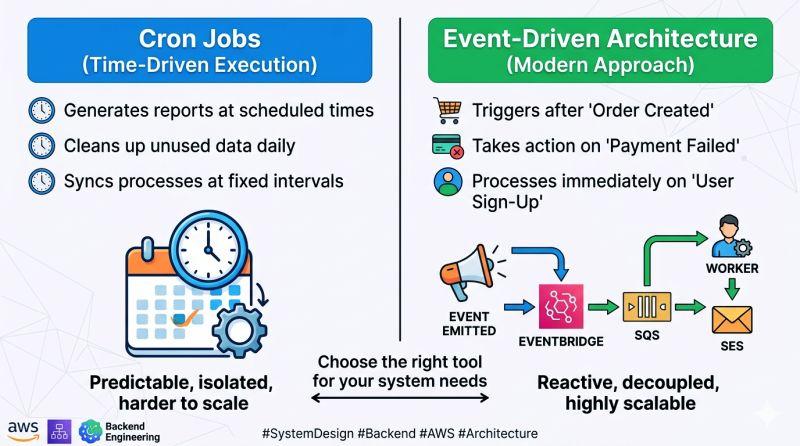
Many data pipelines run on a clock.
Every five minutes, every hour or every night, a scheduler asks whether there is new work.
That is simple and predictable, but it can be wasteful when data arrives irregularly.
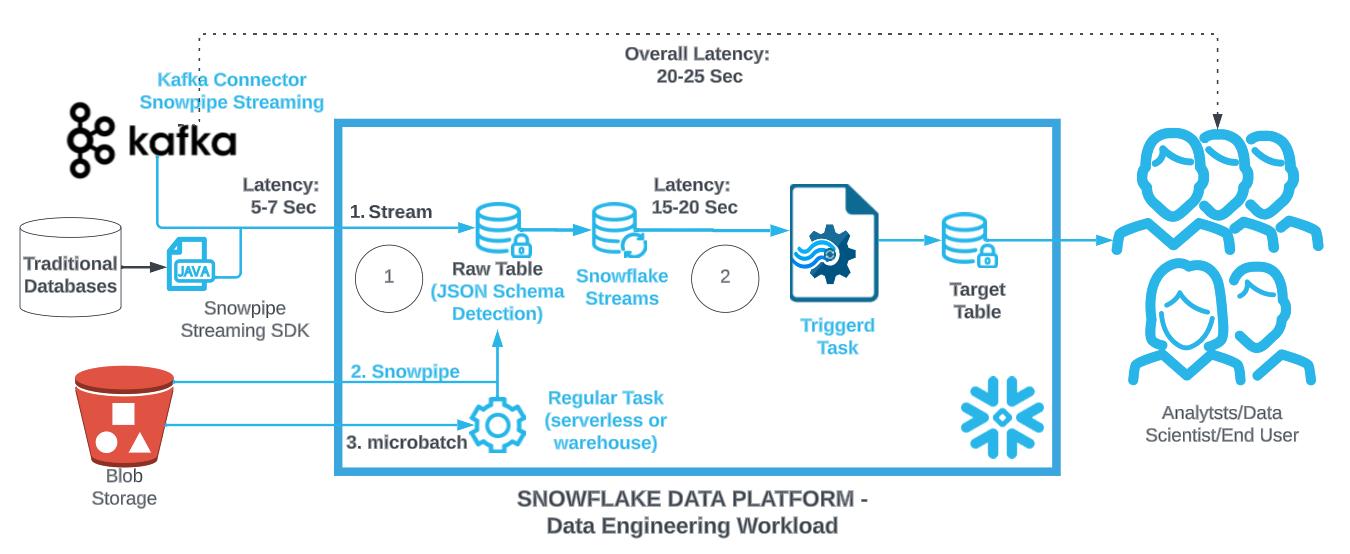
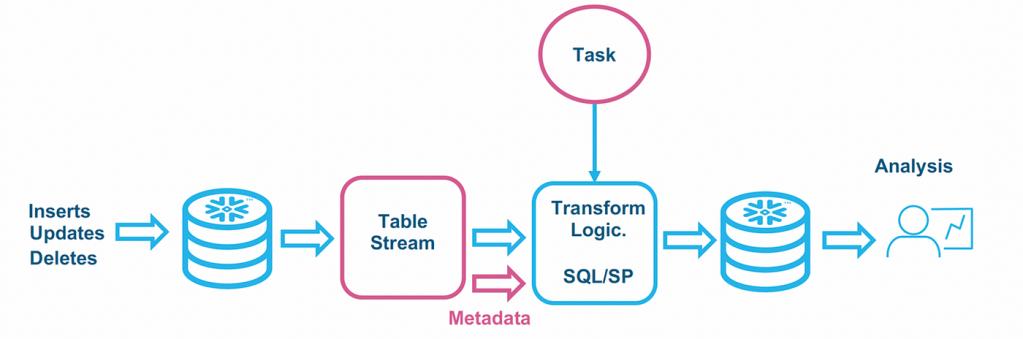
Snowflake triggered tasks offer another model: execute a task when a stream contains new change data.
For the right workload, this can reduce polling, lower idle compute and process new data sooner.
But event-driven does not automatically mean better.
The decision depends on arrival patterns, latency requirements, downstream dependencies and how much control the operating team needs.
What a Snowflake Triggered Task Does
Snowflake’s current documentation describes triggered tasks as tasks that run when a stream detects changes.
Instead of using a fixed schedule to repeatedly check for work, the task is activated by the presence of change data.
Snowflake notes that triggered tasks do not use compute until the event triggers execution.
This makes them attractive for workloads where data arrival is unpredictable.
Actiknow’s business intelligence and data engineering services include Snowflake pipeline design, warehouse transformations and downstream BI. Triggered tasks should be selected based on the full pipeline SLA, not simply because event-driven architecture sounds more modern.
The Polling Problem
Consider a source that receives a file three or four times each day, but at unpredictable times.
A scheduled task running every five minutes checks 288 times per day.
Most checks may find nothing.
A triggered task can wait for stream data and execute when work actually appears.
This can reduce unnecessary execution and shorten the delay between arrival and processing.
When Triggered Tasks Are a Strong Fit
They are particularly useful when:
- Data arrives unpredictably.
- Low latency matters after arrival.
- A stream cleanly represents the work to process.
- The pipeline should do nothing when no changes exist.
- The task logic is safe to rerun.
- Downstream processing can tolerate event-driven timing.
Examples include:
- Processing newly landed records.
- Updating derived tables after CDC changes.
- Handling new operational events.
- Moving changed rows into another processing stage.
- Running validation after new data appears.
Scheduled Tasks Are Still Valuable
Use scheduled tasks when the business requirement is tied to a clock.
Examples:
- Daily finance close.
- Month-end processing.
- 8:00 AM executive reporting.
- Weekly snapshots.
- Nightly maintenance.
- A process that must run even when no source rows changed.
A strict calendar is a legitimate orchestration requirement.
Do not convert clock-based business processes into event-driven pipelines merely to eliminate a schedule.
Triggered Does Not Mean Instantaneous
Event-driven processing reduces the wait for the next polling interval, but it should not be described as zero-latency.
The stream must reflect changes, Snowflake must detect the condition, the task must start and compute must execute the work.
Measure actual end-to-end latency.
If the business requires sub-second processing, a warehouse task may not be the right architecture.
Streams Define the Trigger Boundary
A triggered task depends on a stream.
That means the stream design matters.
Understand:
- Source object.
- Change type.
- Retention.
- Consumption.
- Downstream transaction.
- Multiple consumers.
- Staleness.
If several independent tasks need the same changes, design separate consumption paths as appropriate rather than assuming one stream can behave like a broadcast message bus.
Design for Idempotency
Any production pipeline should be safe around retries and operational recovery.
Use stable business keys and idempotent processing where possible.
If a task is rerun after uncertainty, the result should not create duplicate business records.
This is especially important when downstream logic performs MERGE, writes to operational tables or triggers external actions.
Event-Driven Pipelines Need Reconciliation Too
A task can succeed while business data is incomplete.
Monitor:
- Expected source volume.
- Stream backlog.
- Rows processed.
- Target counts.
- Duplicate keys.
- Rejected records.
- Freshness.
- Critical business totals.
“Task succeeded” is an infrastructure signal, not a complete data-quality signal.
Triggered Tasks Can Reduce Idle Polling
A frequently scheduled task may spend much of its life discovering that there is nothing to process.
Triggered execution aligns compute more closely with actual work.
This can improve efficiency for sparse arrival patterns.
However, if data changes almost continuously, the economic difference may be smaller.
Benchmark the real workload.
Burstiness Matters
Suppose thousands of changes arrive together.
The task needs enough compute and appropriate SQL to process the burst.
Event-driven activation does not remove capacity planning.
Test:
- Typical batch.
- Peak batch.
- Large backlog.
- Recovery after downtime.
- Downstream contention.
A pipeline that is fast for ten rows may struggle after a two-hour upstream outage releases millions.
Think About Debouncing and Batch Size
Not every individual source event needs a separate business action.
Warehouse processing is often more efficient in batches.
Triggered tasks respond to stream state, so design processing around meaningful change sets rather than imagining a one-event-one-function model.
If the business can tolerate a few minutes of latency, a scheduled batch may sometimes be simpler and cheaper.

Downstream Dependencies Can Favor Scheduled Orchestration
A task may depend on more than “new rows arrived.”
For example:
- Reference data must finish loading first.
- Finance must close a period.
- A vendor file must be complete.
- A second source must arrive.
- A quality gate must pass.
In these cases, explicit task graphs or scheduled orchestration may be clearer.
Event arrival alone may not mean the dataset is ready.
Define Readiness, Not Just Arrival
Ask:
What does it mean for the data to be ready for processing?
A stream having rows may indicate change.
It does not necessarily indicate that all related records have arrived.
For multi-file or multi-source batches, create a completeness signal.
Examples:
- Manifest received.
- Batch status marked complete.
- Expected file count reached.
- Control record inserted.
Then trigger downstream processing from a trustworthy readiness condition.
Failure Recovery Must Be Documented
For every triggered pipeline, document:
- How failures are detected.
- Whether the stream retains unconsumed changes.
- How the task is rerun.
- How duplicates are prevented.
- How backlog is measured.
- Who owns recovery.
- What happens when the source is unavailable.
- What happens when the target is unavailable.
Event-driven systems are easier to operate when failure behavior is designed before production.
Monitor Stream Staleness
Streams rely on change tracking and can become stale if they are not consumed within the relevant retention window.
Monitor stream health.
Long outages should not silently destroy the pipeline’s ability to identify changes.
Define what happens if a stream becomes stale.
Recovery may require rebuilding state from source data.
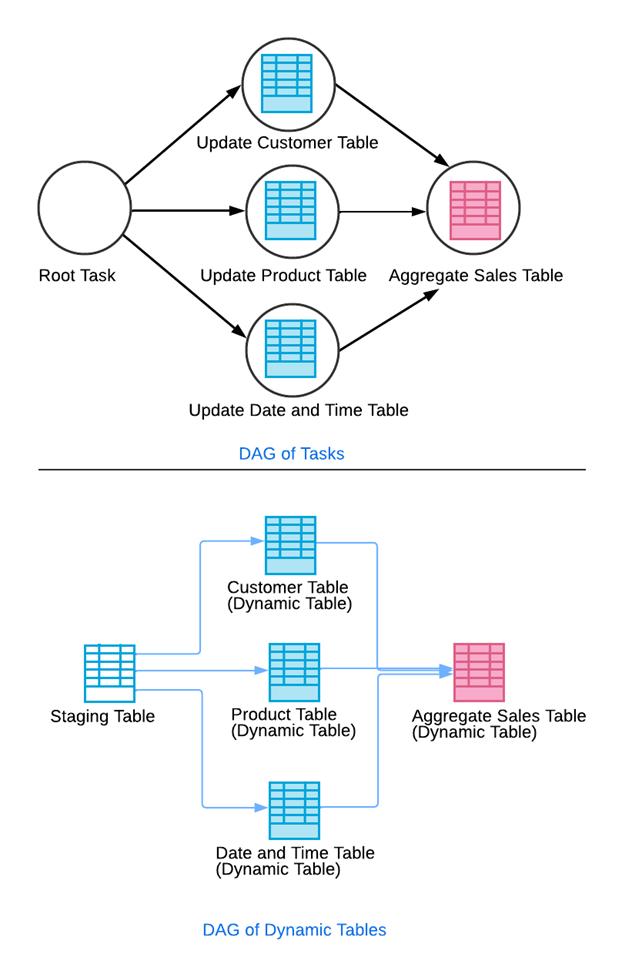
Triggered Tasks and Dynamic Tables Can Coexist
Snowflake supports hybrid architectures.
Dynamic tables can maintain declarative transformed state.
Streams and tasks can handle procedural downstream work.
This separation is useful when the analytical transformation fits a dynamic table but another step needs explicit action.
Do not force the whole pipeline into one feature family.
External Side Effects Need Extra Care
If task logic ultimately causes an external side effect, such as sending data to another system, design for uncertainty.
Ask:
- What if Snowflake completes the database transaction but the external call times out?
- What if the external system processed the request but the response was lost?
- How is replay handled?
- How are idempotency keys used?
- How is manual reconciliation performed?
These are integration-design questions, not scheduling questions.
Use Scheduled Tasks for Periodic Reconciliation
Even an event-driven pipeline can benefit from scheduled controls.
For example:
- Triggered task processes new data quickly.
- Hourly reconciliation checks backlog.
- Daily control compares source and target totals.
- Weekly process checks historical exceptions.
This combination provides low latency without relying on event processing as the only assurance mechanism.
Cost Should Include Operations
Compare more than warehouse seconds.
Consider:
- Engineering complexity.
- Monitoring.
- Incident response.
- Latency.
- Polling frequency.
- Backlog recovery.
- Support effort.
- Business impact of delay.
A simple hourly schedule may be cheaper overall than an event-driven design for a low-value workflow.
A triggered task may be clearly better for unpredictable high-value events.
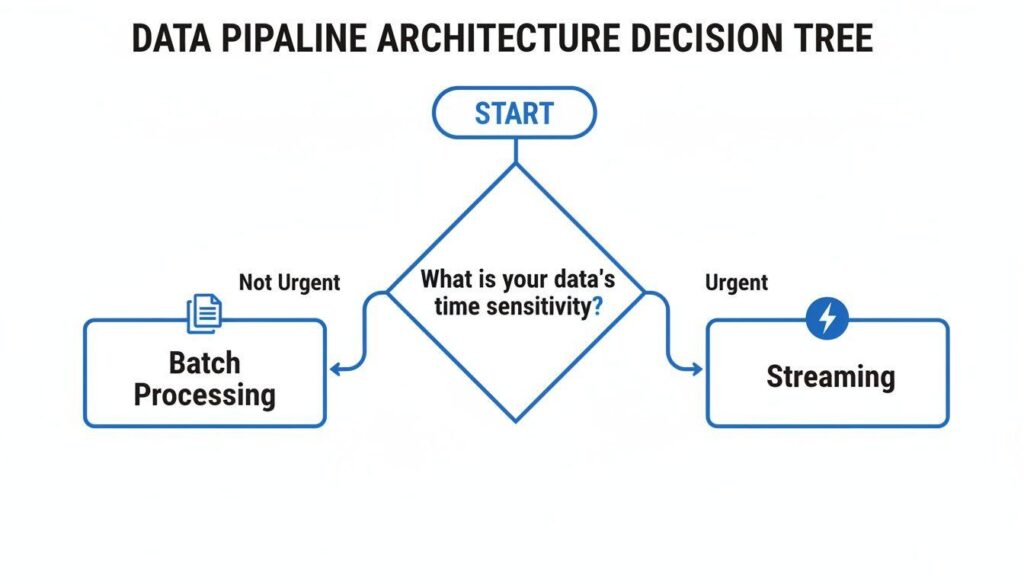
When Triggered Tasks Usually Win
Choose triggered tasks when:
- New data arrives irregularly.
- Processing should begin soon after arrival.
- Polling would run frequently with no work.
- A stream cleanly identifies changes.
- The task is safe to retry.
- The downstream process is event-compatible.
When Scheduled Tasks Usually Win
Choose scheduled tasks when:
- The business process is clock-based.
- Data must be processed at a specific time.
- Multiple sources must be coordinated.
- A job must run even with no new rows.
- Batching is more efficient than immediate processing.
- Operational teams value a fixed predictable window.
A Hybrid Pattern Is Often Best
A mature architecture may use:
- Triggered tasks for low-latency incremental processing.
- Scheduled tasks for reconciliation.
- Dynamic tables for declarative transformations.
- External orchestration for cross-platform workflows.
The objective is not architectural purity.
It is reliable data delivery.
Production Checklist
Before deploying a triggered task, confirm:
- The stream accurately represents the required changes.
- The source arrival pattern is understood.
- Event-driven latency provides business value.
- Task logic is idempotent.
- Burst volume has been tested.
- Stream staleness is monitored.
- Failure recovery is documented.
- Backlog can be measured.
- Data quality is monitored separately from task status.
- Downstream dependencies are explicit.
- External side effects have replay protection.
- A reconciliation control exists.
- Ownership and escalation are defined.
Frequently Asked Questions
What triggers a Snowflake triggered task?
A triggered task can run when its configured stream indicates change data is available.
Do triggered tasks consume compute while waiting?
Snowflake states that triggered tasks do not use compute resources until the event triggers the task.
Are triggered tasks real time?
They can reduce latency compared with periodic polling, but they are not a guarantee of zero-latency processing. Measure the actual end-to-end pipeline.
Do I still need a stream?
Triggered tasks use streams to detect relevant changes, so stream design and retention remain important.
Are triggered tasks cheaper than scheduled tasks?
They can reduce unnecessary polling when data arrives infrequently. Actual cost depends on workload, compute, task logic and operational complexity.
Can I use triggered and scheduled tasks together?
Yes. A common pattern is event-driven processing plus scheduled reconciliation or maintenance.
Should every incremental pipeline become event driven?
No. Scheduled processing remains simpler and more appropriate for many predictable batch workloads.
Conclusion
Snowflake triggered tasks are most useful when data arrives unpredictably and the business benefits from processing it soon after arrival.
They can eliminate frequent empty polling and align compute with actual changes.
But they do not remove the need for idempotency, reconciliation, monitoring, capacity planning or recovery.
Choose triggered execution when the event is the natural operating signal.
Choose scheduled execution when the clock or a coordinated batch is the natural signal.
And use both when low latency and strong operational controls are required.
If you are designing Snowflake pipelines and need to decide between scheduled, triggered and declarative processing, Actiknow can help map the workload, freshness requirements and failure modes into a maintainable architecture. Discuss your Snowflake data engineering requirements with Actiknow.