

Taking over an existing software product is not the same as starting a new project.
The application is already live.
Customers may depend on it.
Deployments may be undocumented.
A former developer may own a cloud account.
An old API key may be embedded in configuration.
Nobody wants the first task of the new team to be discovering how production works during an outage.
A structured handover reduces that risk.
Start With Ownership
Confirm who legally and operationally owns:
- Source code.
- Git repositories.
- Cloud accounts.
- Domains.
- App-store accounts.
- Databases.
- Third-party services.
- Design files.
- Analytics.
- Email/SMS services.
- Monitoring.
- Documentation.
The client organization should ideally control critical production accounts rather than depending permanently on a vendor employee’s personal account.
Actiknow’s custom software development and maintenance work often begins with understanding an existing product before changing it. A takeover should first establish control, observability and recoverability.
Get Repository Access
Obtain access to all repositories.
Confirm:
- Frontend.
- Backend.
- Mobile apps.
- Infrastructure code.
- Scripts.
- Data jobs.
- Documentation.
- Archived repositories that are still deployed.
Check default branch and release branches.
Do not assume the visible main repository contains the whole system.
Verify Repository Ownership
Make sure the organization has administrative access.
Review:
- Owners.
- External collaborators.
- Deploy keys.
- Webhooks.
- CI/CD integrations.
- Branch protection.
- Secrets.
Remove obsolete access only after the handover is understood.
Capture Current Production Version
Identify exactly what code is running.
Record:
- Commit SHA.
- Release tag.
- Build number.
- Mobile version.
- Deployment date.
- Configuration version.
A repository may have code newer than production.
Do not assume main equals deployed.
Get Architecture Documentation
Request existing:
- System diagram.
- Component diagram.
- Data flow.
- Network diagram.
- Integration map.
- Database model.
- Deployment architecture.
If documentation does not exist, create a current-state diagram during takeover.
The objective is to understand dependencies before making changes.

Inventory Applications and Services
List:
- Web frontend.
- APIs.
- Background workers.
- Queues.
- Scheduled jobs.
- Mobile apps.
- Admin portal.
- Data pipelines.
- Databases.
- Caches.
- Search.
- File storage.
- CDN.
- Serverless functions.
Each component should have an owner and environment.
Inventory Environments
Identify:
- Local development.
- Development.
- QA.
- Staging/UAT.
- Production.
For each:
- URL.
- Cloud account/project.
- Database.
- Storage.
- Credentials.
- Deployment method.
- Third-party configuration.
Do not accidentally connect staging code to production services.
Inventory Cloud Resources
List resources across:
- AWS.
- Azure.
- Google Cloud.
- Other hosting.
Include:
- Compute.
- Databases.
- Buckets.
- Functions.
- Queues.
- Secrets.
- Networks.
- Load balancers.
- Certificates.
- Monitoring.
- Backups.
Tag ownership and environment.
Find resources that nobody recognizes before deleting anything.
Get Credential Control
Inventory:
- Cloud admin.
- Database credentials.
- API keys.
- OAuth clients.
- SSH keys.
- Signing keys.
- Service accounts.
- App-store certificates.
- SMTP.
- SMS.
- Payment credentials.
Do not send secrets around in a spreadsheet.
Use a secure secret-management process.
Rotate Credentials After Handover
Once access is established, rotate credentials that the former team no longer needs.
Sequence matters.
Do not revoke a key before knowing which production service uses it.
For each credential:
- Identify consumer.
- Create replacement.
- Deploy replacement.
- Verify.
- Revoke old.
- Record owner.
Review User Access
Check:
- Former employees.
- Former vendors.
- Temporary contractors.
- Shared accounts.
- Dormant admins.
Apply least privilege.
But avoid aggressive access cleanup until the dependency map is understood.
Get Deployment Instructions
Ask:
- How do we deploy?
- Who normally deploys?
- Is it CI/CD?
- What branch?
- What approvals?
- What environment variables?
- How are migrations run?
- How do we rollback?
- How long does deployment take?
- What can go wrong?
Then test the process in a non-production environment.
Verify CI/CD
Inspect:
- Build pipeline.
- Tests.
- Deployment jobs.
- Secrets.
- Service connections.
- Artifact registry.
- Manual approvals.
- Rollback.
- Notifications.
A pipeline existing does not mean it works.
Run a controlled build.

Understand Database Changes
Determine:
- Migration framework.
- Migration history.
- Manual scripts.
- Rollback support.
- Seed data.
- Stored procedures.
- Scheduled DB jobs.
- Backups.
- Schema ownership.
Never deploy a new application version before understanding database migration behavior.
Verify Backups
Do not accept “the cloud provider backs it up” as sufficient.
Confirm:
- What is backed up?
- Frequency.
- Retention.
- Location.
- Encryption.
- Restore procedure.
- Last restore test.
A backup is useful only if it can be restored.
Test Restore
Where feasible, restore a representative backup into a safe environment.
Validate:
- Database opens.
- Application can connect.
- Critical data exists.
- Files are available.
This turns backup assumptions into evidence.

Inventory Third-Party Dependencies
Examples:
- Stripe.
- Twilio.
- SendGrid.
- Xero.
- QuickBooks.
- Salesforce.
- Google Maps.
- Firebase.
- Auth provider.
- Analytics.
- Document-signing platform.
For each record:
- Account owner.
- Plan.
- Credentials.
- Webhook URLs.
- API version.
- Billing owner.
- Usage limits.
- Support.
A forgotten third-party dependency can break production after a billing card expires.
Review Billing
Confirm who pays for:
- Cloud.
- Domains.
- Certificates.
- APIs.
- App stores.
- Email.
- SMS.
- Monitoring.
- CDN.
- SaaS dependencies.
Move billing to the correct organizational owner.
Set budget alerts.
Understand Domains and DNS
Get control of:
- Domain registrar.
- DNS.
- Subdomains.
- SSL/TLS certificates.
- Email records.
- Verification records.
- CDN.
A production application can become unreachable even when code is healthy if domain ownership is unclear.
Review Mobile App Ownership
For iOS/Android, obtain:
- Apple Developer access.
- Google Play Console access.
- Bundle/package IDs.
- Signing certificates/keys.
- Push credentials.
- Store listings.
- Privacy metadata.
- Release history.
- Analytics/crash tools.
Losing signing control can make updates extremely difficult.
Review OAuth Applications
For integrations, inventory:
- Client IDs.
- Redirect URIs.
- Scopes.
- Verification status.
- Secrets.
- Connected tenants.
- Refresh-token storage.
- Provider contacts.
Do not recreate OAuth apps unnecessarily; existing customer authorizations may depend on them.
Understand Scheduled Jobs
Scheduled tasks are easy to miss.
List:
- Cron.
- Cloud scheduler.
- Database jobs.
- Queue consumers.
- Nightly imports.
- Billing jobs.
- Report generation.
- Cleanup.
- Backups.
- Certificate renewal.
Monitor whether each still runs.
Understand Background Workers
A web request may only enqueue work.
Inspect:
- Queues.
- Workers.
- Retry.
- Dead letters.
- Concurrency.
- Backlog.
- Failure alerts.
A takeover team that watches only the web server may miss half the system.
Get Monitoring Access
Obtain:
- Application logs.
- Infrastructure monitoring.
- APM.
- Error tracking.
- Crash analytics.
- Uptime.
- Database monitoring.
- Security alerts.
- Dashboards.
Know what “normal” looks like before changing production.
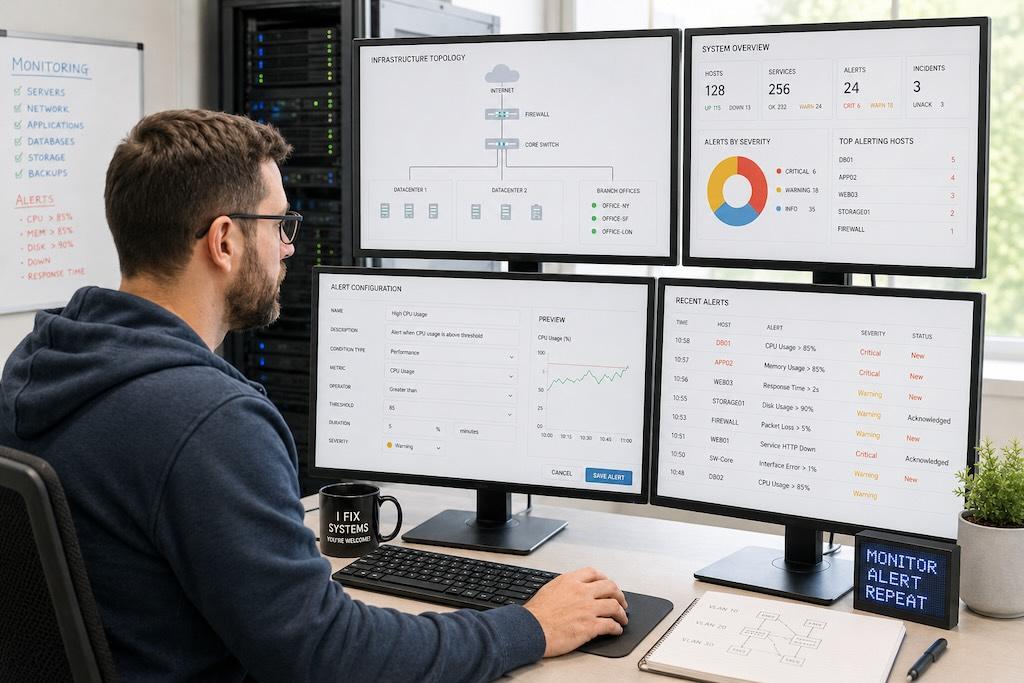
Review Alert Routing
Where do alerts go?
- Former developer email?
- Old Slack channel?
- Personal phone?
Update routing carefully.
Critical alerts should reach the current operating team.
Understand Production Incidents
Request history of:
- Outages.
- Performance issues.
- Data incidents.
- Security incidents.
- Recurring bugs.
- Manual fixes.
- Known fragile areas.
Incident history often reveals architecture risk faster than documentation.
Review the Backlog
Collect:
- Open bugs.
- Feature requests.
- Technical debt.
- Security work.
- Upgrade work.
- Customer commitments.
- Support tickets.
Separate:
- Known issue.
- Planned feature.
- Idea.
- Production risk.
Do not treat the existing backlog as automatically prioritized.
Create a Risk Register
During takeover, record risks such as:
- No backup restore test.
- Single developer knows deployment.
- Old framework version.
- Unowned domain.
- Hard-coded credential.
- No monitoring.
- Database near capacity.
- Third-party API deprecated.
- Mobile signing key unclear.
Assign severity, owner and remediation.
Do Not Rewrite Immediately
A new team often sees unfamiliar code and wants to replace it.
Resist that instinct.
First determine:
- Does it work?
- Is it maintainable?
- What are the actual risks?
- Which components cause incidents?
- Can high-risk areas be improved incrementally?
A rewrite is a business decision, not an onboarding ritual.
Establish a Stable Baseline
Before feature work:
- Get local setup working.
- Deploy to non-production.
- Run tests.
- Verify monitoring.
- Confirm backups.
- Document architecture.
- Resolve critical access risk.
This creates a safe starting point.
Run a Production Smoke Test
Without making destructive changes, verify:
- Login.
- Core workflow.
- Critical integrations.
- Background processing.
- Email/SMS.
- File upload.
- Payments where appropriate.
- Reporting.
- Admin.
Record expected behavior.
This becomes a regression baseline.
Assess Test Coverage
Review:
- Unit tests.
- Integration tests.
- End-to-end tests.
- Permission tests.
- Mobile tests.
- Migration tests.
Do not judge only percentage coverage.
Identify whether critical business paths are protected.
Review Security Posture
Check:
- Dependencies.
- Secrets.
- Access.
- Authentication.
- Authorization.
- Logging.
- PII.
- Encryption.
- Backups.
- Vulnerabilities.
- Admin endpoints.
- File uploads.
- Third-party permissions.
Prioritize material risks.
Document the Current State
Create a living handover document with:
- Architecture.
- Repositories.
- Environments.
- Deployments.
- Databases.
- Integrations.
- Credentials location.
- Monitoring.
- Backups.
- Runbooks.
- Owners.
- Known risks.
This becomes the new team’s operational manual.
Plan the First 30 Days
A sensible takeover sequence:
1. Week 1
Access, ownership, architecture, local setup.
2. Week 2
Deployments, monitoring, backups, integrations.
3. Week 3
Risk remediation, test gaps, backlog triage.
4. Week 4
First controlled production change and updated roadmap.
Actual timing depends on complexity.

Define Support Expectations
Agree:
- Support hours.
- Severity.
- Response times.
- Escalation.
- Emergency contacts.
- Maintenance windows.
- Release cadence.
A takeover is incomplete if nobody knows what happens during an incident.
Handover Checklist
1. Access and ownership:
- Repositories controlled.
- Cloud controlled.
- Domains/DNS controlled.
- App stores controlled.
- Third-party accounts controlled.
- Billing ownership known.
2. Operations:
- Deployment tested.
- Rollback understood.
- Backups verified.
- Restore tested where appropriate.
- Monitoring accessible.
- Alerts routed correctly.
- Scheduled/background jobs inventoried.
3. Product:
- Core workflows documented.
- Integrations mapped.
- Backlog reviewed.
- Known incidents reviewed.
- Critical tests identified.
- Production risks prioritized.
4. Security:
- Access reviewed.
- Secrets inventoried.
- Credential rotation planned/completed.
- OAuth apps understood.
- Sensitive data mapped.
- Critical vulnerabilities assessed.
Frequently Asked Questions
What should be included in a software development handover?
Source code, environments, deployment process, credentials, architecture, databases, integrations, monitoring, backups, third-party accounts, backlog and known production risks.
Should credentials be rotated during a vendor transition?
Usually yes after dependencies are understood and replacement credentials are safely deployed. Do not revoke unknown production keys blindly.
How long does a software takeover take?
It depends on system complexity and documentation. Establishing safe operational control can take days for a small app or several weeks for a multi-system product.
Should the new team rewrite the application?
Not by default. First assess actual maintainability, incidents, security and business needs. Incremental modernization is often lower risk.
What is the first priority in a takeover?
Control and recoverability: access, production ownership, deployment, monitoring and backups before major feature changes.
How do you know what code is in production?
Identify deployment records, release tags/builds and commit SHAs rather than assuming the default repository branch matches production.
What if there is almost no documentation?
Create current-state documentation through repository review, infrastructure inventory, interviews, logs and controlled testing before making major changes.
Conclusion
A software handover is successful when the new team can operate the product without depending on undocumented knowledge from the previous team.
Establish ownership.
Map the architecture.
Verify deployments.
Control credentials.
Test backups.
Understand integrations.
Review incidents.
Create monitoring and runbooks.
Then make the first production change from a stable baseline.
If you are moving a custom software product from another vendor or internal team, Actiknow can help audit the existing system, take over operations and create a practical stabilization and development roadmap. Discuss your software takeover with Actiknow.