
Build a Customer Portal or Buy One? A Decision Framework for B2B Companies
A B2B customer portal can begin as a simple requirement: give customers one place to log in, view information and complete common tasks.
The scope often expands quickly.
Customers may need different permissions. Accounts may contain several users. Data may come from CRM, ERP, billing, support and operational systems. Some users need documents while others need live transactions. Workflows may require approvals. The portal may become part of the company’s customer experience rather than merely another software screen.
At that point, B2B companies face a build-versus-buy decision.
The right answer depends less on how many features a product advertises and more on how closely the portal must reflect your identity model, business rules, integrations and customer journey.
This framework helps structure that decision.
Define What the Portal Is Supposed to Do
Start with the business outcomes.
Examples include:
- Reduce support requests.
- Give customers self-service access to orders or projects.
- Provide invoices and payment information.
- Share reports and documents.
- Collect customer data.
- Allow customers to submit requests.
- Expose service history.
- Manage subscriptions.
- Support onboarding.
- Create approvals.
- Provide dashboards.
- Improve account transparency.
Do not begin with “we need a portal.”
Write down the specific customer jobs the portal needs to support.
Actiknow’s custom solutions work includes tailored web applications, integrations and data tools. Those capabilities often come together in a customer portal because the interface is only one layer of a larger operational workflow.
Map the Customer and Account Structure
B2B identity is usually more complicated than one email address per customer.
A company account may have:
- Multiple locations.
- Several departments.
- Parent and subsidiary companies.
- External consultants.
- Different billing contacts.
- Different operational contacts.
- Administrators who manage other users.
- Users who belong to more than one account.
Before evaluating products, define the account hierarchy.
Ask:
- Can one user belong to multiple customer accounts?
- Can one customer account contain many users?
- Can customer administrators invite users?
- Who removes users when they leave?
- Are permissions assigned by account, role, location or data object?
- Can internal staff impersonate or assist a customer safely?
- Does the portal need single sign-on?
Identity complexity is one of the strongest indicators of whether a packaged portal will fit naturally.

Define Permissions at Data Level
“Admin” and “User” may not be enough.
A customer may need to see only:
- Their own location.
- Specific projects.
- Invoices for one business unit.
- Documents assigned to their team.
- Support cases they opened.
- Reports for a particular region.
Build a permission matrix.
For each object, define:
- Who can view it?
- Who can create it?
- Who can edit it?
- Who can approve it?
- Who can download it?
- Who can see related records?
- Who can administer access?
If the required permission model is much more granular than the packaged product supports, workarounds can become difficult to maintain.
List the Systems the Portal Must Connect
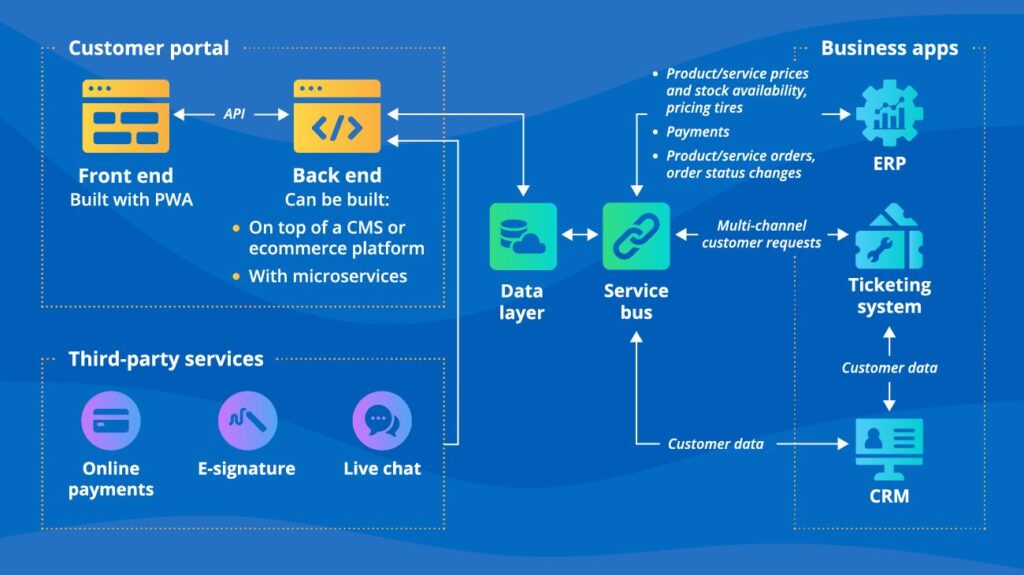
A portal rarely owns every piece of customer information.
Common sources include:
- CRM.
- ERP.
- Accounting.
- Subscription billing.
- Support platform.
- Project-management system.
- Data warehouse.
- Document repository.
- Identity provider.
- Custom operational software.
For each system, identify:
- Data required.
- Read or write.
- Update frequency.
- API availability.
- Authentication.
- Rate limits.
- System of record.
- Failure behavior.
- Reconciliation requirement.
A packaged portal may look inexpensive until several custom integrations are added.
Integration should therefore be evaluated as part of the product decision, not after it.
Actiknow’s solution accelerators page describes connectors that retrieve data from systems including Xero, Stripe, Zendesk, Salesforce and other platforms into cloud destinations. The exact technology may differ for a portal, but the underlying point is important: integration capability often determines whether the portal can provide a genuinely unified customer experience.
Separate Standard Features From Differentiating Workflows
Some portal capabilities are common.
- Login.
- Password reset.
- Profile management.
- Basic document access.
- Notifications.
- Standard support requests.
If a product handles these well, rebuilding them may create little business advantage.
Other workflows may be specific to your business.
- A customer might configure a complex order.
- Approve a specialized design.
- Review operational evidence.
- Manage installed equipment.
- Track a multi-stage service process.
- Collaborate on regulated documentation.
These workflows may be part of how the company differentiates itself.
A useful principle is:
Buy standard capabilities when the product fits.
Build where the workflow is unique enough to justify control.
The final architecture can combine both.
Evaluate Packaged Portal Fit
When reviewing a portal product, test real scenarios rather than feature names.
Do not ask only:
“Does it support documents?”
Ask:
“Can a customer administrator give a colleague access to documents for Location A but not Location B, while finance users see invoices for both locations?”
Do not ask only:
“Does it integrate with our CRM?”
Ask:
“Which objects and fields synchronize, in which direction, at what frequency, and what happens when the API fails?”
Scenario-based evaluation exposes gaps that feature checklists hide.
Where Buying a Portal Often Makes Sense
A packaged portal can be a strong choice when:
- Requirements are common.
- The identity model is straightforward.
- The portal mainly exposes information already managed by one major platform.
- Standard workflows fit the business.
- The vendor has mature integrations with the required systems.
- Brand customization requirements are modest.
- Time to launch is important.
- The organization does not want to own software development and operations.
In this situation, custom development may add cost without enough additional value.
Where Custom Customer Portal Development Becomes Attractive
Custom development deserves closer consideration when:
- The customer hierarchy is complex.
- Permissions are highly granular.
- The portal must combine several systems into one workflow.
- Business-specific processes are central to the experience.
- The company needs strong control over branding and UX.
- The portal is strategically important to customer retention or service delivery.
- The application needs custom reporting or data visualization.
- Packaged products require extensive workarounds.
- The business expects the portal to evolve frequently.
- The portal is becoming a product rather than only a support channel.
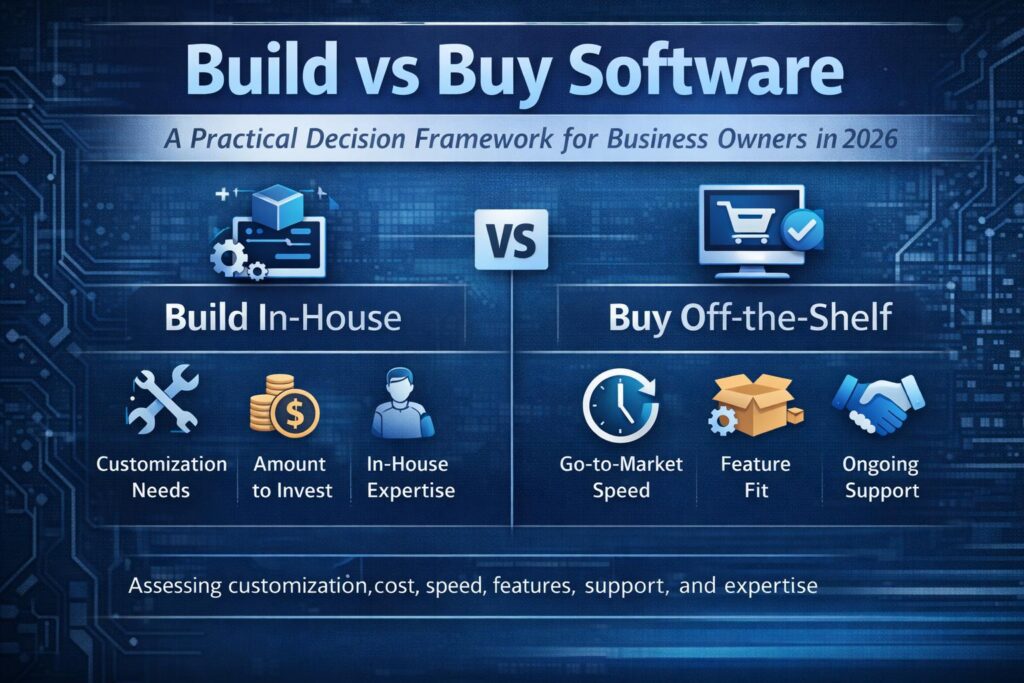
Actiknow’s Developer Labs build-versus-buy guide makes a similar distinction: standard capabilities can often be bought, while differentiated workflows and integration-heavy requirements can justify custom development.
Brand Control Is More Than Colors and Logos
B2B portals are often customer-facing products.
Brand control can include:
- Navigation.
- Information architecture.
- Terminology.
- Domain.
- Email communications.
- Mobile behavior.
- Accessibility.
- Interaction patterns.
- Dashboard design.
- Embedded support.
- Onboarding.
- Error messages.
A packaged portal may allow logos and theme colors while retaining its own underlying UX.
That can be perfectly acceptable for a utility portal.
If the portal is a major customer touchpoint, experience control may matter more.
Evaluate Integration Ownership
Ask who is responsible when the portal shows the wrong data.
If a vendor supplies a connector, determine:
- Who supports it?
- How quickly are API changes addressed?
- Can you inspect synchronization status?
- Can failed records be replayed?
- Is data cached?
- How stale can it become?
- Can you reconcile source and portal records?
- Can you extend the integration?
If custom middleware is still required for most critical systems, include that cost in the buy option.
Security and Identity
Both custom and packaged portals can be secure or insecure depending on design and operation.
Evaluate:
- Authentication.
- Multi-factor authentication.
- Single sign-on.
- Session controls.
- Password policies where applicable.
- Role-based access.
- Object-level authorization.
- Encryption.
- Audit logs.
- Tenant isolation.
- Data retention.
- Backups.
- Vulnerability management.
- Incident response.
For custom development, your organization and development partner take greater responsibility for implementing these controls.
For a product, the vendor owns more of the platform, but your team still owns configuration, identity decisions and the data you expose.
Actiknow’s security documentation describes practices such as OAuth where possible, encrypted API connections and restricted access. These are examples of the types of controls that should be considered in the portal architecture.
Data Residency and Compliance
If the portal handles regulated or sensitive information, include compliance requirements before vendor selection.
Questions may include:
- Where is data stored?
- Can region be selected?
- What subprocessors are used?
- How is data deleted?
- How are backups handled?
- What audit evidence is available?
- What certifications or contractual commitments are required?
- What data does the portal replicate from source systems?
Custom software does not automatically solve compliance. It gives more architectural control while also creating more responsibility.
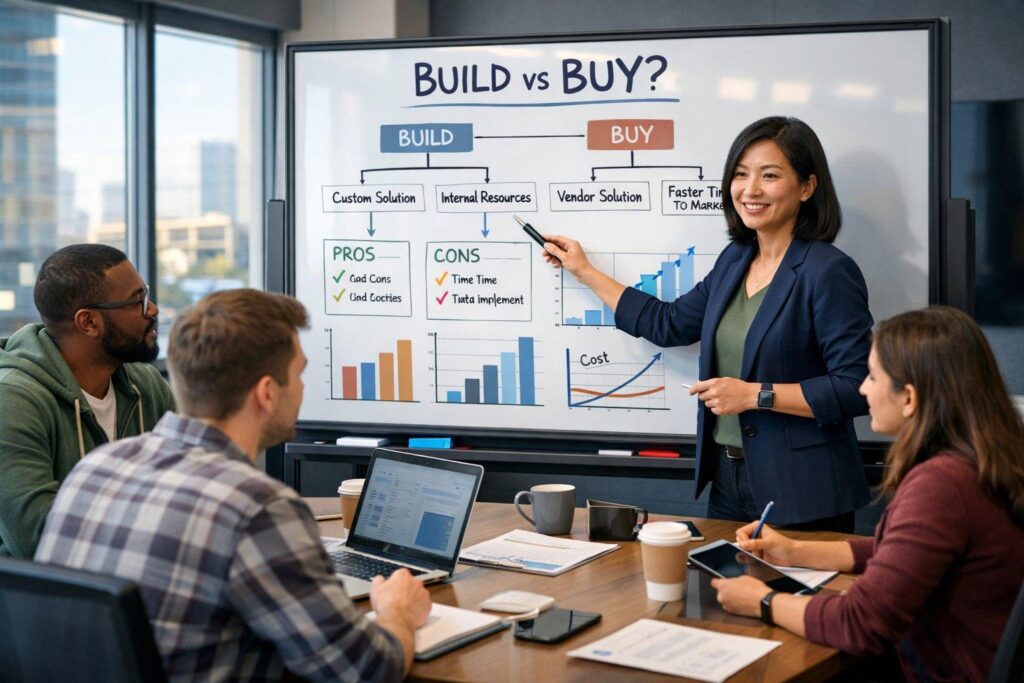
Lifecycle Cost: Compare More Than Build Price vs Subscription
A buy option may include:
- Subscription.
- Per-user or per-customer fees.
- Premium modules.
- Storage.
- API usage.
- Integration add-ons.
- Implementation.
- Customization.
- Vendor services.
- Support tier.
- Future price increases.
A custom option may include:
- Discovery.
- Design.
- Development.
- Testing.
- Integration.
- Migration.
- Cloud infrastructure.
- Monitoring.
- Security.
- Support.
- Maintenance.
- Enhancements.
Compare the expected lifecycle, not just year-one cost.
A three-to-five-year model is often more useful for a strategic portal.
Include Internal Cost
Both options consume internal effort.
Buying requires:
- Requirements.
- Vendor evaluation.
- Configuration.
- Integration.
- Data migration.
- Testing.
- Training.
- Administration.
- Vendor management.
Building requires similar business involvement plus product ownership and software governance.
Include these resources in the decision.
Time to Value
Buying can often produce a usable portal faster when the requirements fit the product.
Custom development requires design and implementation.
But “faster” should mean time to a useful business outcome.
If a packaged product launches in eight weeks but important workflows still require email and spreadsheets, the comparison is incomplete.
Estimate time to the target operating model, not simply time to login screen.
Vendor Roadmap vs Your Roadmap
With packaged software, the vendor controls the core roadmap.
That can be an advantage because the vendor funds ongoing product development.
It can also be a constraint if your important feature is not a vendor priority.
With custom software, you control prioritization but must fund and manage the roadmap.
Ask how strategically important that control is.
Exit Cost and Portability
Every architecture creates dependencies.
For a packaged product, understand:
- Can data be exported?
- In what format?
- Are files and audit logs portable?
- What happens to customizations?
- Can integrations be reused?
- How long is data retained after termination?
For custom software, understand:
- Who owns the source code?
- Who owns cloud accounts?
- Is documentation current?
- Can another team operate it?
- Are proprietary components involved?
Control is valuable only if the organization can actually exercise it.
Maintenance Responsibility
Buying transfers much platform maintenance to the vendor.
Custom development leaves more responsibility with your organization and development partner.
Custom applications require:
- Security updates.
- Dependency updates.
- Cloud maintenance.
- Monitoring.
- Bug fixes.
- Performance work.
- Compatibility changes.
- Enhancements.
Actiknow’s maintenance plans explicitly cover ongoing application support. Maintenance should therefore be part of the build decision from the start rather than treated as an unexpected post-launch expense.
A Hybrid Portal Can Be the Right Architecture
The choice does not have to be entirely build or entirely buy.
Examples:
- Use a commercial identity provider with a custom portal.
- Embed a third-party billing portal inside a custom customer experience.
- Use an existing support platform for tickets while the custom portal provides unified navigation and context.
- Build a custom frontend over existing CRM and ERP systems.
- Use packaged document signing rather than building signature infrastructure.
This lets the business buy commodity capabilities while building the workflows that differentiate it.
A Decision Scorecard
Score both options against the requirements that matter.
1. Business fit
How much of the target workflow is supported without workarounds?
2. Identity fit
Can the solution model customer accounts, users and permissions correctly?
3. Integration fit
Can it connect the required systems reliably?
4. Experience fit
Does it provide the customer experience the business wants?
5. Security and compliance fit
Can it satisfy required controls?
6. Time to value
How quickly can the target workflow go live?
7. Lifecycle economics
What will it cost over the expected life?
8. Change control
How easily can the business implement future requirements?
9. Operational ownership
Does the organization want and have the capability to operate the solution?
10. Exit flexibility
Can the business move later without unacceptable disruption?
Do not assign weights merely to manufacture a preferred answer. Use the scorecard to make trade-offs visible.
Run a Proof of Fit Before Committing
For a buy option, configure the hardest workflows in a sandbox.
Test:
- Complex permissions.
- Real integration scenarios.
- Representative data volumes.
- Brand requirements.
- Mobile behavior.
- Reporting.
- Administrative workflows.
For a custom option, prototype the riskiest areas.
Test:
- Identity model.
- Critical integration.
- Core customer journey.
- Performance assumptions.
- Permission architecture.
The purpose is to reduce uncertainty before the larger commitment.
Questions to Ask a Portal Vendor
- Can the account hierarchy match ours?
- How granular are permissions?
- Can users belong to multiple accounts?
- What APIs and webhooks are available?
- What integrations are native?
- What requires custom development?
- How are integration failures exposed?
- How is data exported?
- What audit logs exist?
- What branding is configurable?
- What limits apply to API calls, users, storage or records?
- How does pricing change as customer usage grows?
- What security and compliance evidence is available?
- What happens if we leave the platform?
Questions to Ask a Custom Development Partner
- How will identity and tenant isolation be designed?
- How will permissions be tested?
- What systems will remain the source of record?
- How will integration failures be handled?
- How will customer-facing performance be monitored?
- How will security updates be managed?
- What documentation will be delivered?
- Who owns the code and infrastructure?
- How will the application be handed over?
- What is included after launch?
- What assumptions drive the estimate?
What to Measure After Launch
Whichever option you choose, measure whether the portal works.
Useful metrics include:
- Portal adoption.
- Active customer accounts.
- Self-service completion rate.
- Support requests avoided.
- Time to complete common tasks.
- Failed logins.
- Integration failures.
- Data freshness.
- Customer satisfaction for portal interactions.
- Mobile usage.
- Search success.
- Exception volume.
- Administrative effort.
The technology decision is successful only if the customer and business outcomes improve.
Frequently Asked Questions
Is it cheaper to buy a customer portal than build one?
Often in the short term, especially when requirements are standard. Long-term cost depends on user pricing, modules, integration, customization, support and growth. Compare lifecycle cost rather than subscription against development cost alone.
When should a B2B company build a custom customer portal?
Custom development becomes more attractive when the portal needs complex permissions, several integrations, unique workflows, strategic UX control or frequent business-specific change.
Can a custom portal integrate with existing CRM and ERP systems?
Yes, provided those systems expose appropriate integration methods. The architecture should define which system owns each data domain and how failures and reconciliation are handled.
Should a customer portal own customer data?
Usually not all of it. The portal may store profile, session or workflow data while CRM, ERP, billing or other systems remain authoritative for their domains. Define ownership explicitly.
Do we need single sign-on?
Not every portal requires SSO, but enterprise customers may expect it. Evaluate the target customer base, security model and identity requirements before architecture is finalized.
Can we start with a packaged portal and build later?
Yes. But plan for data portability and integration boundaries so the future migration is not unnecessarily difficult.
Can a portal use both packaged and custom components?
Yes. Hybrid architectures are often practical. Commodity capabilities such as identity, payments, support or e-signature can be purchased while custom software handles differentiated workflows.
How long does custom customer portal development take?
It depends on scope, integrations, identity complexity, design, data migration, security and testing. A credible estimate requires a defined workflow and architecture rather than a generic portal label.
Conclusion: Build When Control Creates Business Value
The decision is not whether custom software is better than a packaged portal.
The decision is where your business needs control.
If the portal provides standard self-service over a straightforward account model, a packaged product may deliver value quickly.
If the portal must unify several systems, enforce complex customer permissions, support differentiated workflows and evolve as a strategic customer experience, custom development may justify the additional ownership.
And if only part of the portal is unique, combine purchased components with custom software.
Start with customer jobs, identity, permissions and integration. Model lifecycle cost. Test the hardest scenarios. Then choose the architecture that supports the business without creating unnecessary software ownership.
If you are evaluating a B2B portal, Actiknow can help map the customer journeys, integrations and permission model, assess build-versus-buy trade-offs, and define a practical implementation architecture. Discuss your customer portal requirements with Actiknow.