
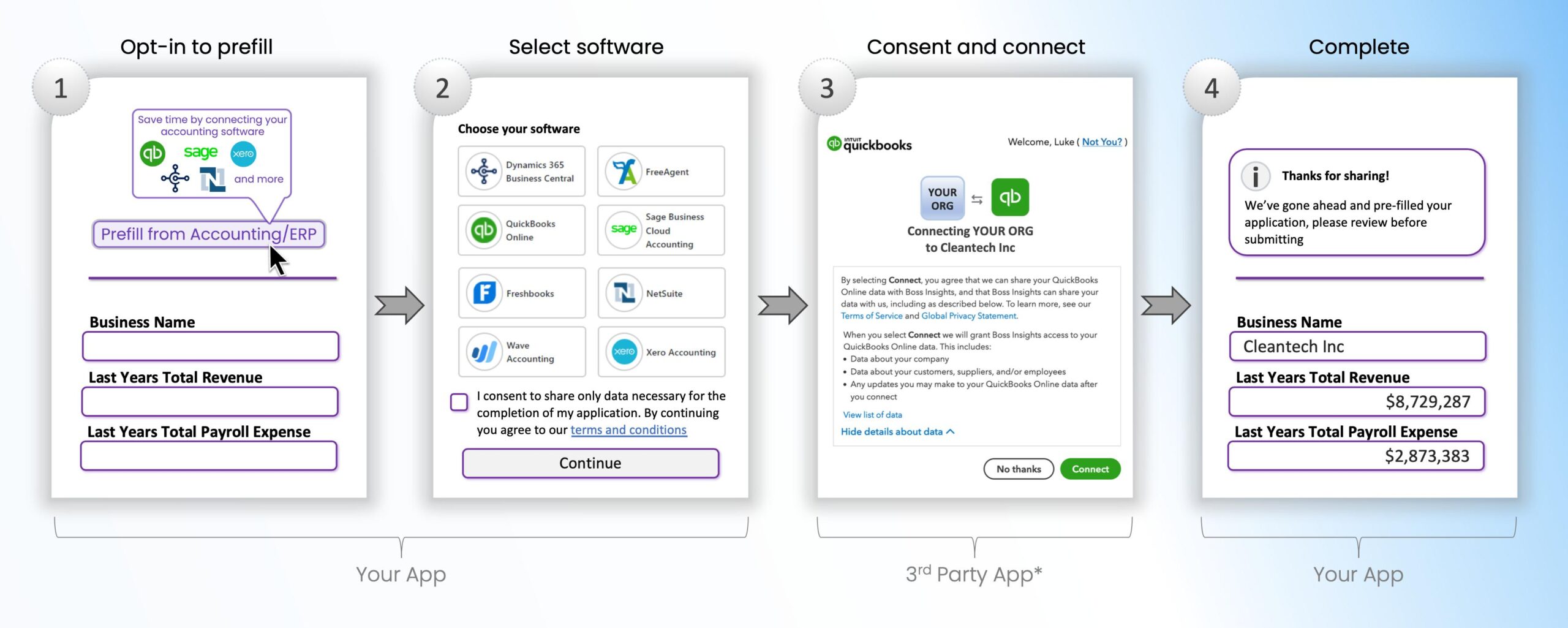
OAuth is often estimated as a login screen and a callback URL.
In a prototype, that can appear true.
In production, OAuth becomes a lifecycle.
Customers authorize access.
Tokens expire.
Refresh tokens fail.
Admins revoke consent.
Scopes change.
Vendors require app review.
Users connect the wrong tenant.
Support needs to explain why yesterday’s integration stopped syncing.
Product planning needs to include these realities.
OAuth Is Delegated Authorization
OAuth allows an application to obtain limited access to another service on behalf of a user or organization without asking for the user’s password.
The application receives tokens representing granted access.
The exact flow varies by provider and OAuth version/profile.
For product leaders, the important concept is:
Access is granted, scoped, revocable and time-bound.
That means the integration needs lifecycle management.
Actiknow’s custom solutions work includes OAuth-based SaaS integrations and connected business applications. Authentication is only the beginning; reliable authorization requires product, security and support design.
Start With the User Journey
Map the full journey:
- User chooses Connect.
- Application redirects to provider.
- User signs in.
- Provider shows consent.
- User approves scopes.
- Provider redirects back.
- Application validates response.
- Application stores connection.
- Initial sync starts.
- User sees status.
Now map failure states.
- User cancels.
- Wrong account selected.
- Consent denied.
- Callback fails.
- Required scope missing.
- Provider app not approved.
- Tenant not accessible.
A good integration handles these states clearly.
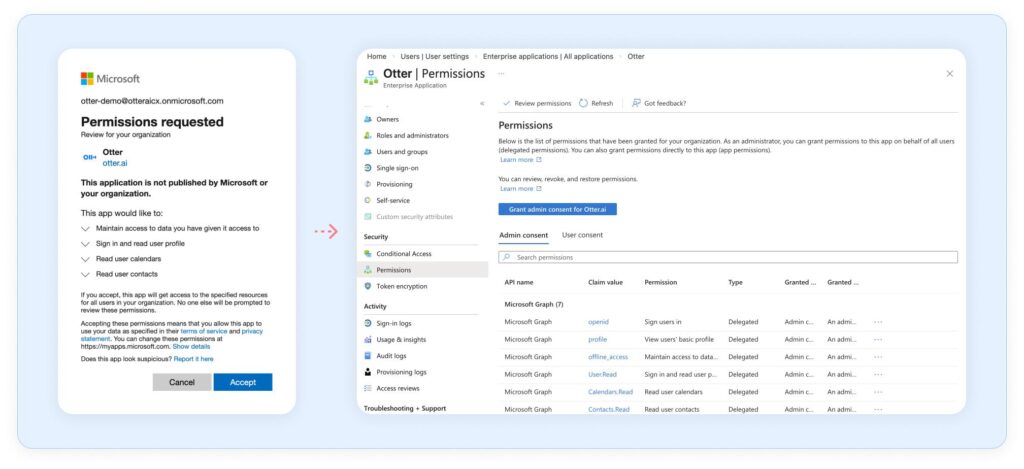
Decide Who Is Allowed to Connect
Can any user authorize the integration?
Or only:
- Workspace admin.
- Account owner.
- IT administrator.
- Finance admin.
- Product administrator.
The external provider may also restrict which users can grant organization-wide consent.
Define both sides.
Otherwise a normal user may connect a personal account when the product expects the company tenant.
Map External Tenant to Internal Tenant
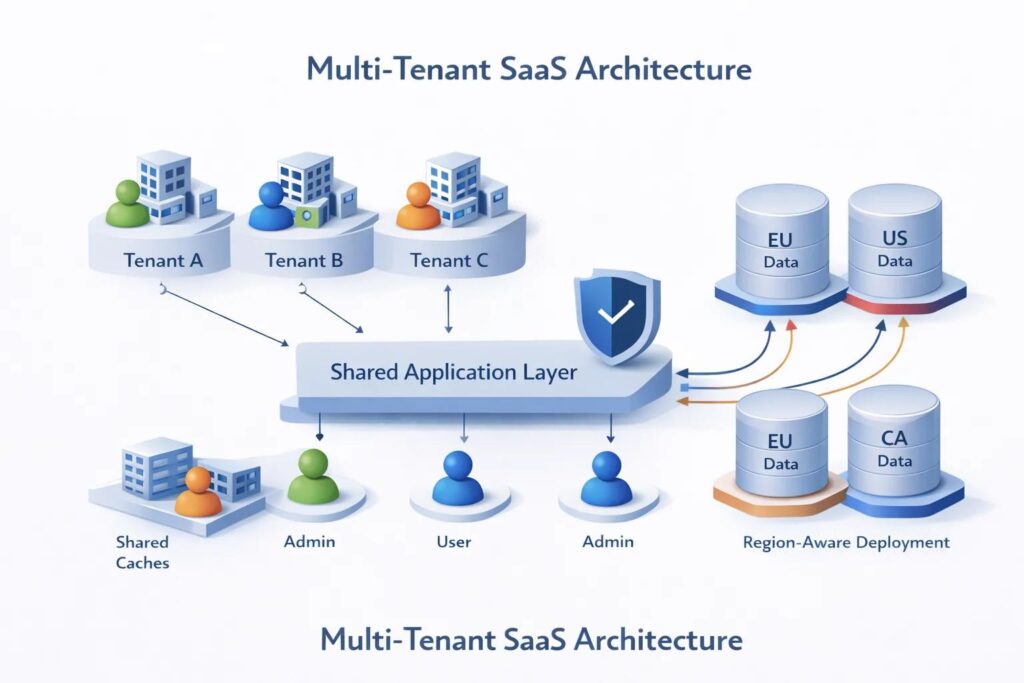
Multi-tenant SaaS applications need a reliable mapping.
Store:
- Internal organization ID.
- Provider.
- External tenant/account ID.
- Authorizing user.
- Granted scopes.
- Connection status.
- Created time.
- Last successful refresh.
- Last successful sync.
Do not identify a connection only by user email.
Users change roles and email addresses.
Request the Minimum Scopes
OAuth scopes define permissions.
Ask only for what the product needs.
Benefits:
- Lower security risk.
- Simpler customer approval.
- Easier vendor review.
- Less concern from enterprise IT.
Document why each scope is required.
If read-only data is sufficient, do not request write access.
Plan for Scope Expansion
Products evolve.
Version one may need read access.
Version two may need to create records.
Adding scopes can require users to reauthorize.
Plan the UX.
Do not silently assume an existing token has newly required permissions.
Show:
- Additional permission requested.
- Why it is needed.
- What feature requires it.
- How to approve.
Understand Access Token Lifetime
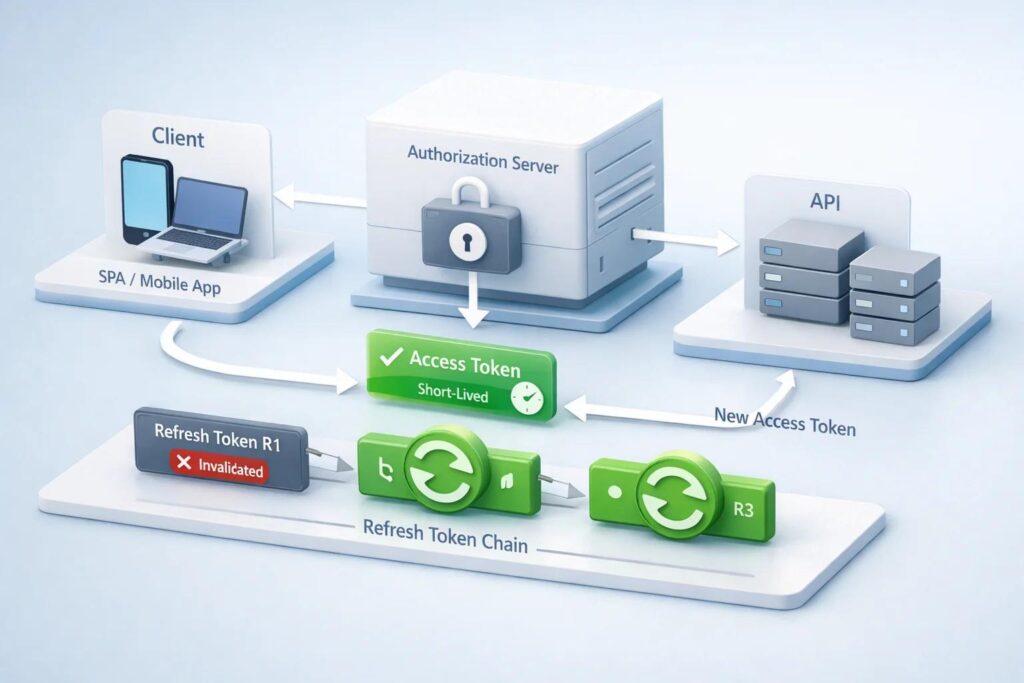
Access tokens are commonly short-lived.
The integration should know:
- Expiry.
- Refresh method.
- Clock-skew handling.
- Retry behavior.
Do not wait for every API call to fail if expiry metadata is available.
Store expiration safely.
Understand Refresh Tokens
Refresh tokens allow the application to obtain new access tokens without repeatedly asking the user to sign in.
Providers differ.
A refresh token may:
- Expire.
- Rotate.
- Be single-use.
- Be revoked.
- Change after refresh.
- Require secure replacement.
Follow provider-specific rules.
Never build one generic assumption for every OAuth vendor.
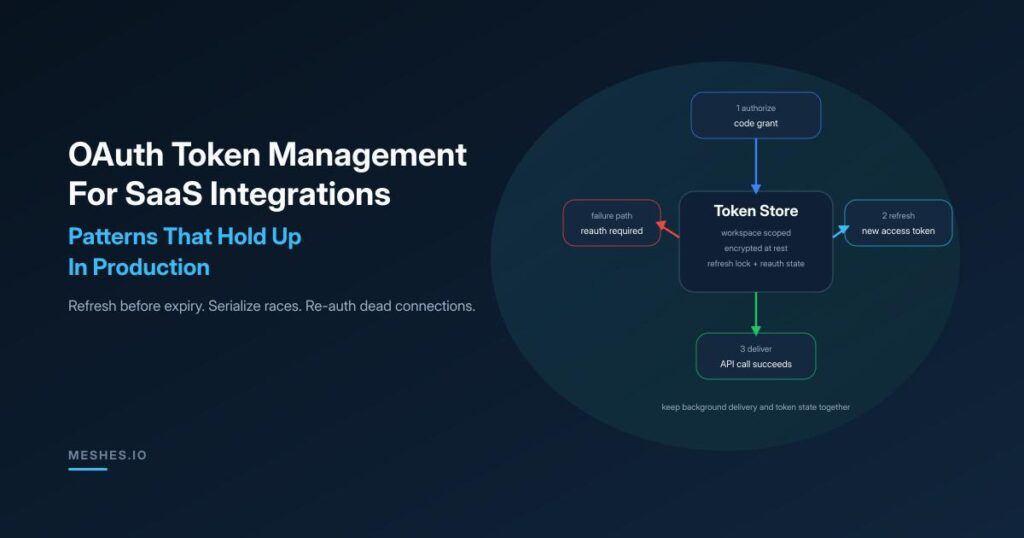
Handle Refresh Token Rotation Atomically
If the provider returns a new refresh token, store it safely before losing the old valid state.
Concurrent workers can create race conditions.
For example:
Worker A refreshes and receives token B.
Worker B simultaneously uses token A.
Provider invalidates A.
Worker B fails and overwrites stored token state incorrectly.
Use locking or controlled token-refresh ownership.
Encrypt Tokens at Rest
Tokens are credentials.
Protect them.
Use:
- Encryption at rest.
- Restricted database access.
- Secret-management patterns.
- No plaintext logs.
- No client-side exposure unless the architecture explicitly requires it.
Limit which services can read refresh tokens.
Do Not Log Tokens
Application logs often become broadly accessible to engineers and monitoring systems.
Redact:
- Access tokens.
- Refresh tokens.
- Authorization codes.
- Client secrets.
- Sensitive provider responses.
Logs should contain identifiers and error categories, not reusable credentials.
Use State and PKCE Where Appropriate
Modern OAuth flows include controls against authorization interception and request forgery.
Use provider-recommended security mechanisms such as state and PKCE for applicable clients.
Follow the current provider and standards guidance.
Do not implement OAuth from memory.
Use maintained libraries where appropriate.
Callback URLs Need Governance
Providers often require exact redirect URIs.
Manage separate URLs for:
- Development.
- Staging.
- Production.
Do not leave temporary localhost or developer callback URLs registered in production unnecessarily.
Treat redirect configuration as security-sensitive infrastructure.
App Verification Can Affect Timeline
Some providers require application review or verification before broad customer use, especially for sensitive scopes.
This can involve:
- Privacy policy.
- Terms.
- Domain verification.
- Security information.
- Demo video.
- Scope justification.
- Branding.
- Test credentials.
Approval can take time.
Include it in the launch plan.
Do not schedule customer go-live assuming provider review will happen instantly.
Enterprise Admin Approval Can Add Another Step
Even if the provider approves your app, a customer’s IT policy may block user consent.
Enterprise customers may require:
- Admin approval.
- Security review.
- Vendor onboarding.
- Allowlisting.
- Data-processing agreement.
- SOC/security documentation.
The product should support this sales and onboarding process.
Consent Screens Are Part of Trust
Customers notice:
- App name.
- Logo.
- Publisher.
- Scopes.
- Privacy links.
- Warnings.
An unverified or overly broad consent screen can reduce conversion.
Review the authorization experience as carefully as any product onboarding screen.
Store Connection Status Explicitly
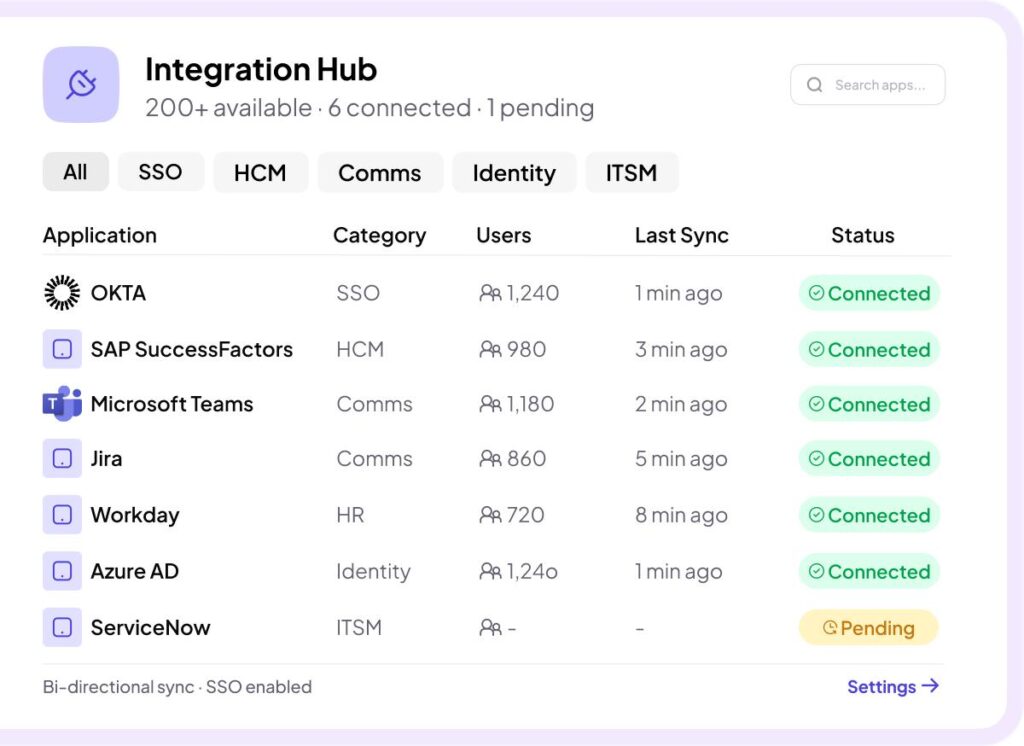
Useful statuses include:
- Connected.
- Syncing.
- Action required.
- Expired.
- Revoked.
- Permission missing.
- Provider error.
- Disabled.
Do not show “Connected” simply because a token record exists.
Connection health should reflect actual usability.
Detect Revocation
Users and admins can revoke access outside your application.
The next refresh or API call may fail.
Recognize revocation separately from temporary vendor errors.
Mark the connection Action required.
Tell the user how to reconnect.
Do not retry a revoked credential forever.
Reauthorization should be a normal product flow.
Provide:
- Clear status.
- Reason.
- Reconnect button.
- Expected account.
- Required scopes.
- Impact while disconnected.
After reconnect, resume safely.
Support should not need to manually edit database tokens.
Handle Password and Security Changes
Some providers revoke tokens after security events.
Others do not.
Treat provider behavior as specific.
Your product should respond gracefully whenever credentials become invalid regardless of cause.
Plan Initial Sync
Authorization is often followed by a large historical import.
This can hit:
- Rate limits.
- Pagination.
- Long processing times.
- Large storage.
- Customer expectations.
Show progress.
Do not leave the user staring at “Connected” while a six-hour initial sync runs silently.
Separate Connection From Sync Health
These are different.
OAuth connection can be valid while data sync fails.
Data sync can be current while token expiry is approaching.
Expose appropriate operational states.
For example:
- Authorization: Healthy.
- Last sync: 12 minutes ago.
- Next sync: scheduled.
This improves troubleshooting.
Support Multiple Connections Deliberately
Can one customer connect:
- One provider tenant?
- Multiple companies?
- Multiple workspaces?
- Multiple subsidiaries?
A product designed around one token per customer may need significant changes later.
Decide cardinality early.
Handle User Departure
What happens when the employee who authorized the integration leaves?
Some provider tokens are tied to the user.
Others represent organizational authorization differently.
For enterprise products, avoid making critical integrations depend invisibly on one employee.
Document recommended service/admin account patterns where the provider supports them.
Provide Connection Ownership
Store an internal owner/contact.
Notify them about:
- Reauthorization.
- Permission changes.
- Long-running failures.
- Provider deprecation.
Do not send critical integration alerts to a former employee.
Monitor Token Refresh
Track:
- Refresh attempts.
- Refresh failures.
- Invalid grant errors.
- Revocations.
- Scope changes.
- Connection age.
- Repeated authorization failures.
A rising refresh-failure rate may indicate a provider change.
Monitor API Health Separately
OAuth can be healthy while the vendor API is down.
Separate:
- Authorization errors.
- Rate limits.
- Server errors.
- Data errors.
- Network errors.
This helps support give accurate explanations.
Build a Disconnect Flow
Users need to remove integrations.
A proper disconnect can include:
- Stop sync.
- Delete or deactivate stored tokens.
- Revoke provider access where appropriate.
- Retain/delete imported data according to policy.
- Record audit event.
- Explain downstream impact.
Disconnect is part of the product lifecycle.
Define Data Retention After Disconnect
Does imported data remain?
For how long?
Can the customer request deletion?
Does reconnect resume from prior history?
These are product and privacy decisions.
Document them.
Audit Authorization Changes
Record:
- Who connected.
- Provider tenant.
- Scopes.
- When.
- Who disconnected.
- Reauthorization.
- Connection ownership changes.
- Administrative actions.
Do not log token values.
Audit the event, not the secret.
Test OAuth Failure Scenarios
Test:
- User denies consent.
- State mismatch.
- Expired authorization code.
- Wrong tenant.
- Missing scope.
- Expired access token.
- Expired refresh token.
- Rotated refresh token.
- Revoked app.
- Provider outage.
- Concurrent refresh.
- Admin policy blocks consent.
- User leaves organization.
Production readiness requires these cases.
A Product Planning Checklist
1. Before development:
- Provider OAuth documentation reviewed.
- Required scopes mapped to features.
- App verification requirements known.
- Tenant mapping defined.
- Connection cardinality defined.
- Enterprise admin-consent implications understood.
2. Before launch:
- Tokens encrypted.
- Logs redact secrets.
- Refresh lifecycle tested.
- Concurrent refresh handled.
- Reauthorization UX exists.
- Initial sync is observable.
- Disconnect flow exists.
- Audit events exist.
- Support runbook exists.
- Provider review is complete.
- Customer-facing consent text is clear.
Frequently Asked Questions
What is OAuth used for in SaaS integrations?
It lets a customer authorize limited access to another service without sharing their password with your application.
Do OAuth tokens expire?
Access tokens commonly expire. Refresh-token behavior varies by provider, including expiry, rotation and revocation.
Should OAuth tokens be stored in the database?
They need secure server-side storage appropriate to the architecture, with encryption and tightly restricted access. Do not store them casually or expose them in logs.
Why does an OAuth integration stop working after months?
Possible reasons include revoked consent, expired or invalid refresh tokens, scope changes, user departure, enterprise policy changes or provider-side app changes.
What is OAuth app verification?
Some providers review third-party applications before allowing broad use or sensitive scopes. Requirements and timelines vary by provider.
Should every user be allowed to connect an integration?
Not necessarily. Many B2B products restrict connection setup to admins or designated roles.
What happens when new scopes are required?
Users may need to reauthorize and approve additional permissions. Plan the product messaging and migration path.
Conclusion
OAuth is not a one-time authentication feature.
It is an ongoing authorization relationship between your product, the customer and an external provider.
Plan consent, scopes, tenant mapping, token refresh, revocation, reauthorization, app verification, monitoring, support and disconnect from the beginning.
That turns OAuth from a fragile integration detail into a manageable product capability.
If your SaaS product needs to connect reliably to third-party platforms, Actiknow can help design and implement the OAuth lifecycle alongside the integration, sync and support architecture. Discuss your SaaS integration requirements with Actiknow.